
Backup Recovery Codes
Backup recovery codes serve as a critical fail-safe recovery channel. If a customer loses their phone, loses access to their authenticator app, or cannot receive an SMS/email OTP, they can enter one of their backup codes to regain account access.
Admin Configuration
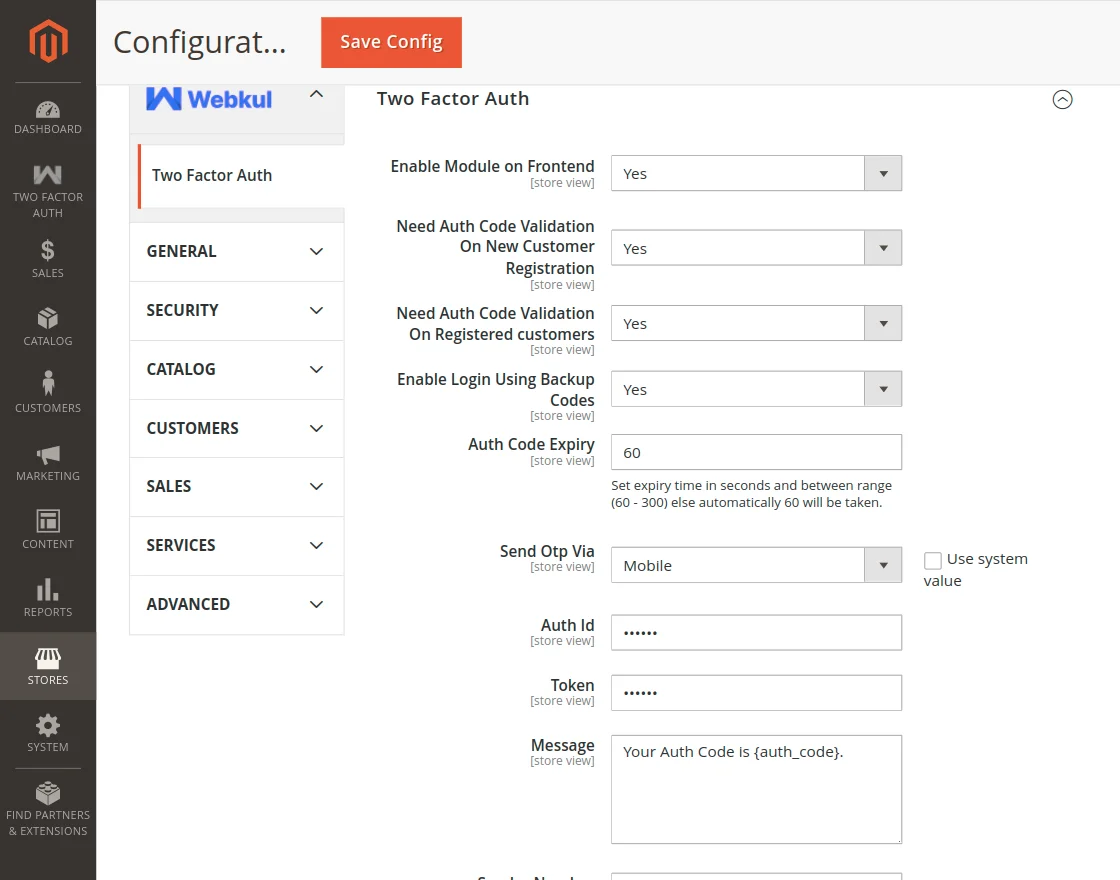
To enable backup code support:
- Navigate to Stores > Configuration > Webkul > Two Factor Auth.
- Set Enable Login Using Backup Codes to Yes.
- Save the configuration and flush cache.
Code Issuance upon Registration
- When a new customer completes account registration with 2FA enabled, they are issued 12 single-use backup recovery codes.
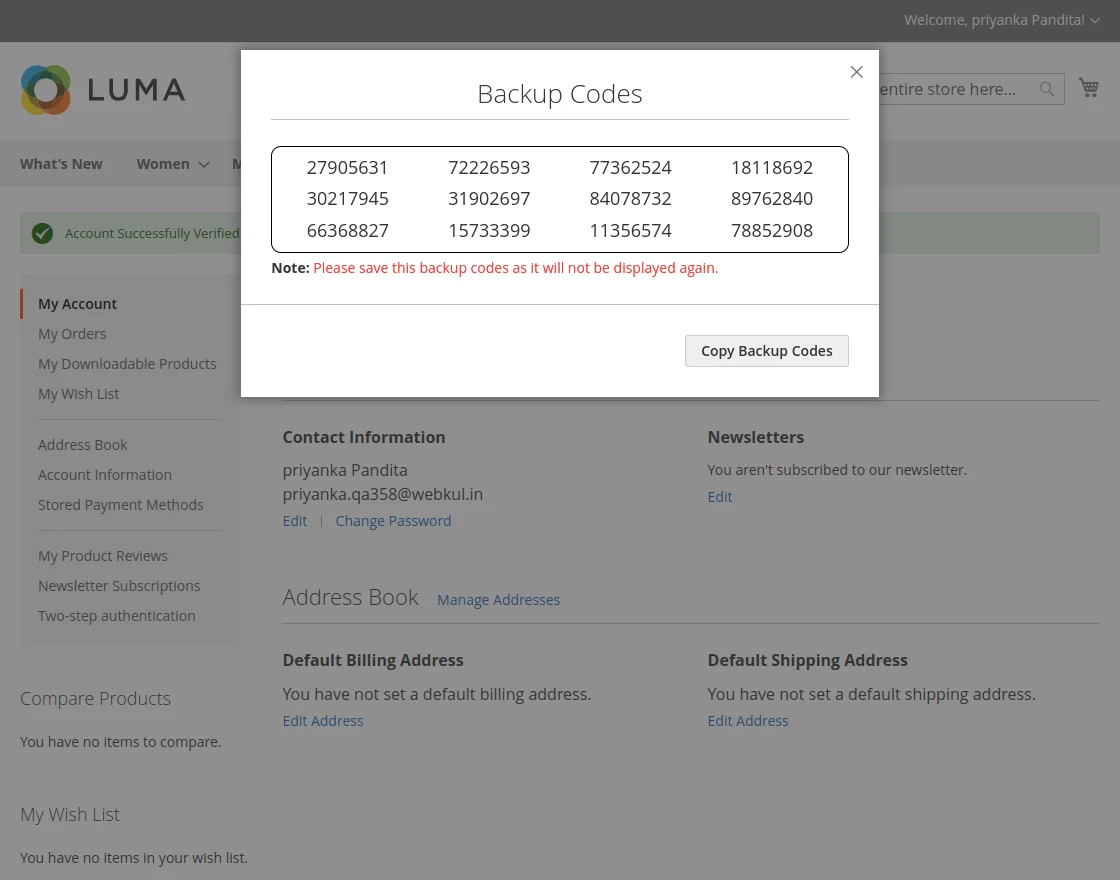
- The customer can copy these codes to a secure password manager or physical notebook.
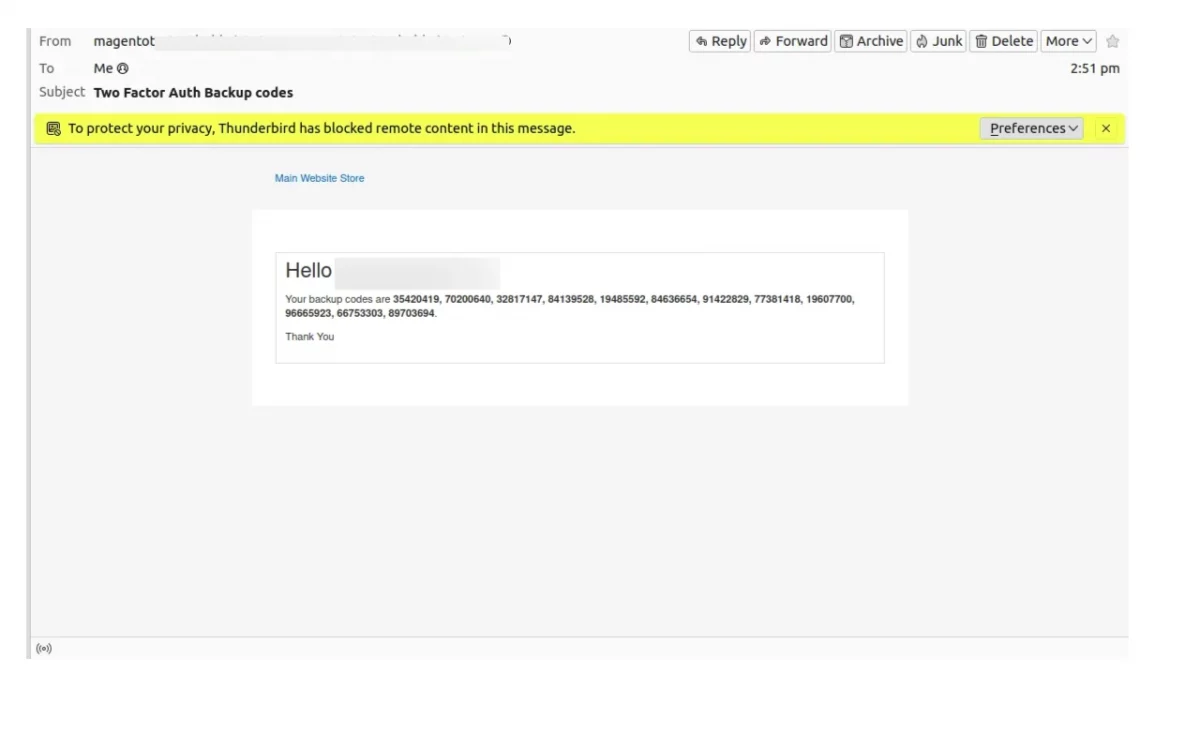
- An automated confirmation email containing all 12 backup codes is simultaneously dispatched to their registered email address for safe keeping.
Logging In Using a Backup Code
- On the 2FA login verification modal, if the customer is unable to access their primary OTP or authenticator device, they click Sign In another way.
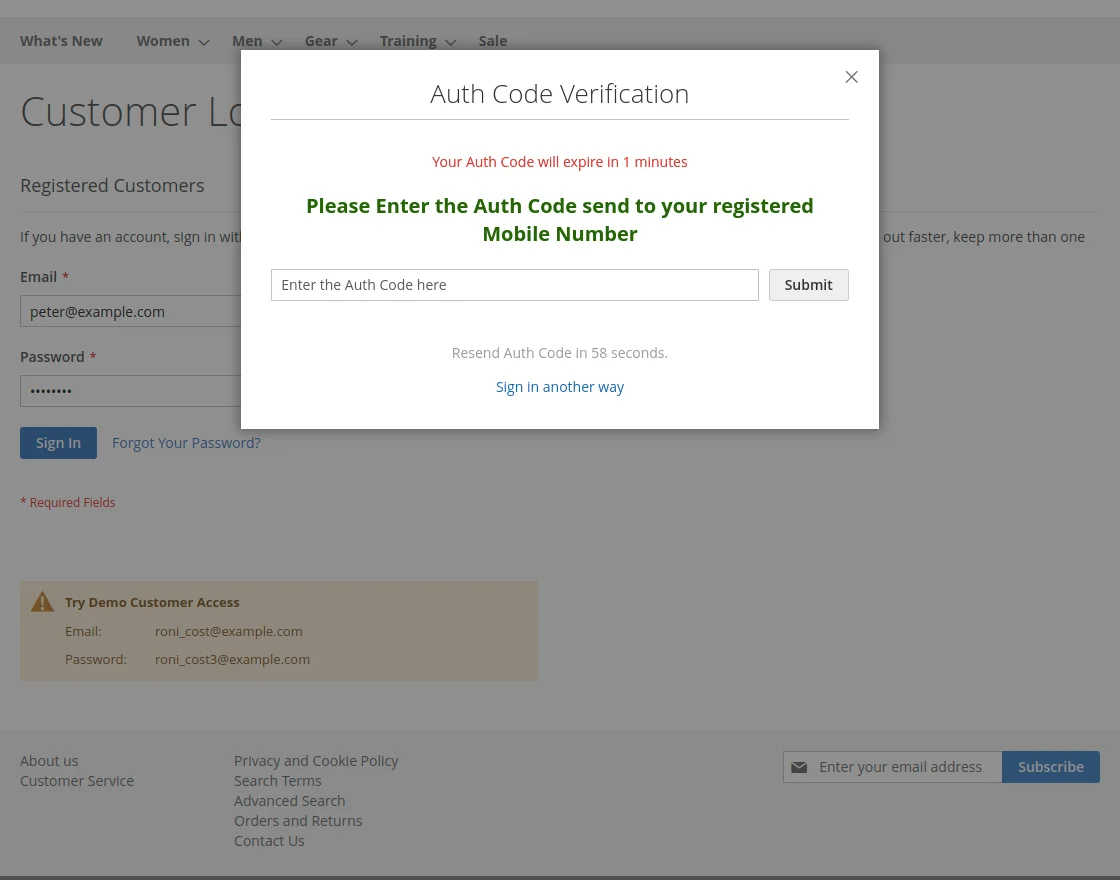
- The modal toggles to the backup code entry prompt.
- The customer pastes or types any unused backup recovery code.
- Once verified, the customer is granted access.
- The used code is immediately invalidated and cannot be reused.