
Magento 2 Multi Vendor Mass UploadMagento 2 Multi Vendor Mass Upload
Live Demo
Buy Now
Support
Live Demo
Buy Now
Support
  • Getting Started

    • Introduction
    • Requirements
    • Installation
  • Configuration

    • Admin Configuration
    • Multilingual & i18n
  • Seller Management

    • Mass Upload Overview
    • Simple Products
    • Configurable Products
    • Virtual Products
    • Downloadable Products
    • Error Detection
    • Dataflow Profile
    • Product Export
    • Profile Listing
  • Admin Management

    • Admin Mass Upload
    • Multiple Sellers Import
    • Dataflow & Export
  • Storefront View

    • Product Edit & Front View
  • Help

    • Troubleshooting
    • FAQ

Seller Product Export

Marketplace sellers can export their existing catalog items into CSV files for backup, offline editing, or cross-platform inventory management.


Exporting Seller Products

  1. In the seller panel, go to Marketplace > Mass Upload Product Export.
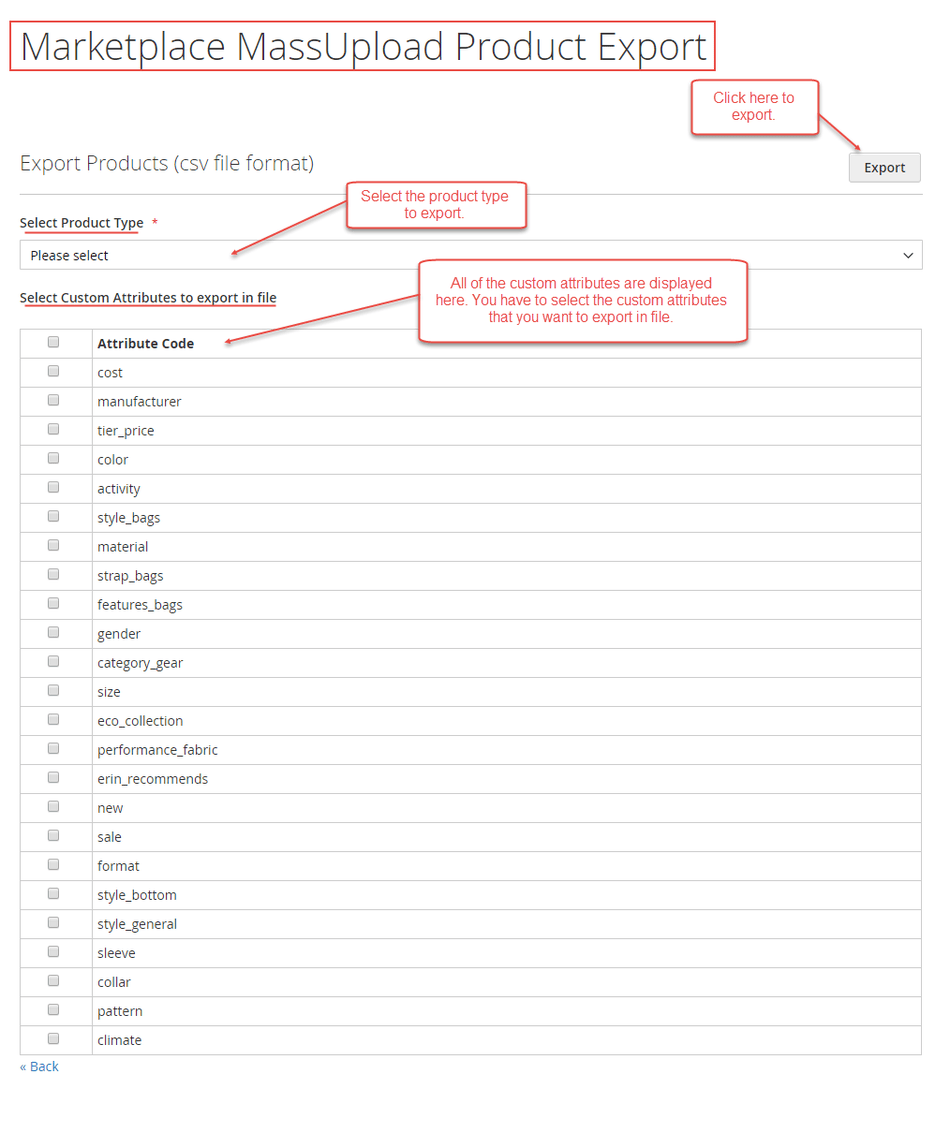
Mass Upload Product Export Menu Link

  1. Select the Product Type to export (Simple, Configurable, Virtual, or Downloadable).
  2. Select any Custom Attributes you wish to include as columns in the exported file.
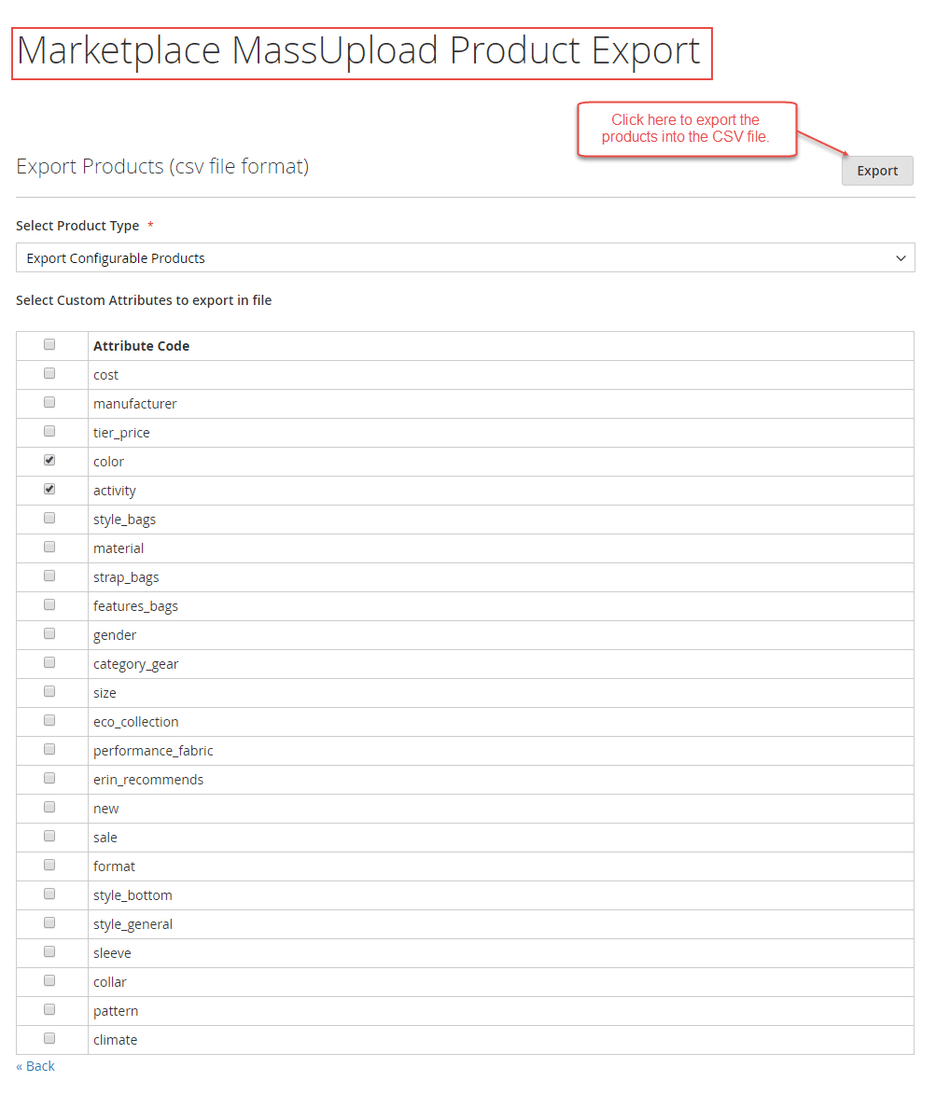
Select Product Type and Custom Attributes for Export

  1. Click Export. The browser will download a generated .csv file containing the selected product data and attributes.
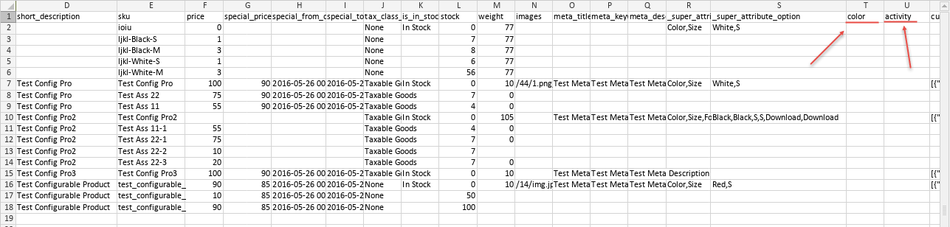
Exported Product CSV File

Prev
Dataflow Profile
Next
Profile Listing