
Multilingual Support & Translation
The Magento 2 Multi Vendor Mass Upload module supports multi-language stores and works with both Left-to-Right (LTR) and Right-to-Left (RTL) text direction layouts.
Step 1: Setting Store Locale
To translate the frontend and backend content into another language (for example, German):
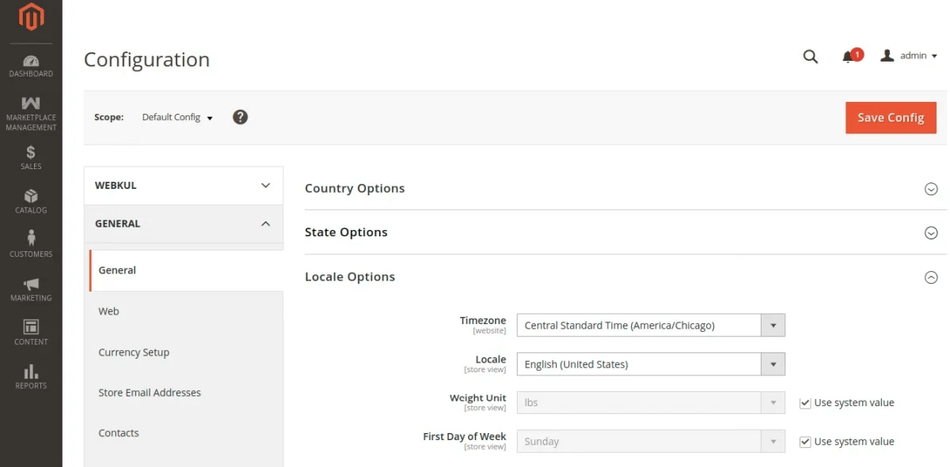
- Go to Stores > Configuration > General > General > Locale Options.
- Select the target locale from the Locale drop-down menu (e.g.
German (Germany)). - Click Save Config.
Step 2: Customizing Translation CSV
Module translation phrases are located inside the extension directory:
app/code/Webkul/MpMassUpload/i18n/en_US.csv
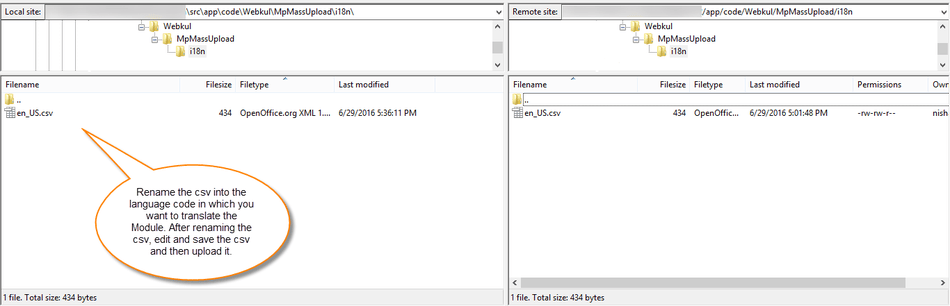
To create a new translation file (e.g. German de_DE):
- Copy
en_US.csvand rename it to your target locale code, such asde_DE.csv. - Open
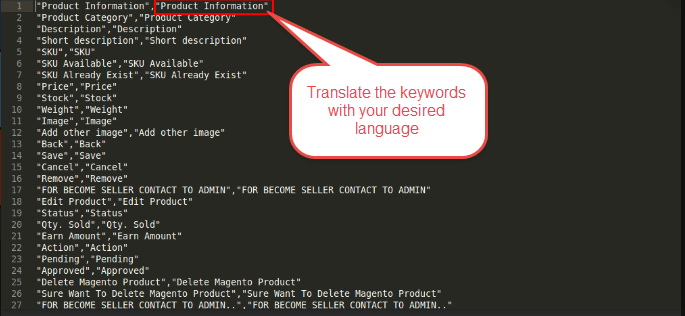
de_DE.csvin a UTF-8 text editor or CSV editor. - Translate all values on the right side of the comma while keeping the original English text on the left side untouched.
"Mass Upload Product","Massen-Upload-Produkt"
"Run Profile","Profil ausführen"
"Select Attribute Set","Attributset auswählen"
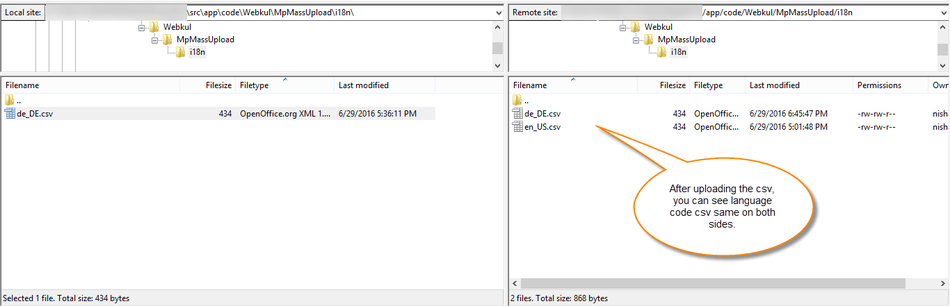
- Save the file and upload it to the server directory:
app/code/Webkul/MpMassUpload/i18n/de_DE.csv
- Flush the Magento cache using
php bin/magento cache:flush.