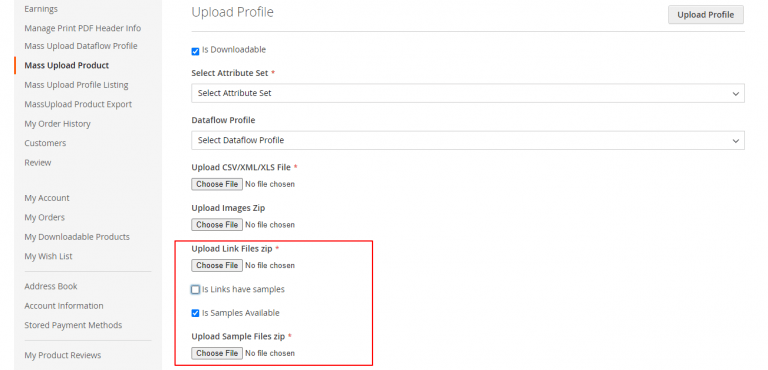
Seller Mass Upload Overview
Marketplace sellers can upload product catalogs in bulk directly from their seller panel.
Accessing Mass Upload Interface
- Log in to the store as a registered Marketplace Seller.
- In the left navigation menu, click Mass Upload Product.
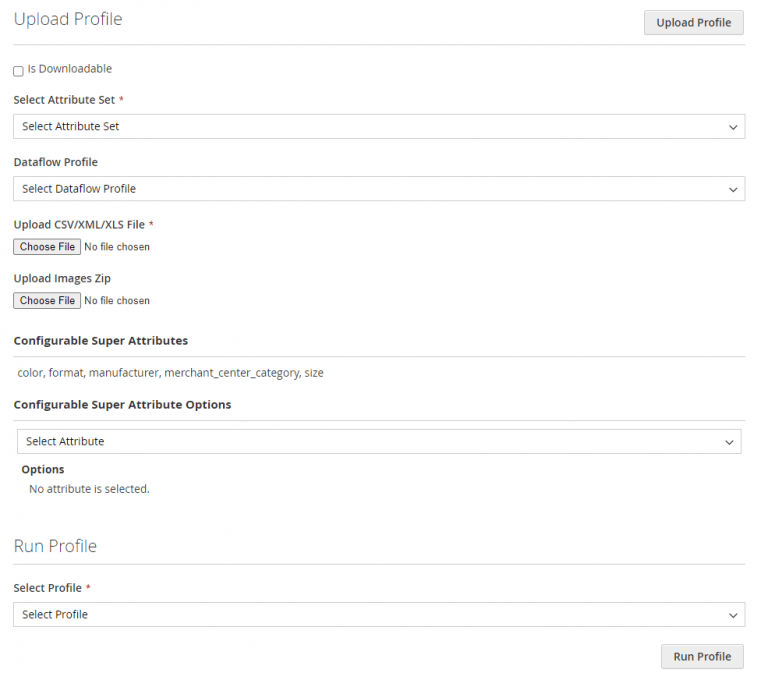
Form Fields & Configuration Controls
| Field | Description |
|---|---|
| Attribute Set | Select the attribute set corresponding to the products being uploaded. |
| Select File Type | Choose between CSV, XLS, or XML file formats. |
| Upload File | Browse and attach the product data file. |
| Upload Image Zip File | Upload a compressed ZIP folder containing product images referenced in the data file. |
| Is Downloadable | Check this box if uploading downloadable product types. |
Additional Downloadable Product Options
When Is Downloadable is checked, additional download settings and ZIP attachment fields become available:
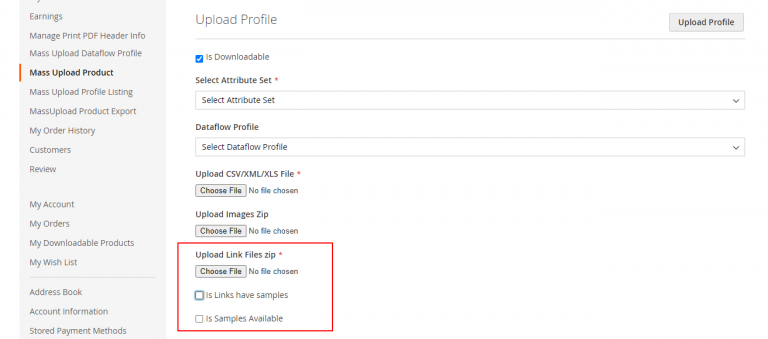
- Upload link files zip: Attach the ZIP container holding individual downloadable link files.
- Is Links have samples: Check if downloadable link items include sample preview files. An additional file field Upload Link sample files zip will appear.
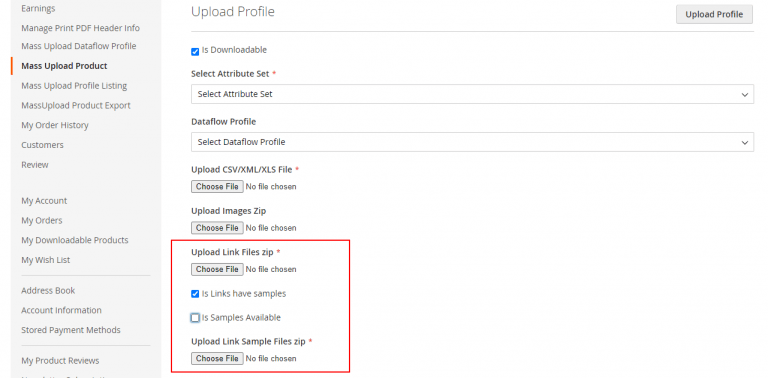
- Is Samples Available: Check if product-level sample preview files are available. An additional file field Upload samples file zip will appear.