
Storefront Autocomplete
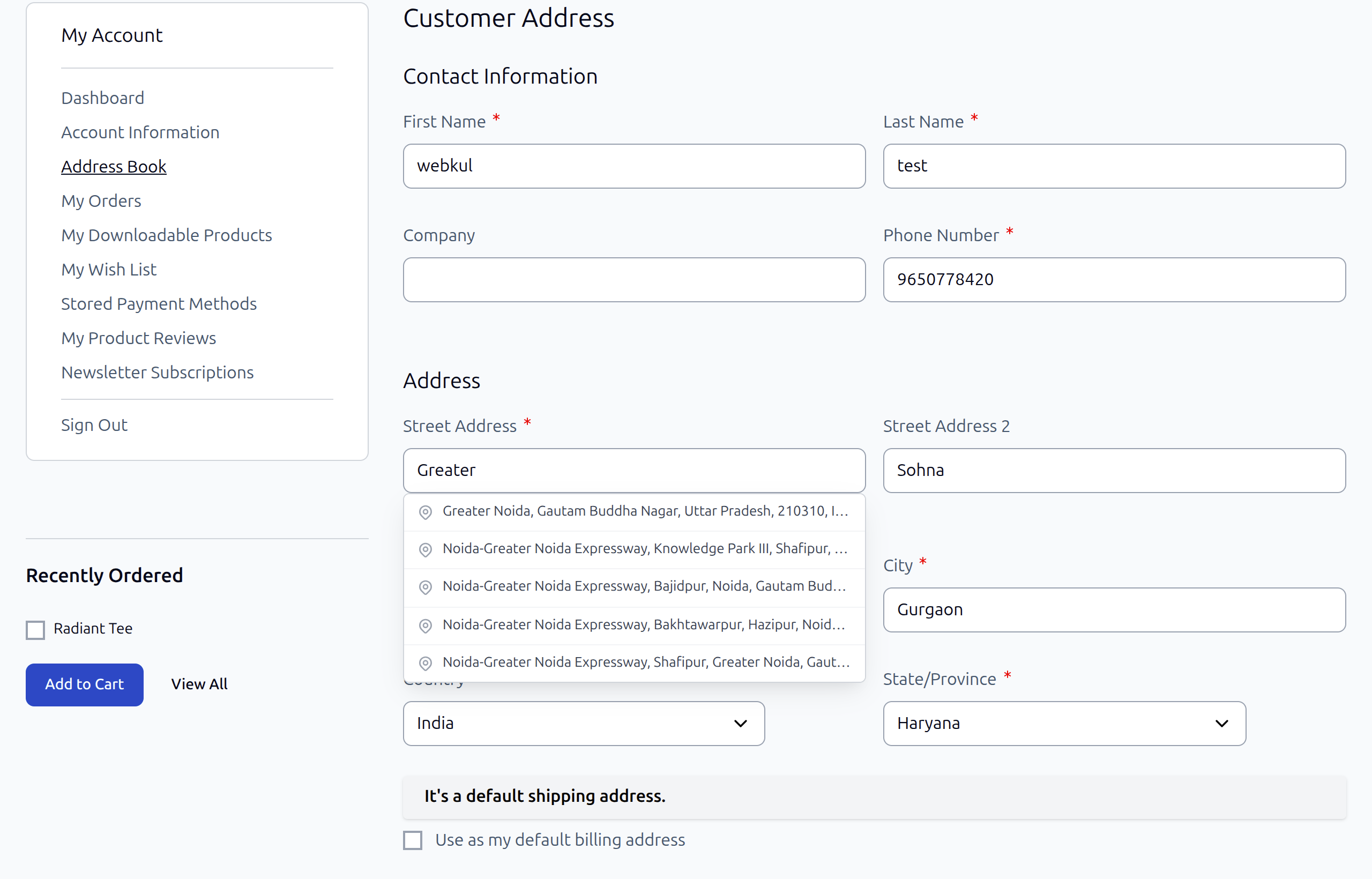
The Webkul Magento 2 OpenStreetMap Address AutoComplete extension streamlines the customer experience on your storefront by offering instant address suggestions and one-click form completion.
The extension supports both the default Luma/Blank theme and the Hyvä Theme via a dedicated companion module.
Supported Storefront Pages
The extension integrates directly into two key storefront areas:
- One-Page Checkout (
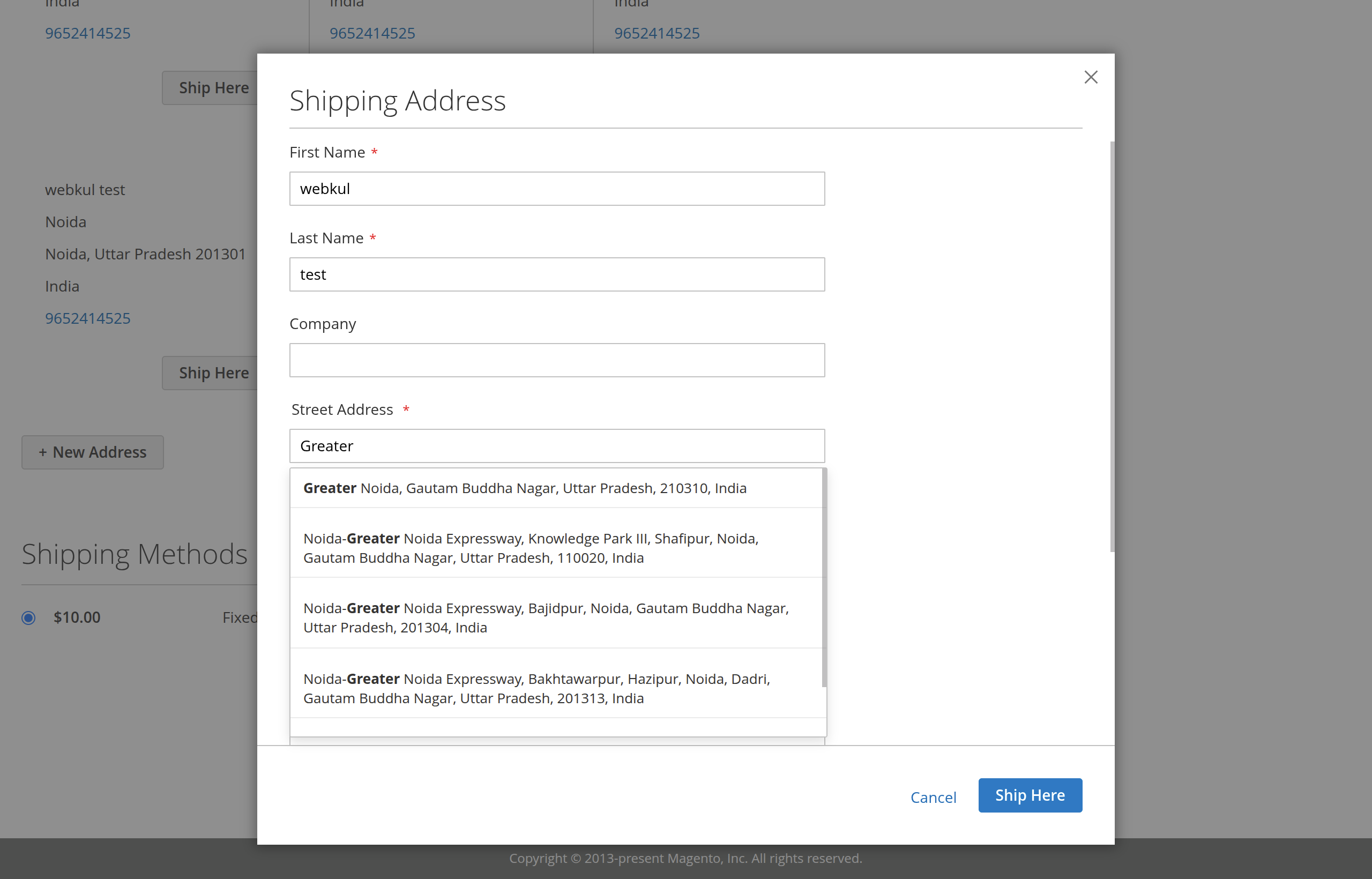
/checkout):- Shipping Address Form: Autocomplete is active when guest or registered customers type into the street address field.
- Billing Address Form: Autocomplete is active when specifying a billing address different from shipping.
- Customer Account Address Book (
/customer/address/):- Add New Address (
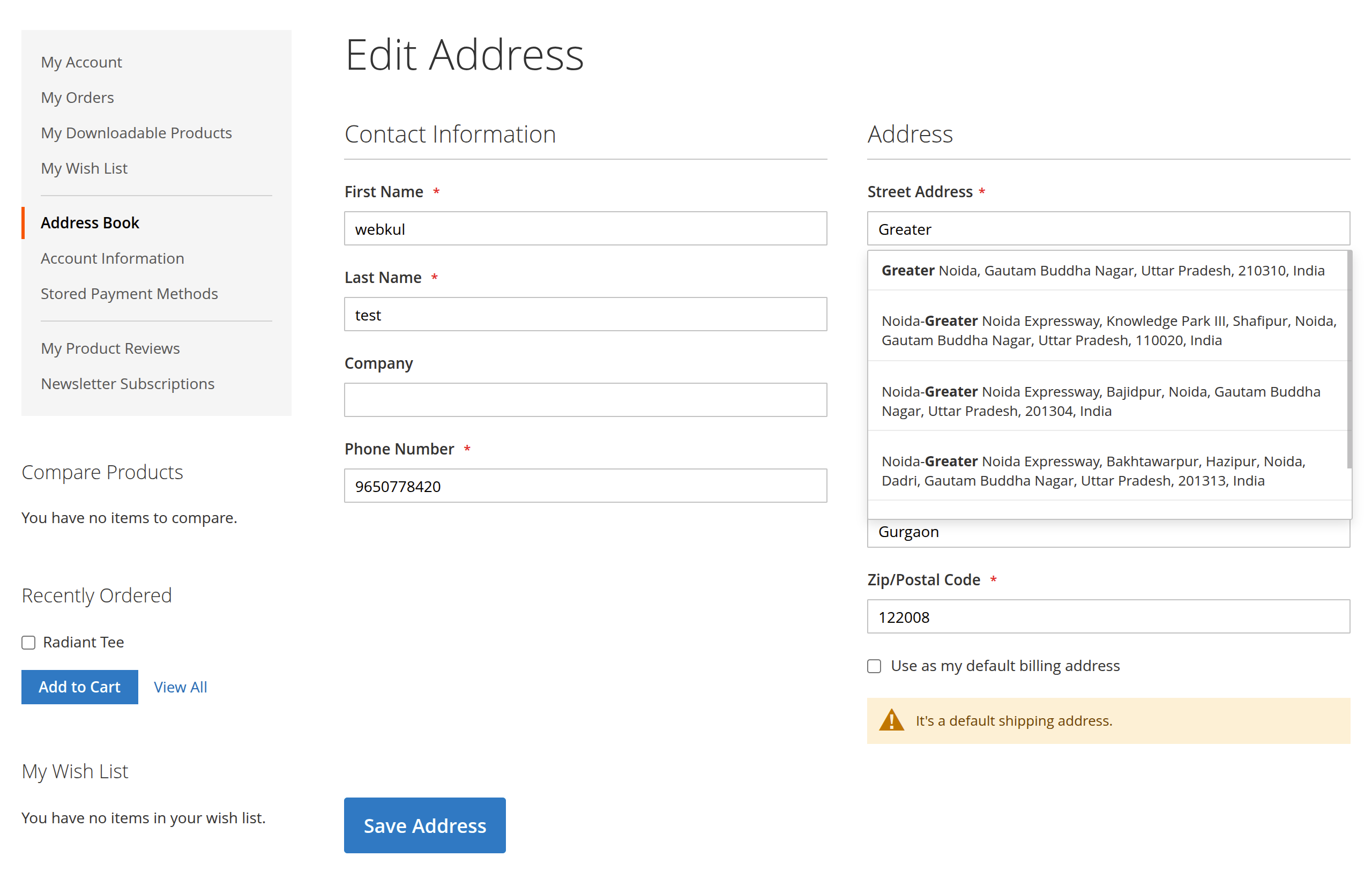
customer/address/new/): Helps customers quickly save accurate addresses. - Edit Address (
customer/address/edit/id/*): Assists customers when updating existing addresses.
- Add New Address (
Interactive Customer Experience
When a customer begins typing into the Street Address: Line 1 input field:
- Threshold & Debounce: Once the input reaches the configured minimum character threshold (default:
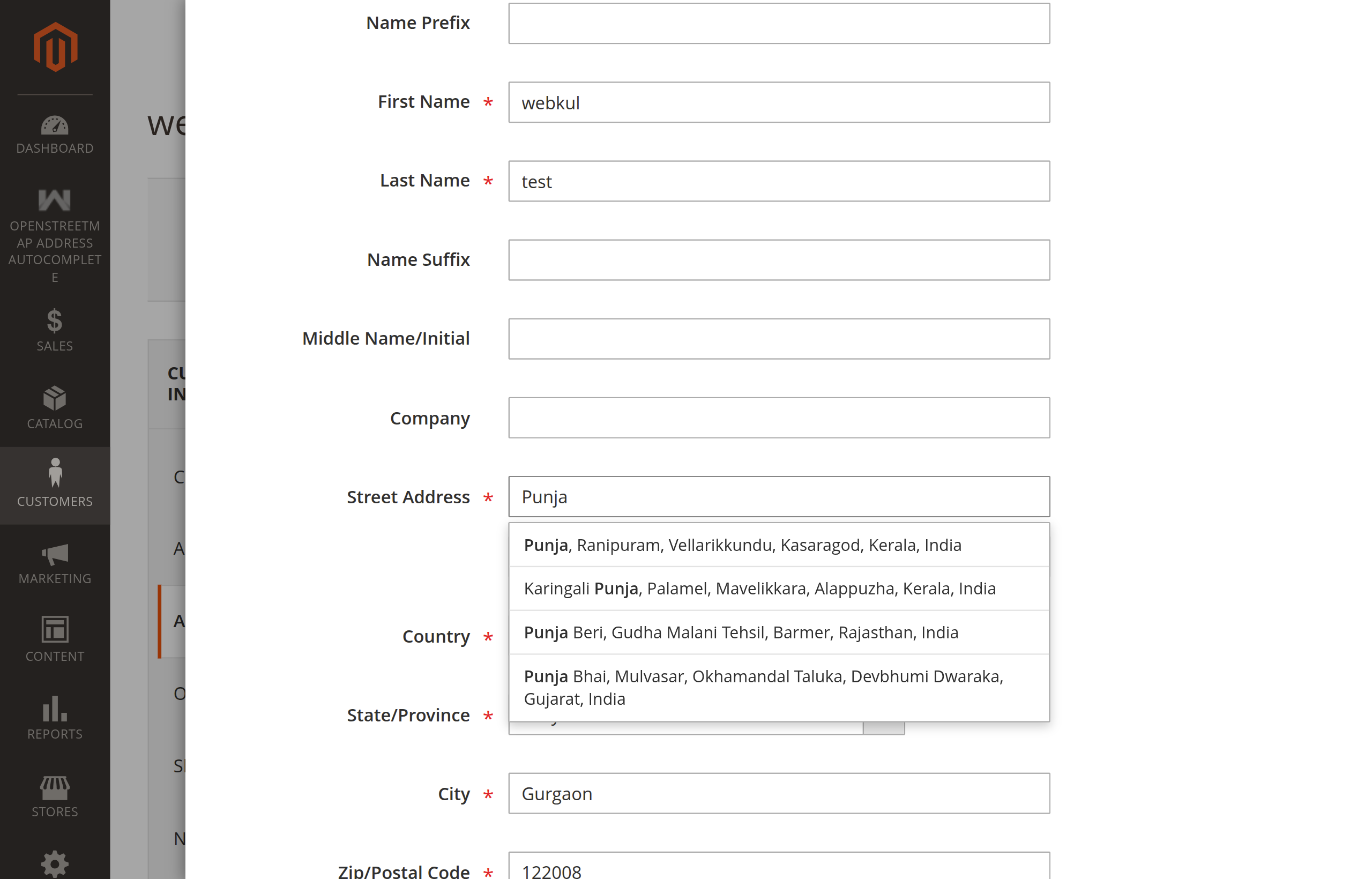
3characters) and typing pauses for the debounce window (default:300ms), the suggestion list appears directly below the field. - Highlighted Query Matching: Matching portions of address suggestions are automatically rendered in bold to help customers easily confirm their desired address.
- Keyboard & Mouse Navigation:
- Arrow Down (↓): Move down through suggestions.
- Arrow Up (↑): Move up through suggestions.
- Enter (↵): Select the highlighted address item.
- Escape (Esc): Close the suggestions dropdown.
- Mouse Hover: Highlights item under cursor.
- Mouse Click: Instantly selects item and triggers form autofill.
- Click Outside: Automatically dismisses the dropdown.
Comprehensive Field Auto-Population
Upon selecting an address suggestion from the list, the module automatically populates all relevant address fields within the active form:
What happens when a customer selects "10 Downing St, London, UK":
- Previous field values are cleared.
- Street Line 1 is set to
10 Downing St. - Street Line 2 is set to the suburb or district (if available).
- Country is set to
GBand the form updates available states/regions. - City is set to
London. - Postcode is set to
SW1A 2AA. - After a brief moment, the State/Region field is matched and selected automatically.
Detailed Field Actions:
- Street Line 1 (
street[0]): Populated with the combined house number and road name (e.g.1600 Amphitheatre Pkwy). - Street Line 2 (
street[1]): Populated with the locality, suburb, or district name without duplicating the street, city, or state. - Country (
country_id): Sets the ISO 2-letter country code and signals Magento's UI to dynamically update available regions/states and refresh available shipping methods. - City (
city): Fills the municipality or city name. - Postal Code (
postcode): Sets the postal/ZIP code, triggering Magento's shipping estimation rate re-calculation. - State / Region (
region_id/region):- The module introduces an intelligent synchronization buffer allowing Magento's asynchronous region loader to populate country-specific regions.
- If the country utilizes a dropdown select (
region_id), the module matches the region by internalregion_idor case-insensitive name. - If the country uses a freeform text input (
region), the full province/region string is populated directly.
Luma / Blank Theme — How It Works
On stores using the Luma or Blank theme, the autocomplete is powered by Magento's RequireJS framework:
- A layout block is injected on all storefront pages, conditioned on
openstreetmap_autocomplete/general/enable. - A
text/x-magento-initJSON declaration passes the search URL, debounce interval, character minimum, country restriction, and page enable flags to the JavaScript layer. - A mixin handler detects whether the focused input belongs to a checkout or customer address form, and checks corresponding configuration switches (
isCheckoutEnabled,isCustomerAddressEnabled). - A lightweight autocomplete widget handles keyboard navigation, debouncing, scroll-into-view, and caching.
Hyvä Theme Edition — How It Works
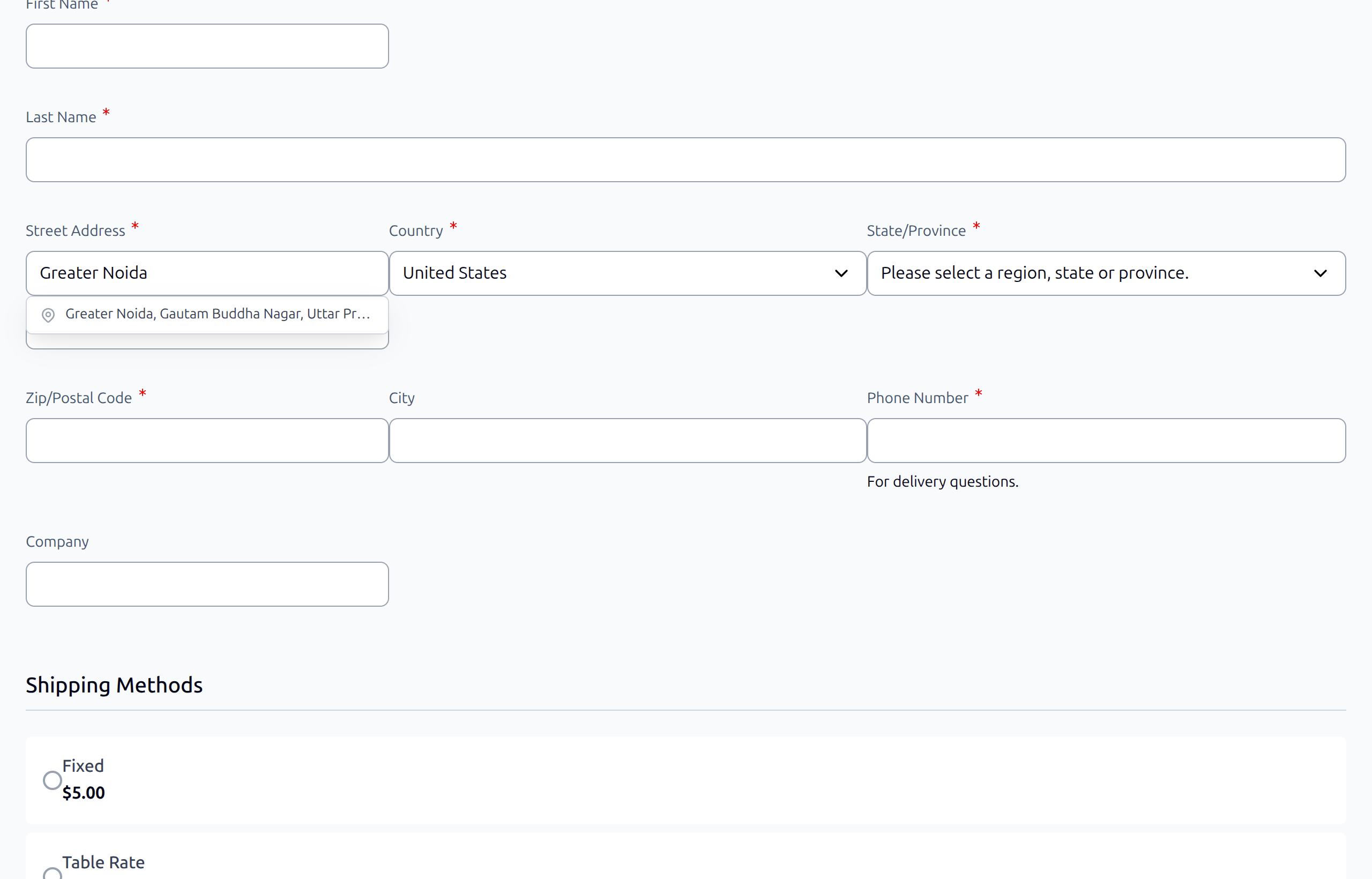
On stores using the Hyvä Theme, the companion module Webkul_OpenStreetMapAddressAutoCompleteHyva replaces the RequireJS implementation with a pure inline JavaScript approach:
- The Luma RequireJS block is automatically removed (
openstreetmap_autofill_formblock is set toremove="true"). - A Hyvä-specific block (
openstreetmap_autofill_form_hyva) is injected using theautofilladdress.phtmltemplate from the Hyvä module. - The inline script works natively with Alpine.js — it reads the Alpine component's reactive state (
availableRegions,selectedRegion,setCountry) for smart region selection. - Full support for Magewire-powered checkout pages: the module uses a retry-based approach to populate region fields as Magewire re-renders components.
- Hyvä Checkout and Hyvä Default pages are covered by separate layout handles:
default_hyva.xml— all standard Hyvä pageshyva_checkout_index_index.xml— Hyvä Checkout checkout pagehyva_checkout.xml— Hyvä Checkout general layouthyva_default.xml— Hyvä general default layoutcheckout_index_index.xml— standard Magento checkoutcustomer_address_form.xml— customer address form pages
Hyvä CSP Compliance
The Hyvä template automatically registers inline scripts with Hyvä's Content Security Policy (CSP) helper ($hyvaCsp->registerInlineScript()), ensuring the autocomplete script is CSP-compliant without manual configuration.
Next Step
Learn how the extension facilitates back-office workflows in Admin Panel Autocomplete.