
Admin Panel Autocomplete
The Webkul Magento 2 OpenStreetMap Address AutoComplete extension brings the same instant address suggestion experience to your Magento backend, making it faster and more accurate for store administrators to manage orders and customer records.
Where Admin Autocomplete Is Available
The extension adds address autocomplete to three key areas of the Magento Admin Panel:
- Create Order screen — Billing and Shipping address forms when placing an order on behalf of a customer.
- Customer address editing — When adding or modifying addresses from the backend Customer Edit interface.
- Order Address editing — When correcting a delivery or billing address on an existing sales order.
1. Admin Create Order
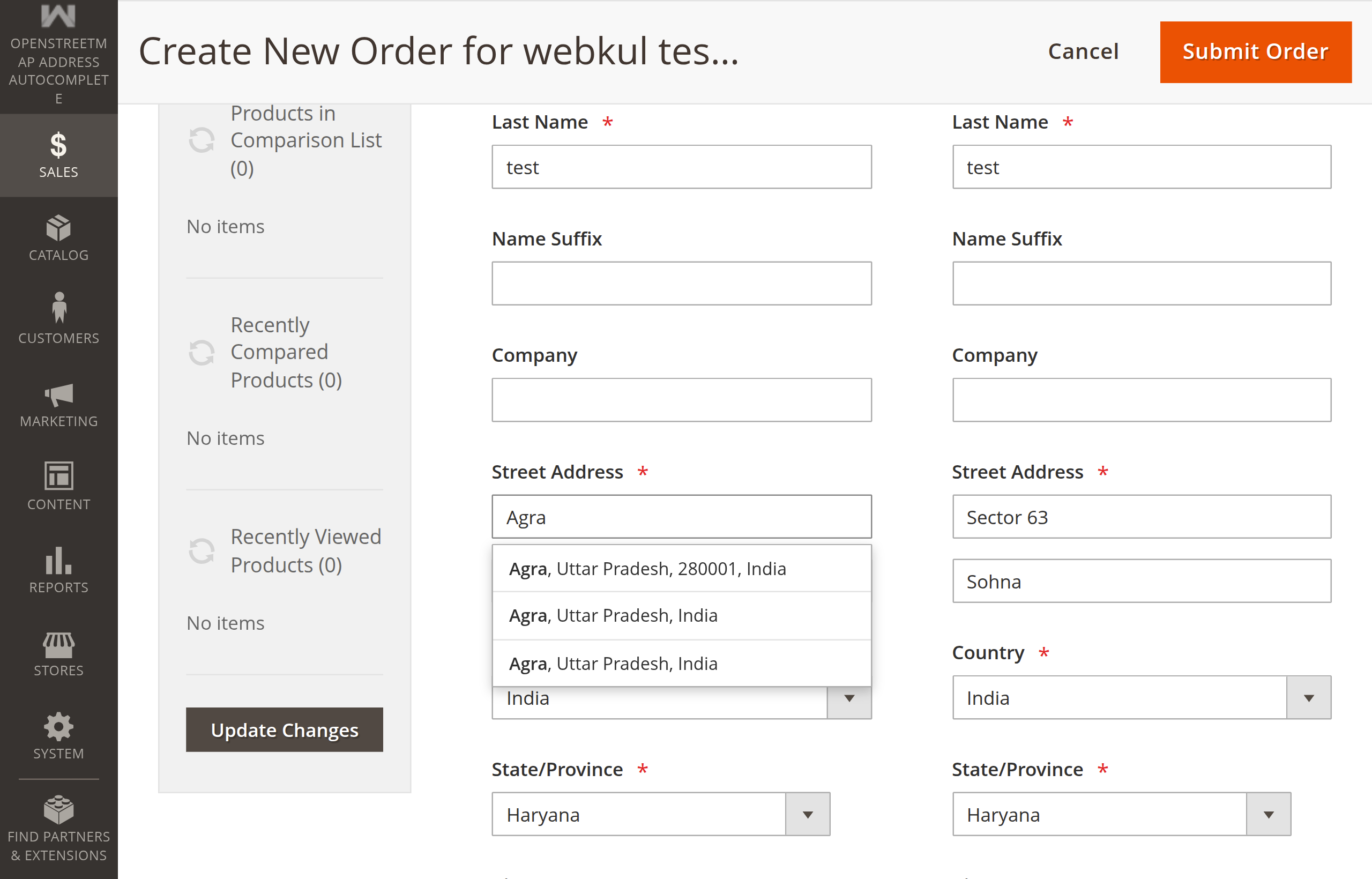
When store administrators or call center representatives place orders on behalf of customers via Sales → Orders → Create New Order:
- Autocomplete is active on both the Billing Address and Shipping Address street fields.
- Automatic Same-as-Billing Synchronization: When the administrator checks Same as Billing Address, selecting an address suggestion for the Billing Address automatically replicates all fields — Street 1, Street 2, Country, City, Postcode, and Region/State — into the corresponding Shipping Address fields. This eliminates duplicate address entry.
2. Admin Customer Address Management
When editing or adding addresses for a customer via Customers → All Customers → [Select Customer] → Addresses:
- Autocomplete is active on the Street Address field inside the customer address fieldset.
- Selecting a suggestion populates street lines, city, postal code, country, and state — the administrator can save the record without manually copying values from external tools.
3. Edit Order Address on Existing Orders
When customers contact customer support to change their delivery address after placing an order:
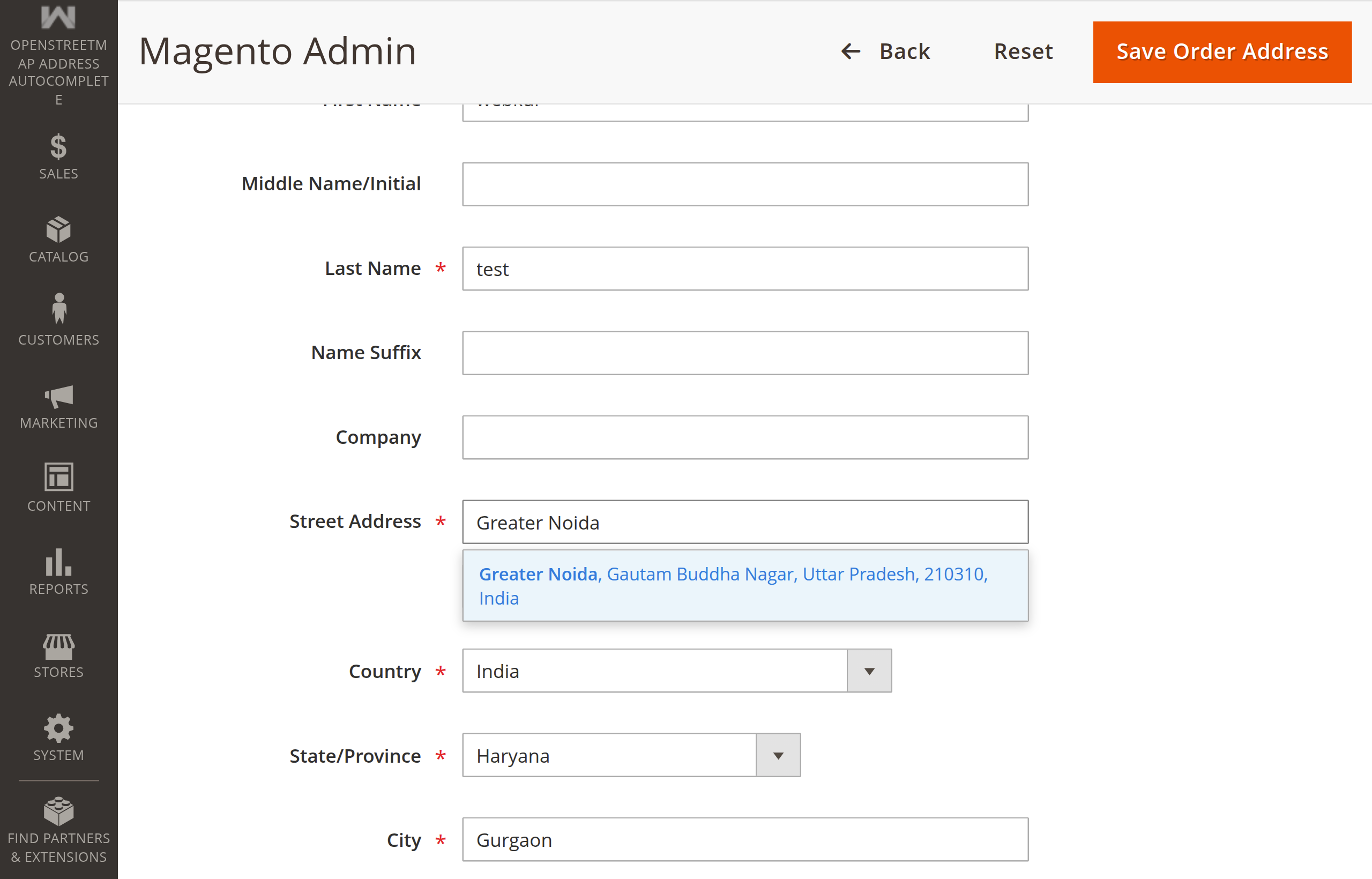
- Navigate to Sales → Orders and click View on the relevant order.
- In the Address Information section, click Edit next to Billing or Shipping Address.
- Focus on the street address field to view instant OpenStreetMap suggestions.
- Select the corrected address — street lines, city, postal code, state, and country update automatically.
- Click Save Address.
Security & Admin Authentication
All administrative autocomplete searches are guarded by Magento's backend security layers:
- ACL Protection: Only administrators with the appropriate resource permission (
Webkul_OpenStreetMapAddressAutoComplete::openstreetmap_autocomplete) can trigger autocomplete searches. - Secret Key Validation: All AJAX search requests automatically include Magento's administrative URL secret key, preventing CSRF attacks.
- Input Sanitization: Query terms are stripped of HTML tags and truncated to a maximum length of 255 characters prior to API dispatch.
Per-Screen Admin Configuration
Each admin autocomplete feature can be enabled or disabled independently under Stores → Configuration → Webkul → OpenStreetMap Address Autocomplete → Admin Options:
| Feature | System Configuration Setting | Default |
|---|---|---|
| Create Order Screen | Enable on Admin Create Order | Yes |
| Customer Edit Screen | Enable on Admin Customer Address Edit | Yes |
| Order Address Edit Screen | Enable on Admin Order Address Edit | Yes |
Next Step
Review Nominatim provider configuration, self-hosted endpoints, and architectural extensibility in Nominatim & Provider Architecture.