
Seller Membership Assignment
Administrators can directly allocate or revoke SaaS membership plans for marketplace sellers in bulk, eliminating the requirement for vendors to complete manual storefront checkouts for promotional or managed accounts.
Accessing the Manage Sellers Grid
Navigate to: Marketplace Management > Manage Seller.
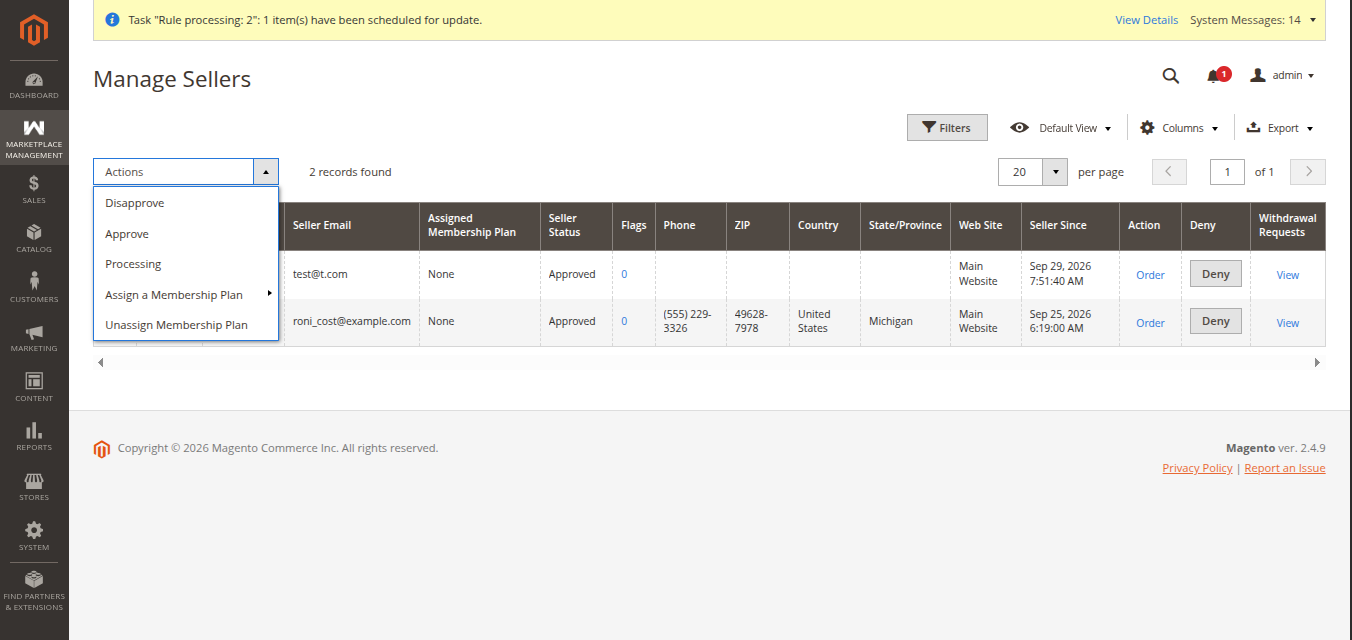 Figure 8.5: Marketplace Manage Sellers grid with mass actions.
Bulk Assigning Membership Plans
To grant a SaaS membership plan to one or more sellers:
- In the Manage Seller grid, select the target sellers using the row checkboxes.
- In the top-left Actions drop-down menu, select Assign a Membership Plan.
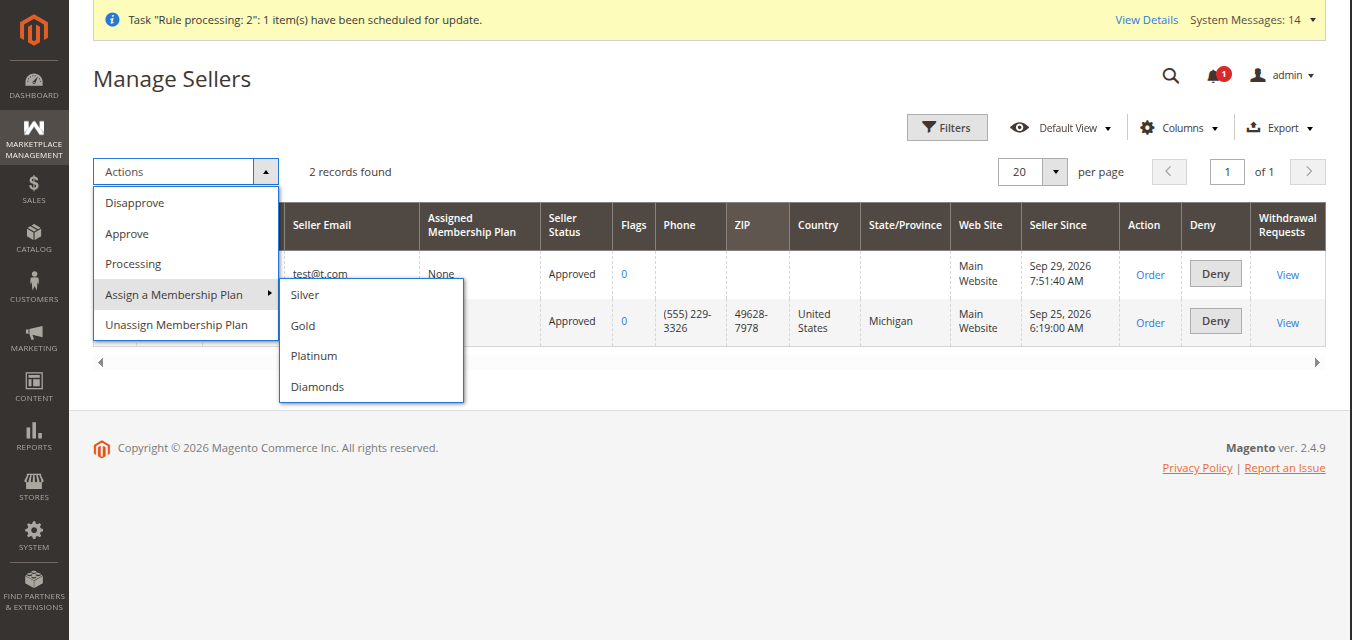 Figure 8.6: Bulk assigning a membership plan to selected sellers.
- A secondary plan selector opens. Choose the desired membership plan (e.g., Gold Monthly Plan, Annual Enterprise).
- Click Submit / OK to confirm.
- The selected sellers receive tenant privileges, subdomain access, and 0% commission status immediately.
Bulk Unassigning Membership Plans
If an administrator needs to revoke SaaS privileges or revert a seller to the standard commission model:
- Select the sellers in the Manage Seller grid.
- Under the Actions drop-down, select Unassign a Membership Plan.
- Confirm the action when prompted.
- The seller's active SaaS tier is terminated, and standard marketplace commission rules immediately re-apply to future orders.