
Membership Duration Types
Administrators can design tailored subscription tiers for marketplace vendors. Each membership plan defines a duration period (in days) and an associated subscription fee charged every billing cycle.
Accessing SaaS Management Menus
In the Magento Admin Panel, go to: Marketplace Management > Saas Configuration.
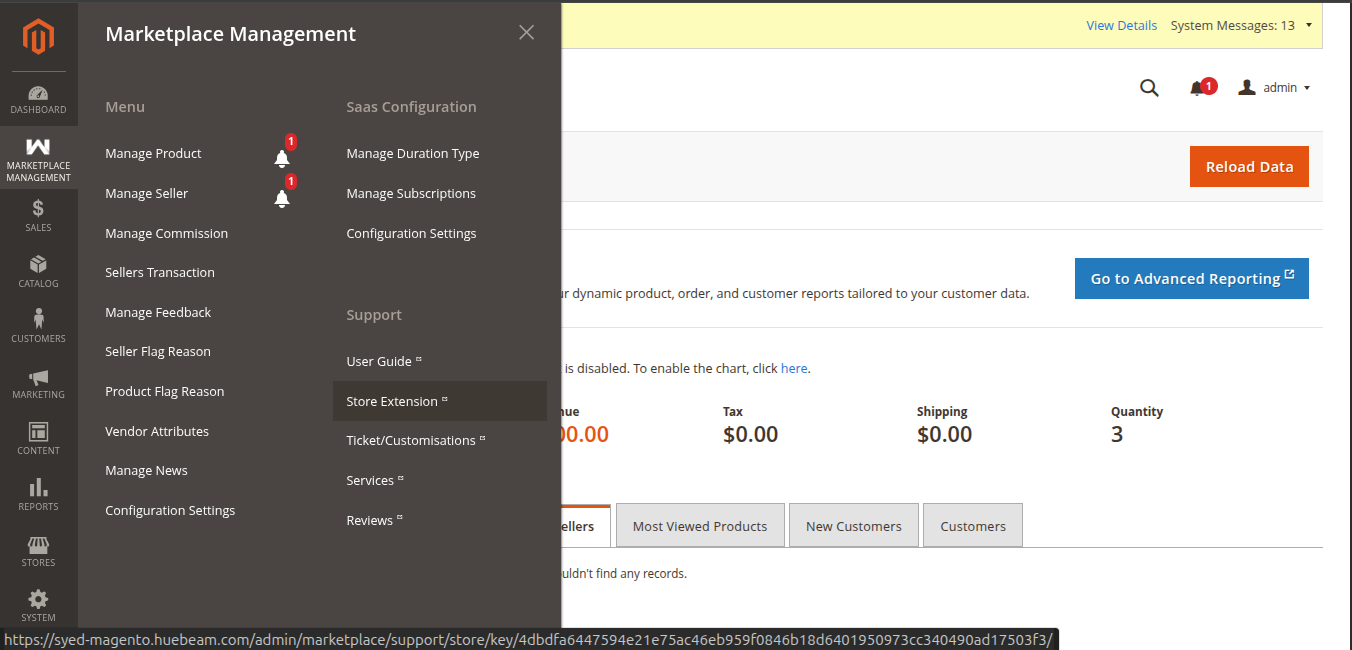 Figure 8.1: Saas Configuration menu items under Marketplace Management.
Manage Duration Types Grid
Navigate to Marketplace Management > Saas Configuration > Manage Duration Type to inspect, edit, enable, disable, or delete subscription tiers.
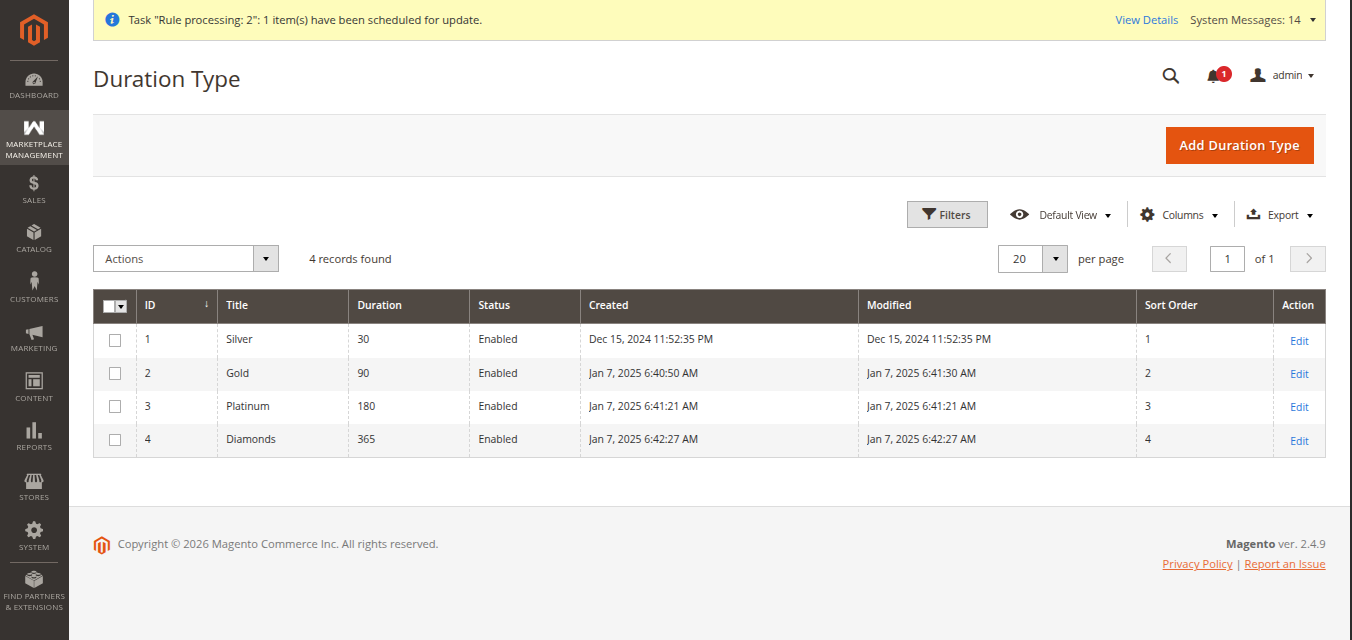 Figure 8.2: Membership Duration Types management grid.
Grid Operations:
- Filter & Search: Search duration plans by Title, Days, Charge, or Status.
- Mass Actions: Mass Enable, Mass Disable, or Delete duration plans using the action drop-down.
- Edit Existing Plan: Click on any row to open the editing form.
Add / Edit Duration Type
Click the Add Duration Type button in the top-right corner to define a new membership tier.
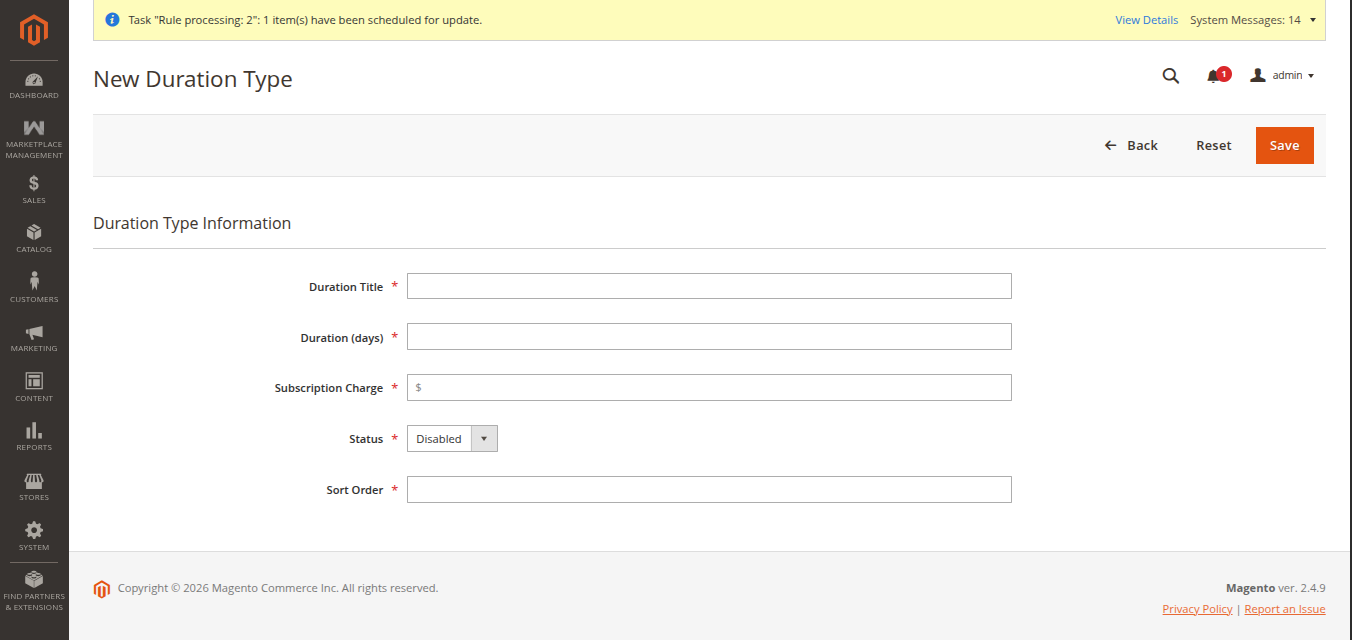 Figure 8.3: Adding a new membership duration tier.
Duration Plan Parameters
| Parameter Field | Description | Example Values |
|---|---|---|
| Duration Title | Public label of the membership plan presented to sellers on the storefront. | Gold Monthly Tier, Annual Premium SaaS |
| Days | Plan lifespan in calendar days before renewal occurs. | 30 (Monthly), 90 (Quarterly), 365 (Yearly) |
| Subscription Charge | The recurring fee charged to the vendor for each billing period. | 29.00, 99.00, 299.00 |
| Status | Toggle to make the plan active and visible or inactive. | Enable or Disable |
| Sort Order | Numeric sequence controlling the order in which plans appear on the seller storefront. | 1, 2, 3 |
After configuring the parameters, click Save Duration Type to publish the tier to the seller portal.