
Customer Subscription Portal
Subscribers maintain full transparency and control over their active memberships and scheduled renewals through the customer account dashboard.
Accessing "My Subscriptions"
- In the customer storefront, log in and navigate to My Account.
- In the account navigation menu, click My Subscriptions.
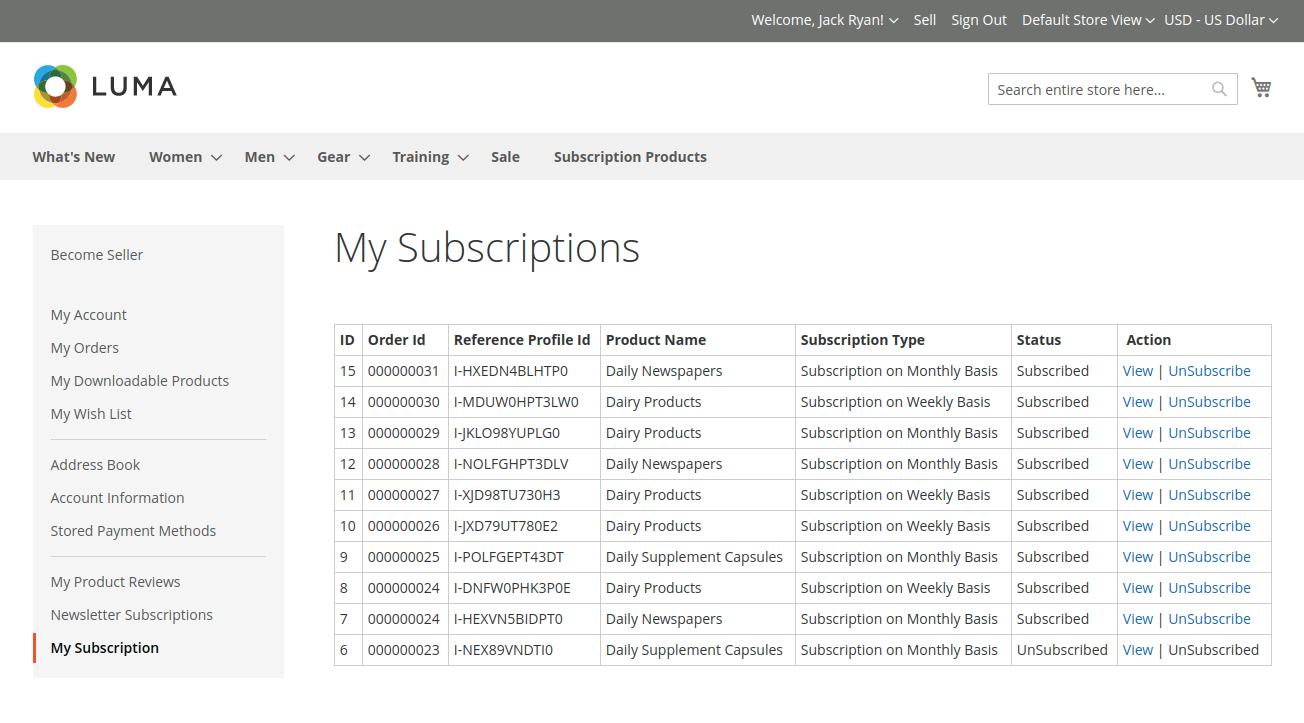
The subscriptions table presents:
- Order ID: Original order reference.
- Reference Profile ID: Payment gateway subscription identifier (e.g. PayPal Billing Agreement ID or Stripe Subscription ID).
- Product Name: Subscribed product or service.
- Subscription Type: Active interval (e.g., Weekly, Monthly).
- Status: Current lifecycle state (
Subscribed,Unsubscribed). - Actions: Links to View details or Unsubscribe.
Viewing Subscription Details
Clicking the View link opens the comprehensive subscription record:
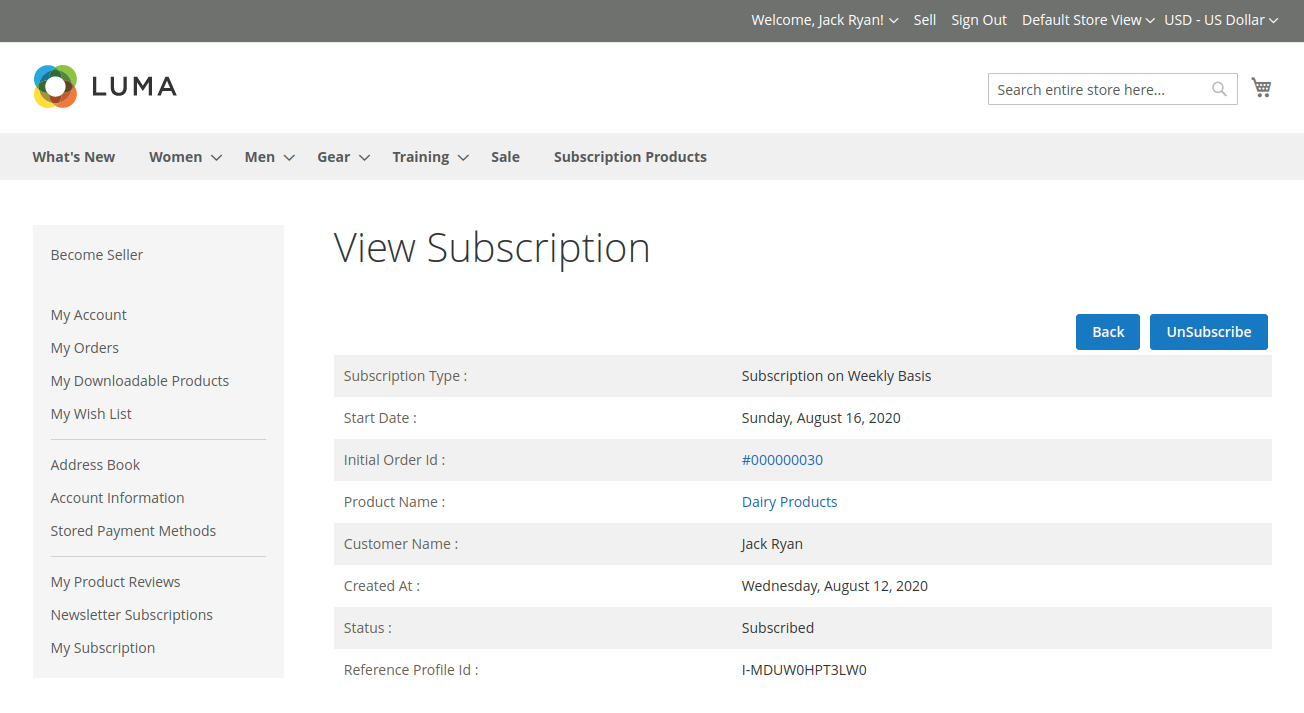
Subscribers can inspect:
- Product details and delivery specifications.
- Initial payment amount charged upon sign-up.
- Recurring billing rate charged on each scheduled interval.
- Subscription creation date and active start date.
Customer Self-Service Cancellation
Customers have full liberty to cancel their subscription at any time without having to contact customer support:
- Locate the subscription in the My Subscriptions list or inside the detail view.
- Click the UnSubscribe link.
- Confirm the cancellation prompt.
- The module immediately updates the subscription status to Unsubscribed in Magento and dispatches an API webhook call to PayPal / Stripe to cancel the recurring billing agreement.
- No further renewal charges will be deducted from the customer's account.