
Multilingual & Language Translation
The Magento 2 Multi Vendor Recurring Payments & Subscription module supports complete localization, allowing store owners to translate all frontend customer labels, seller portal interfaces, and admin panels into any language, including RTL (Right-to-Left) languages such as Arabic or Hebrew.
Translation File Location
Module translation strings are located in the module directory:
app/code/Webkul/MpRecurringPayment/i18n/en_US.csv
Creating a New Language Translation
To translate the extension into another language (e.g., Arabic - ar_SA or Spanish - es_ES):
- Locate the file:
app/code/Webkul/MpRecurringPayment/i18n/en_US.csv - Duplicate the file in the same directory and rename it using the target locale code (e.g.
ar_SA.csv). - Open the newly copied CSV file in a text editor or spreadsheet program that supports UTF-8 encoding.
- Translate each text string on the right side of the comma:
"Duration Type","نوع المدة"
"Manage Subscriptions","إدارة الاشتراكات"
"Initial Fee","الرسوم الأولية"
"Subscription Amount","مبلغ الاشتراك"
"Subscribe","اشتراك"
"Login to Subscribe","تسجيل الدخول للاشتراك"
"UnSubscribe","إلغاء الاشتراك"
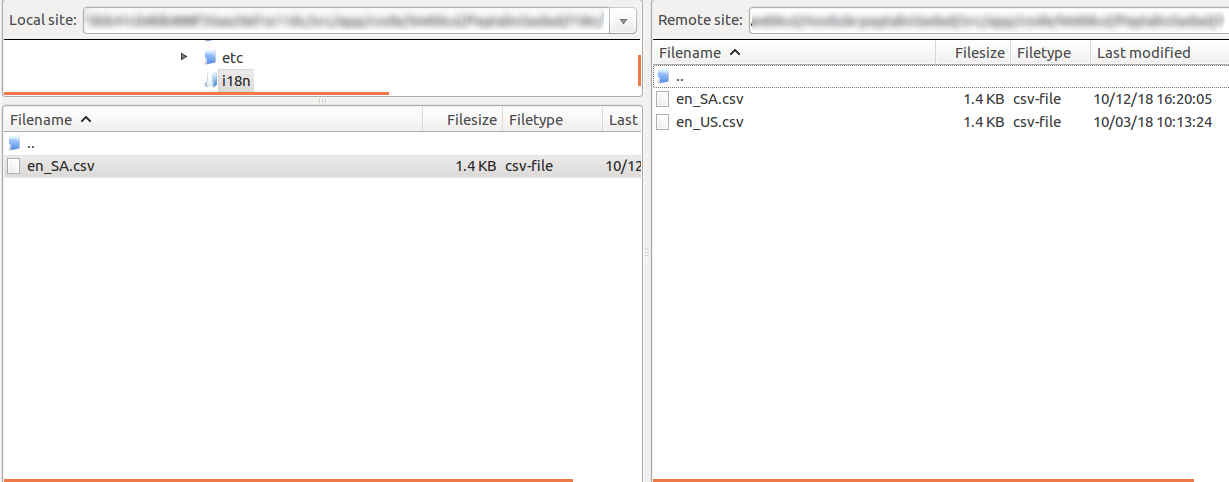
- Save the file with UTF-8 without BOM encoding.
- Deploy static assets and flush the Magento cache:
php bin/magento setup:static-content:deploy ar_SA en_US -f
php bin/magento cache:flush
RTL (Right-to-Left) Support
The extension is fully compatible with RTL store views. When a customer or seller accesses the store in an RTL locale:
- Subscription product layout elements automatically align right-to-left.
- Plan selection dropdowns and date pickers adapt to RTL conventions.
- Seller dashboard subscription tables render in proper RTL reading order.