
Installation
Follow these step-by-step instructions to install the Magento 2 Marketplace Campaign module on your server.
Step 1: Extract Zip File
Unzip the extension package on your local computer. Inside the extracted directory, locate the src folder which contains an app directory.
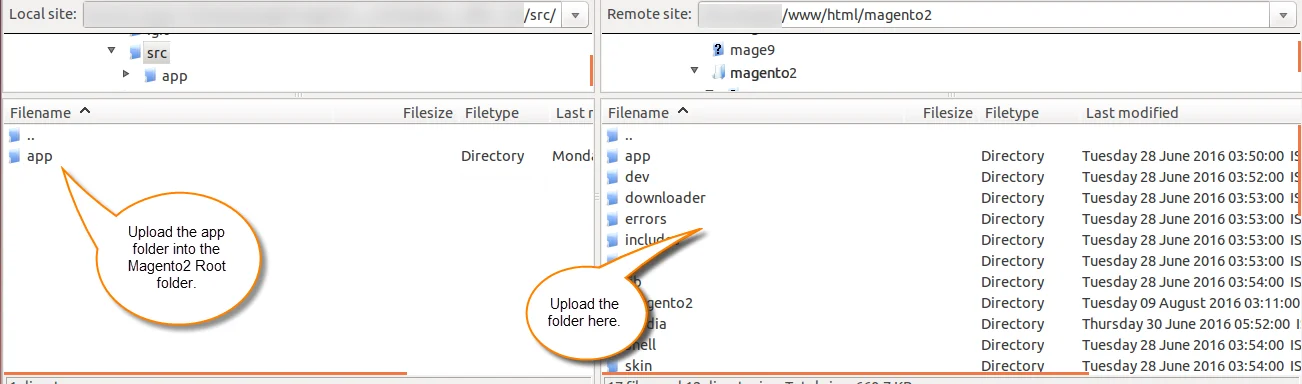
Copy the app folder into your Magento 2 root installation directory on the server.
magento-root/
 ├─ app/
 │  └─ code/
 │     └─ Webkul/
 │        └─ MpCampaign/
Step 2: Run Deployment Commands
Open your server terminal, navigate to the Magento 2 root directory, and execute the following commands in sequence:
1. Upgrade Setup Database
php bin/magento setup:upgrade

2. Compile Dependency Injection
php bin/magento setup:di:compile
3. Deploy Static Content
php bin/magento setup:static-content:deploy -f

Step 3: Flush Magento Cache
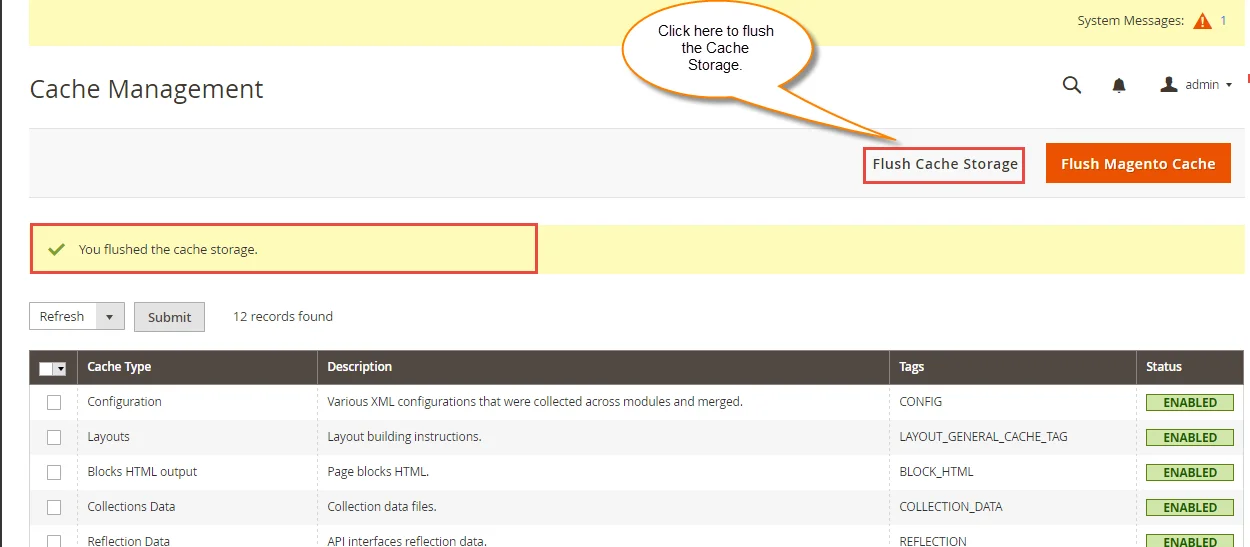
After executing the CLI commands, log into the Magento Admin Panel and navigate to System > Cache Management. Select all cache types and click Flush Magento Cache.
Tips
You will see a green success message once the cache storage has been flushed.