
General Settings
Configure the primary extension settings and email templates in the Magento 2 backend.
Module Configuration Path
- Log into the Magento Admin Panel.
- Navigate to Stores > Configuration > Webkul > Marketplace Campaign.
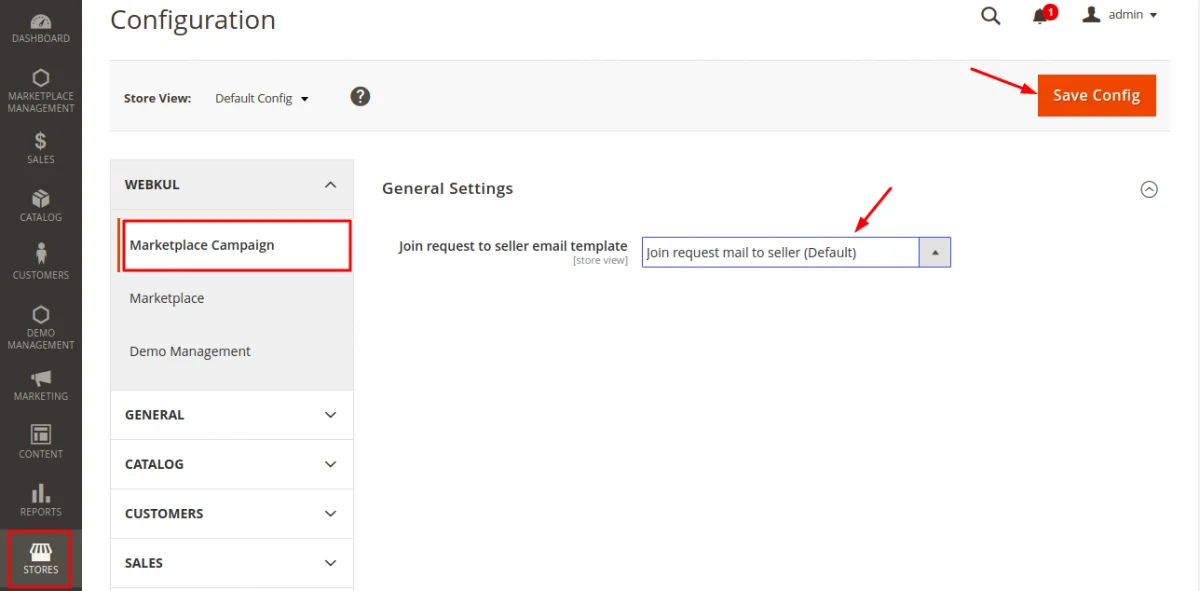
Configuration Fields
| Setting | Description |
|---|---|
| Seller Invitation Email Template | Select the transactional email template sent to sellers when inviting them to join a campaign. |
Click Save Config at the top-right corner after selecting your email template.