
Hyvä Theme Compatibility & Setup
The Magento 2 Service Fee extension by Webkul is fully compatible with Hyvä Themes (Alpine.js & Tailwind CSS), offering superior page load performance, fast checkout interaction, and a modern frontend user experience.
Key Highlights of Hyvä Compatibility
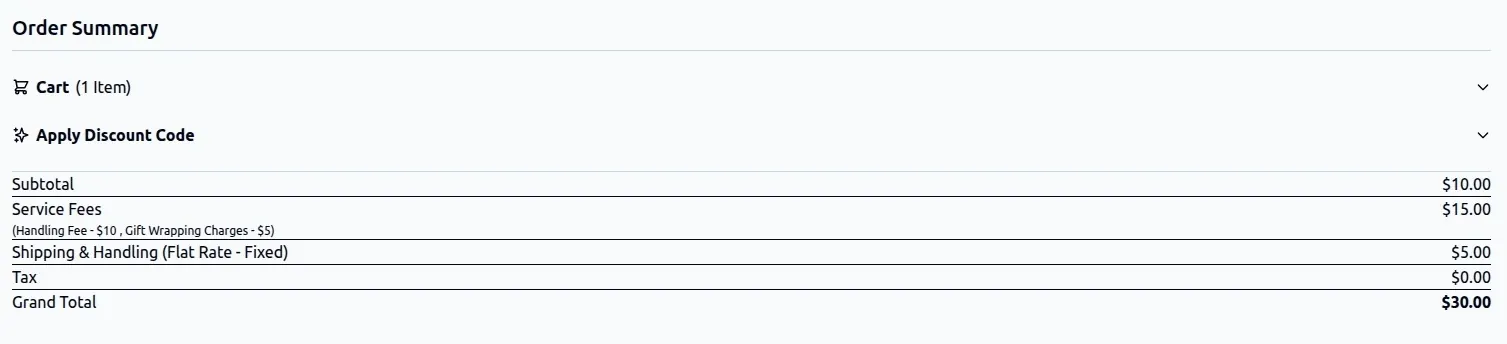
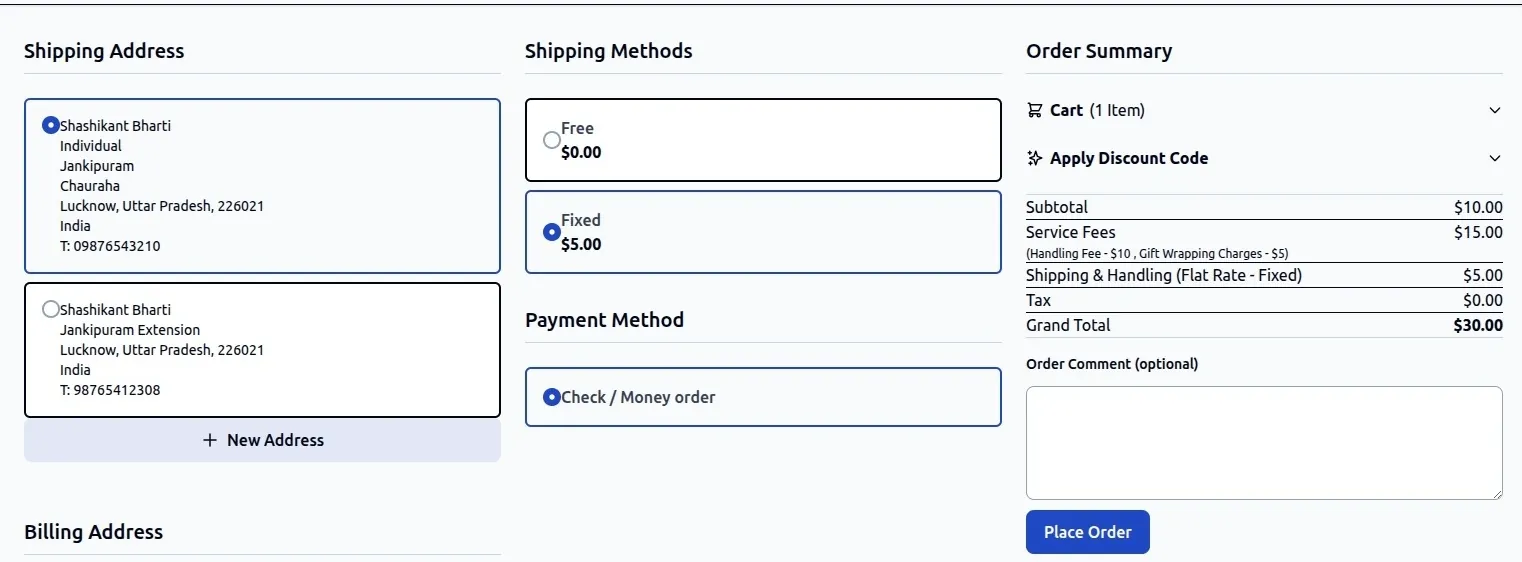
- Alpine.js Reactive Integration: Dynamically updates service fee line items in the cart summary when customers switch payment methods without full page reloads.
- Tailwind CSS Styling: Pre-styled frontend components designed to blend seamlessly into Hyvä Theme designs.
- Hyvä Checkout Support: Works with Hyvä React/Alpine Checkout as well as standard Hyvä storefront layouts.
- Unified Admin Management: Admin configuration, rule creation, fixed/percentage fee calculations, and permissions remain 100% centralized in the Magento Admin Panel.
Hyva Default Checkout
Hyva One Page Checkout
System Requirements for Hyvä
Before enabling Hyvä Theme compatibility, verify your environment meets the following requirements:
| Component | Minimum Version Requirement |
|---|---|
| Magento Setup | Magento / Adobe Commerce 2.4.x |
| Hyvä Theme Core | hyva-themes/magento2-theme-module 1.1.x or higher |
| Hyvä Admin / License | Valid Hyvä Theme License |
| Webkul Core Module | Webkul_Base and Webkul_ServiceFee |
Installation & Setup
1. Install Hyvä Compatibility Extension
If your setup utilizes a separate Hyvä compatibility package, install it via Composer in your Magento 2 root directory:
composer require webkul/service-fee-hyva
2. Enable & Deploy
Run the Magento deployment commands to enable the module and compile dependency injection:
php bin/magento setup:upgrade
php bin/magento setup:di:compile
php bin/magento cache:flush
3. Rebuild Tailwind CSS (Optional / Custom Theme)
If you are customizing frontend templates or class utilities within your active Hyvä theme, regenerate the compiled Tailwind CSS bundle:
cd vendor/hyva-themes/magento2-default-theme/web/tailwind
npm run build-prod
How Service Fees Function in Hyvä Checkout
Verification & Testing
To verify that the Service Fee extension is functioning correctly on your Hyvä theme:
- Open your frontend store in a browser.
- Add a product to your shopping cart.
- Proceed to the Hyvä Checkout payment step.
- Select a payment method configured with an active Service Fee rule.
- Confirm that the Service Fees line item displays cleanly in the cart summary order totals.