
Invitation Management Grid
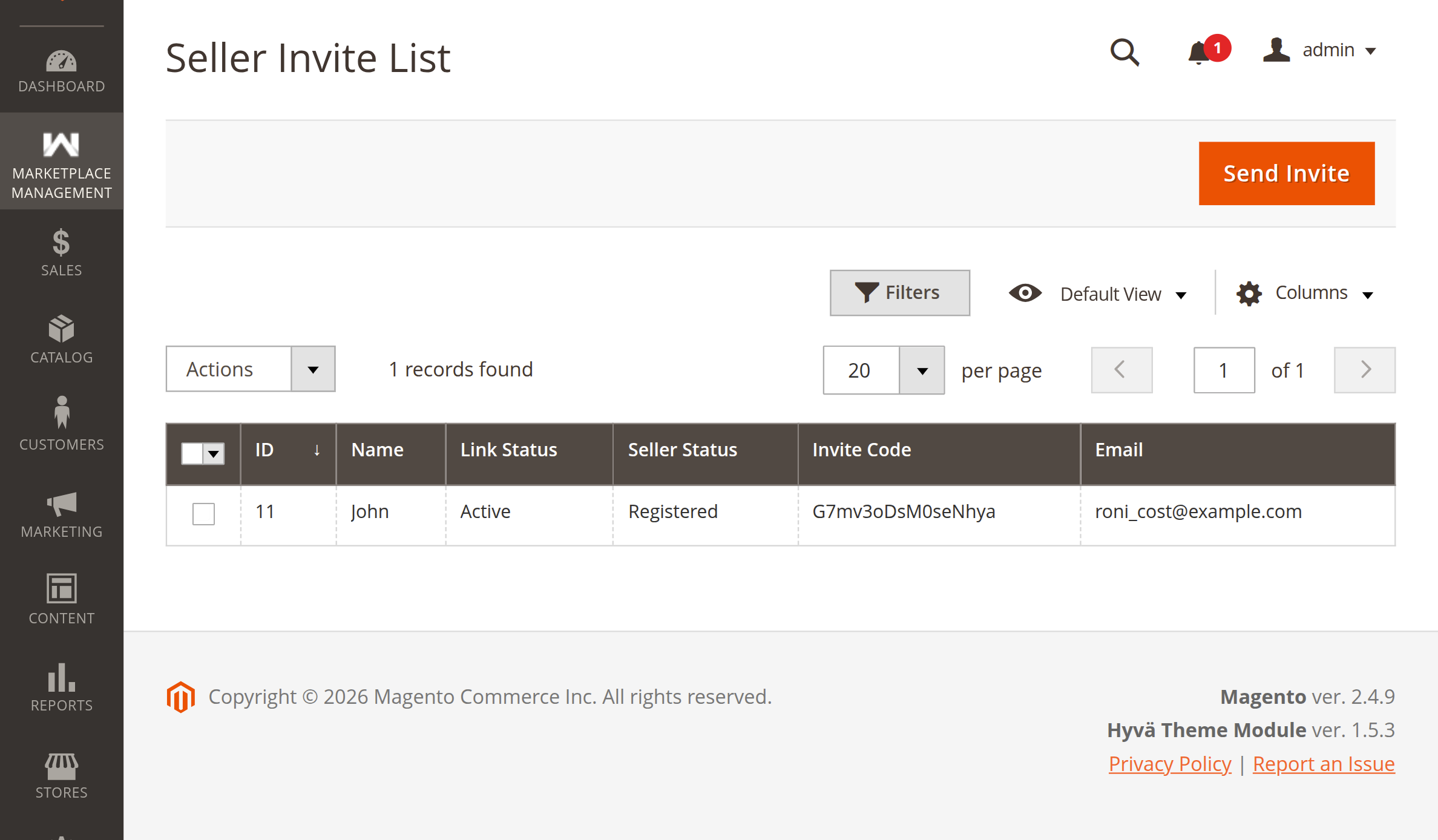
The Seller Invitation List provides store administrators with a centralized dashboard to track all sent invitations, inspect invite statuses, monitor link expirations, and perform bulk operations.
Navigating to the Invitation Grid
In the Magento Admin Panel, navigate to:
Marketplace > Seller Invitation > Invite Seller
This opens the administrative UI component grid (sellerinvitation_invite_list).
Grid Columns & Indicators
The invitation grid displays comprehensive metadata for every invitation:
| Column Name | Database Field | Filter Type | Description |
|---|---|---|---|
| ID | entity_id | Text Range (From / To) | Unique auto-increment primary key of the invitation record. |
| Name | name | Text | Name of the invited recipient as entered by the administrator. |
email | Text | Recipient's email address. | |
| Invite Code | invite_code | Text | The unique 16-character cryptographic token assigned to the invitation. |
| Seller Status | status | Select Dropdown | Current seller onboarding status: • Registered (1): The invitee completed seller registration. • Not Registered (0): The invitee has not yet completed registration. |
| Link Status | created_at (computed) | — | Real-time link validity indicator: • Active: The invitation link is valid and within its expiration window. • Expired: The link has exceeded the configured Link Expiry Time. |
Understanding Status Combinations
The combination of Seller Status and Link Status informs administrative actions:
1. Active & Not Registered
The invitation is live and pending. If the admin tries to send another invite to this email, the system safely suppresses duplicate invitations.
2. Expired & Not Registered
The invitee did not complete registration within the specified expiration hours. The token is invalidated. The admin can now click Send Invite to issue a brand new invitation to the recipient.
3. Registered
The merchant completed sign-up, shop URL validation, and profile creation. The token cannot be used again.
Mass Actions: Mass Delete
Administrators can delete stale, expired, or unwanted invitation records:
- Select individual checkboxes next to the invitations you wish to remove, or use the mass-selection menu to select All or Visible.
- Open the Actions dropdown menu in the upper-left of the grid.
- Select Delete.
- Confirm the prompt: "Delete selected items?".
- The system permanently purges the selected records from
wk_mp_invitationand presents a success message:"Total of X record(s) were deleted."
Grid Controls & Customization
The invitation list includes standard Magento UI component capabilities:
- Search & Filters: Quickly filter records by Recipient Name, Email, Status, or ID range.
- Bookmarks: Save custom filter configurations and default grid views.
- Columns Control: Show or hide specific columns based on workflow preference.
- Sticky Header: Keep column headings and action buttons visible while scrolling through records.
- Pagination: View 20, 30, 50, 100, or 200 records per page.
Next Step
Explore how the storefront behaves during merchant sign-up in Seller Registration Flow.