Customer Portal & Front-End
Guide to the storefront price drop alert subscription experience for guest visitors and registered store customers.
Subscribing on Simple Products
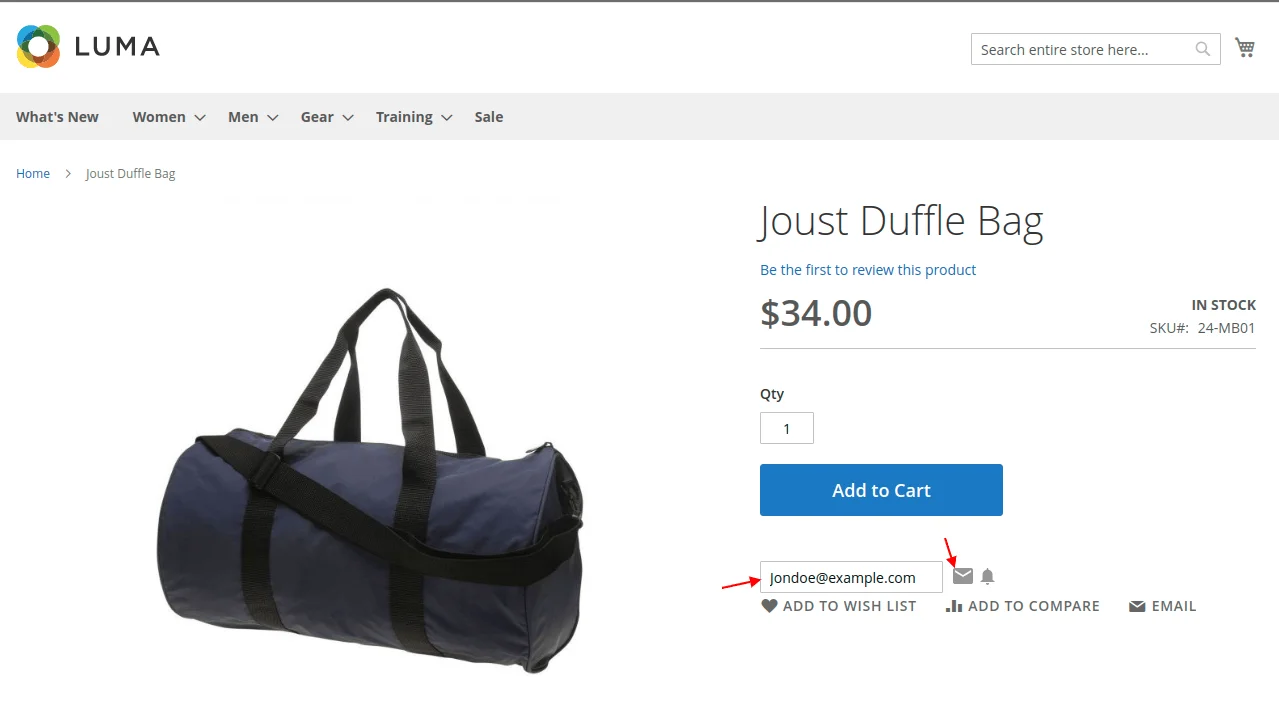
- Open any product page. The Price Drop Alert subscription box appears below the Add to Cart button.
- Enter your email address and click Subscribe.
Subscribing on Configurable Products
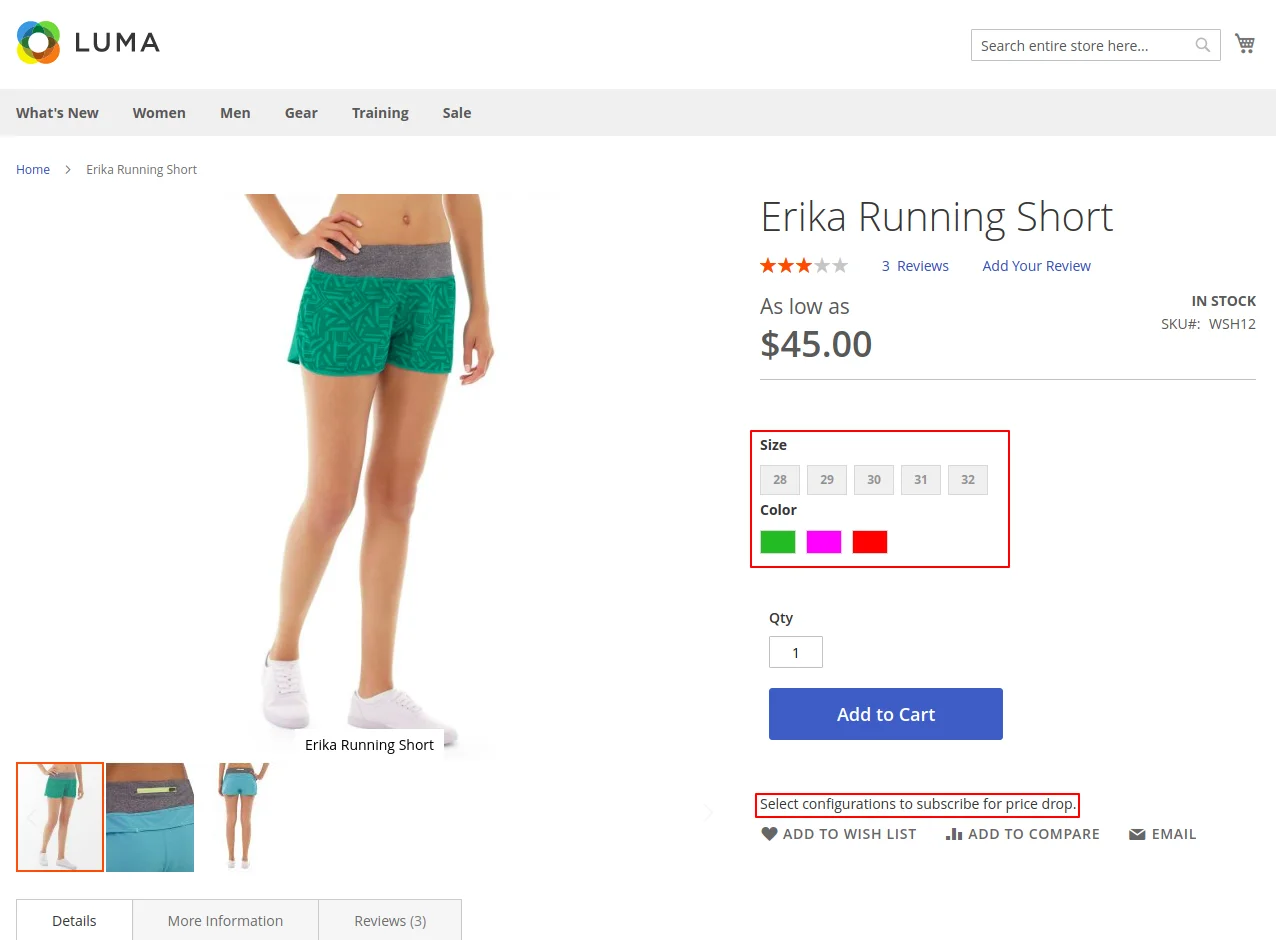
For configurable products with options (e.g. Size, Color), select your options before subscribing:
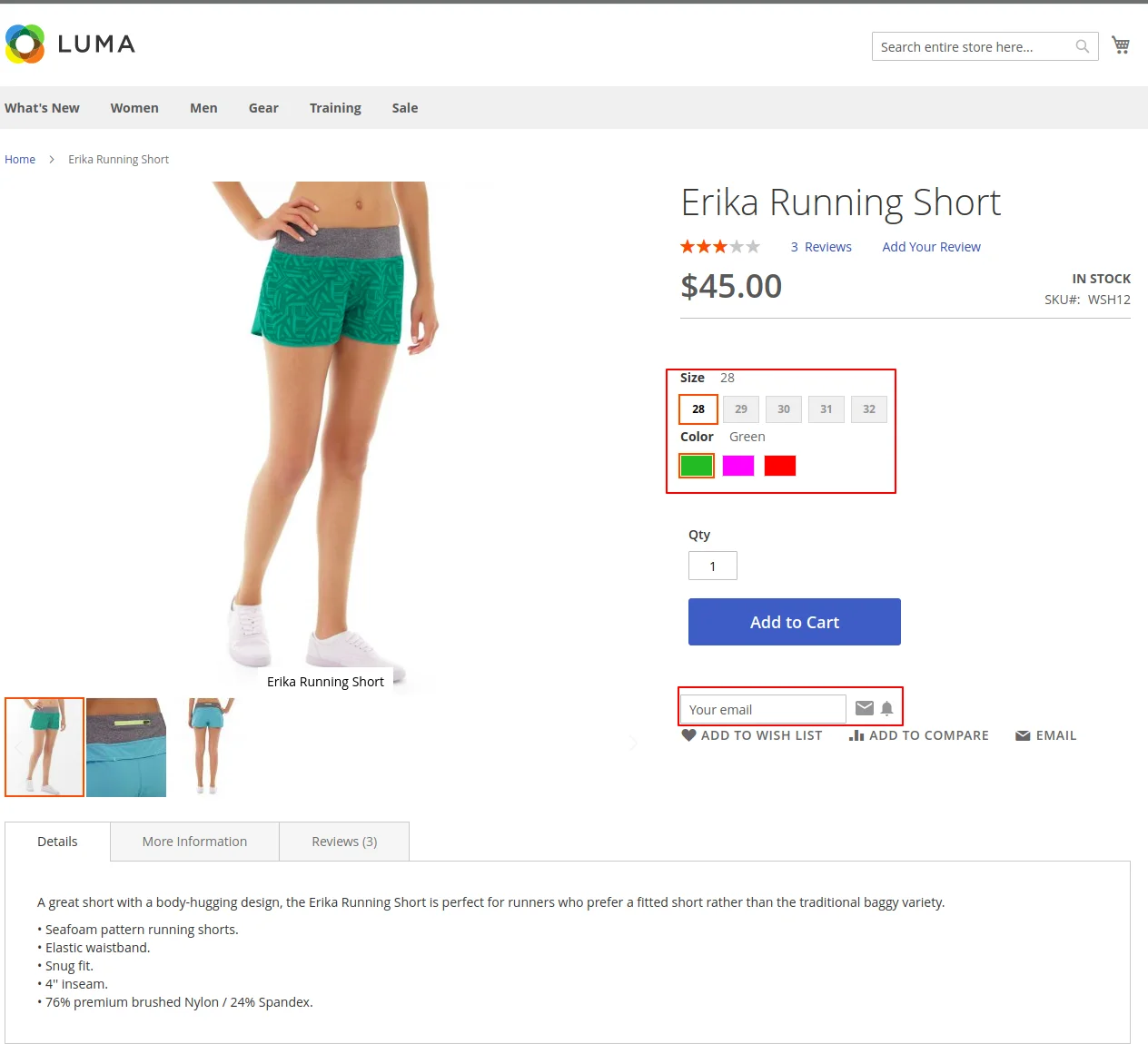
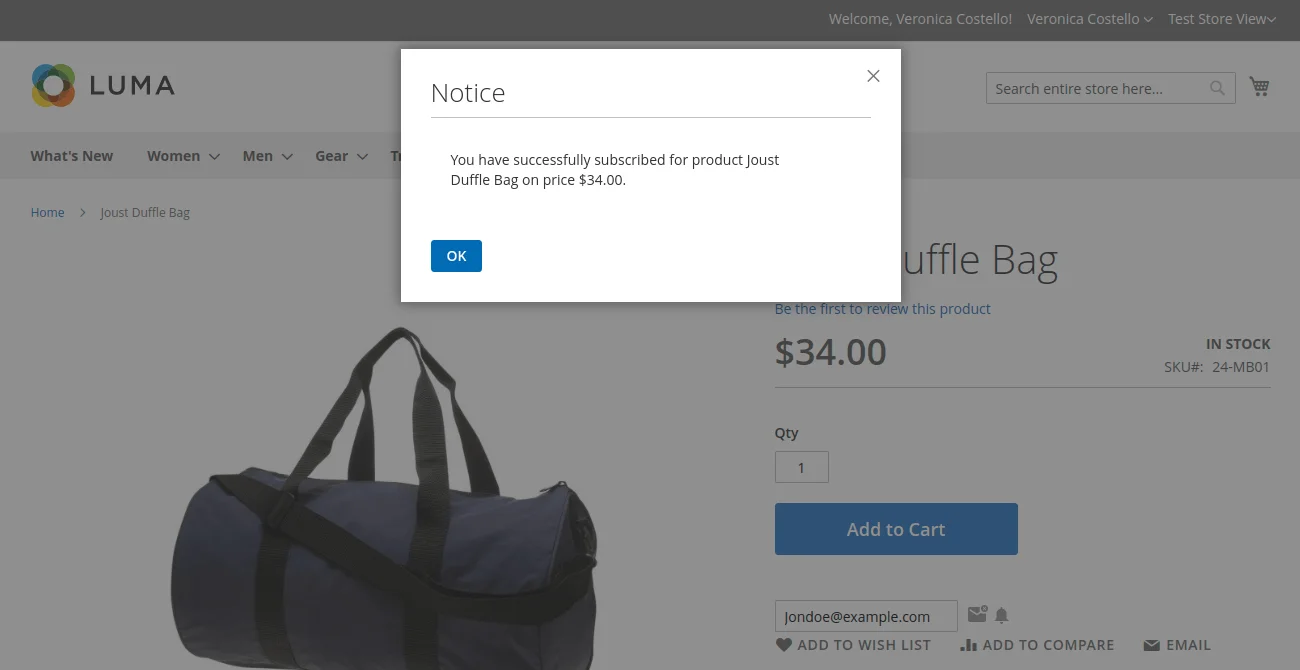
Upon clicking Subscribe, a confirmation notification toast appears:
Email Notifications
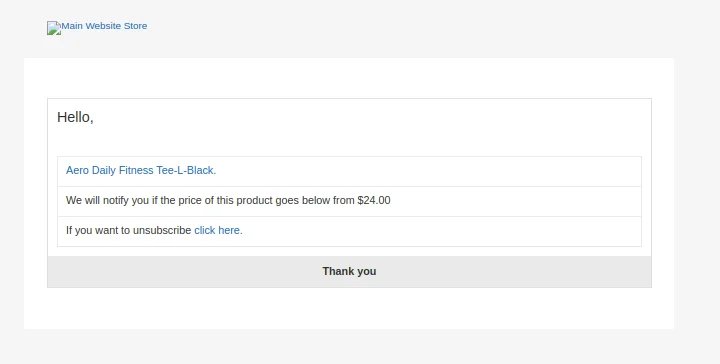
1. Subscription Confirmation Email
Sent immediately upon subscribing:
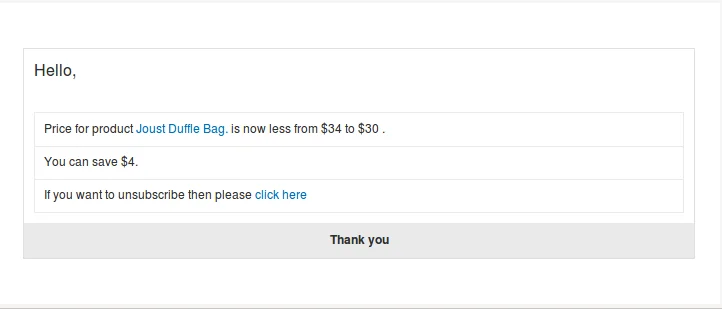
2. Price Drop Alert Email
Dispatched automatically when the admin lowers the product price:
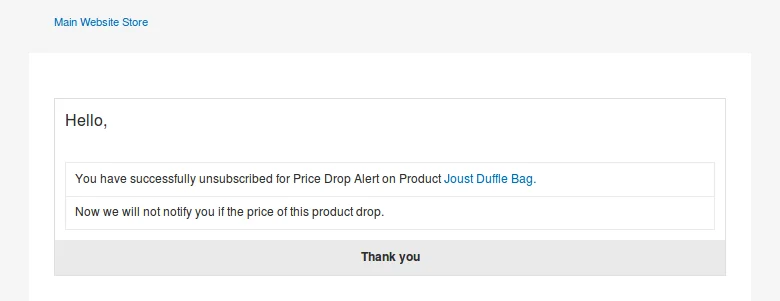
3. Unsubscription Confirmation Email
Sent when a customer unsubscribes from alerts:
Customer Account - Subscribed Product List
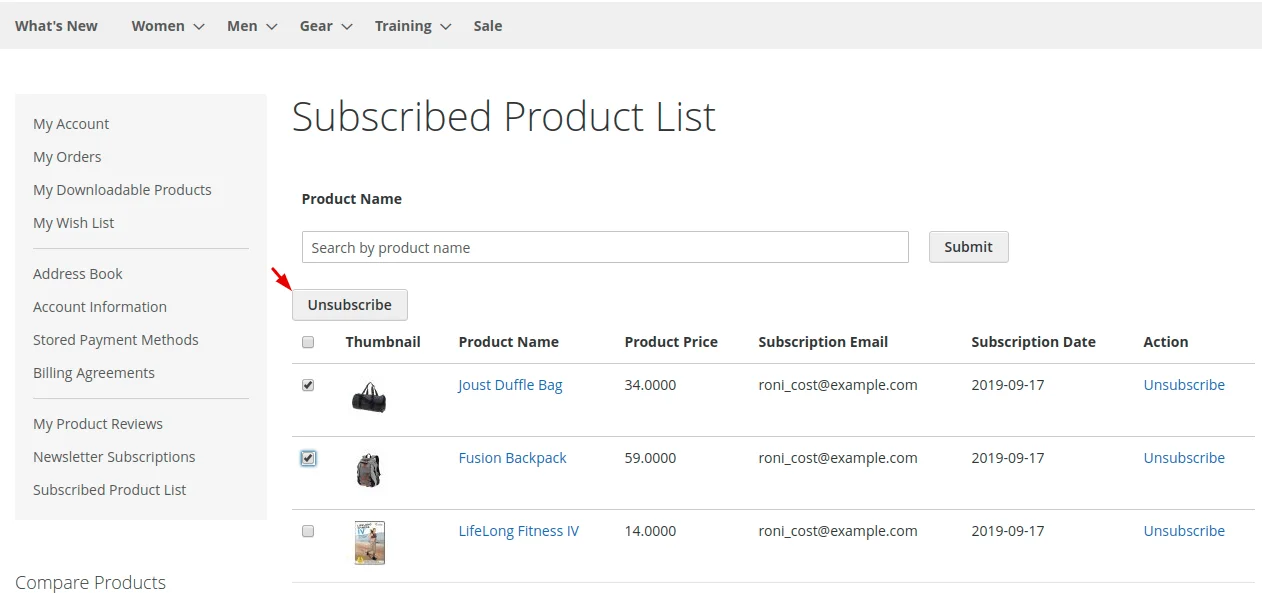
Registered customers can manage subscriptions in their account dashboard:
- Log into customer account.
- Navigate to Subscribed Product List in the left menu.
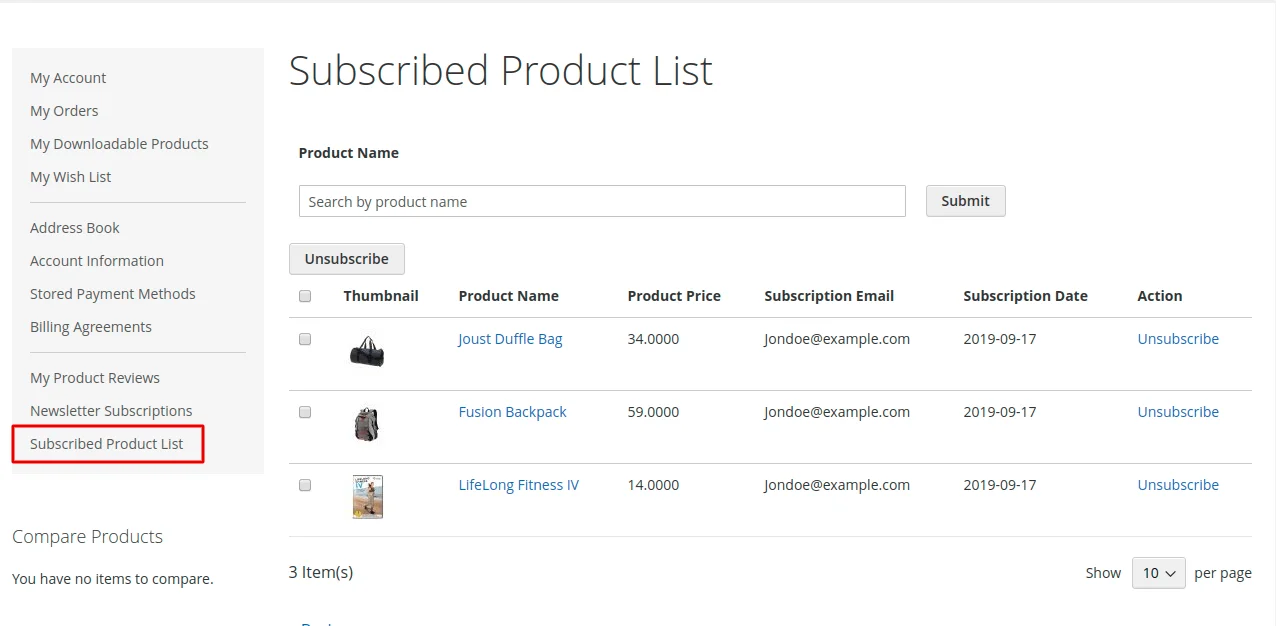
- Click Unsubscribe on any item. A success notice will confirm removal:
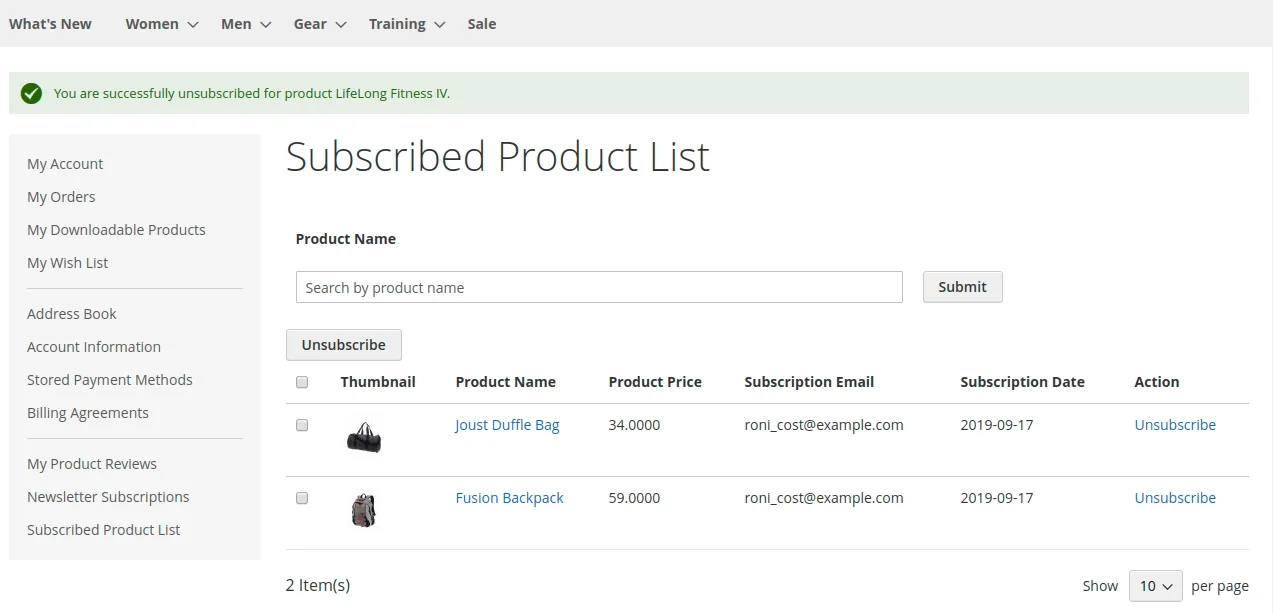
- Bulk Unsubscribe: Select multiple checkboxes and click Unsubscribe to remove subscriptions in bulk.