
Installation Guide
Follow these steps to install the Magento 2 Marketplace Web Push Notification extension on your server.
Step 1: Extract and Upload Extension Files
- Download the module ZIP package from your Webkul Store account.
- Extract the ZIP file on your local machine.
- Locate the
src/app/folder inside the extracted directory. - Upload/transfer the
appdirectory into your Magento 2 root installation folder on your server.
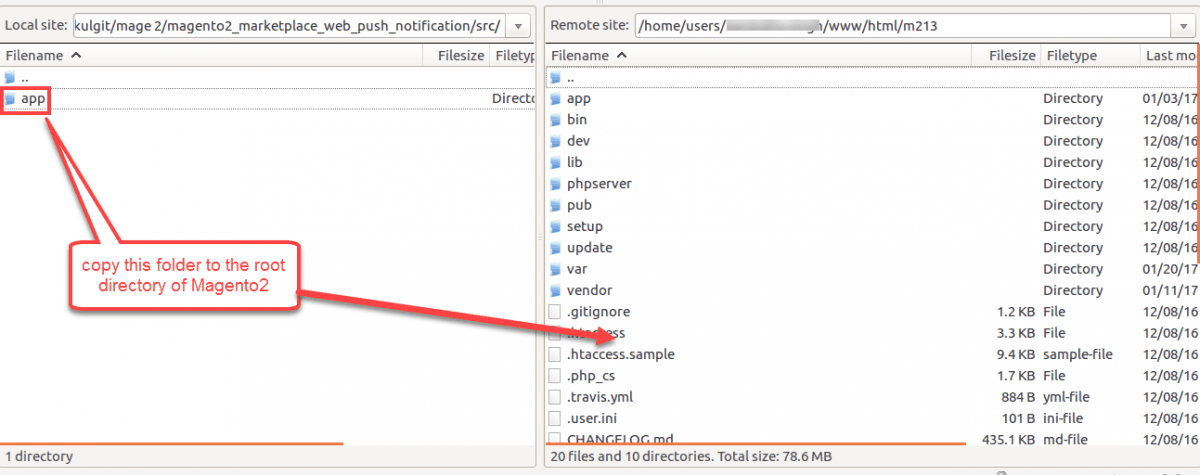
<Magento_Root>/
└── app/
    └── code/
        └── Webkul/
            └── MpPushNotification/
Step 2: Run Deployment CLI Commands
Connect to your server via SSH, navigate to your Magento 2 root folder, and execute the following deployment commands:
1. Upgrade Database Schema
Updates module status and creates push notification database tables:
php bin/magento setup:upgrade
2. Compile Dependency Injection
Compiles generated code and dependency injection classes:
php bin/magento setup:di:compile
3. Deploy Static View Content
Deploys storefront and admin static assets:
php bin/magento setup:static-content:deploy -f
Step 3: Flush Magento Cache
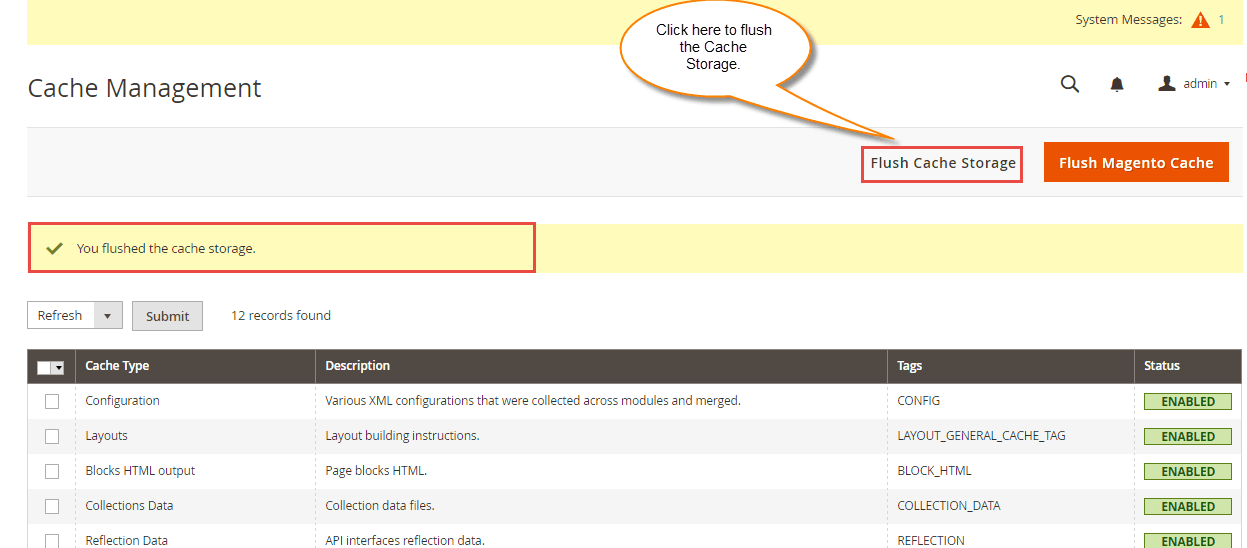
- Log in to the Magento 2 Admin Panel.
- Navigate to System > Tools > Cache Management.
- Select all cache items and click Flush Magento Cache.
Verification
To confirm successful installation:
- Log in to your Magento Admin Panel.
- Check the side menu under Marketplace Management.
- Verify that Push Notification Manager is visible.