
Manage Display Fields
The Manage Display Fields section gives administrators fine-grained control over where individual custom attributes appear across the storefront, specifically on registration forms and public seller profiles.
Accessing Manage Display Fields
- In the Magento Admin sidebar, navigate to Marketplace Management.
- Under Attribute Manager, select Manage Display Fields.
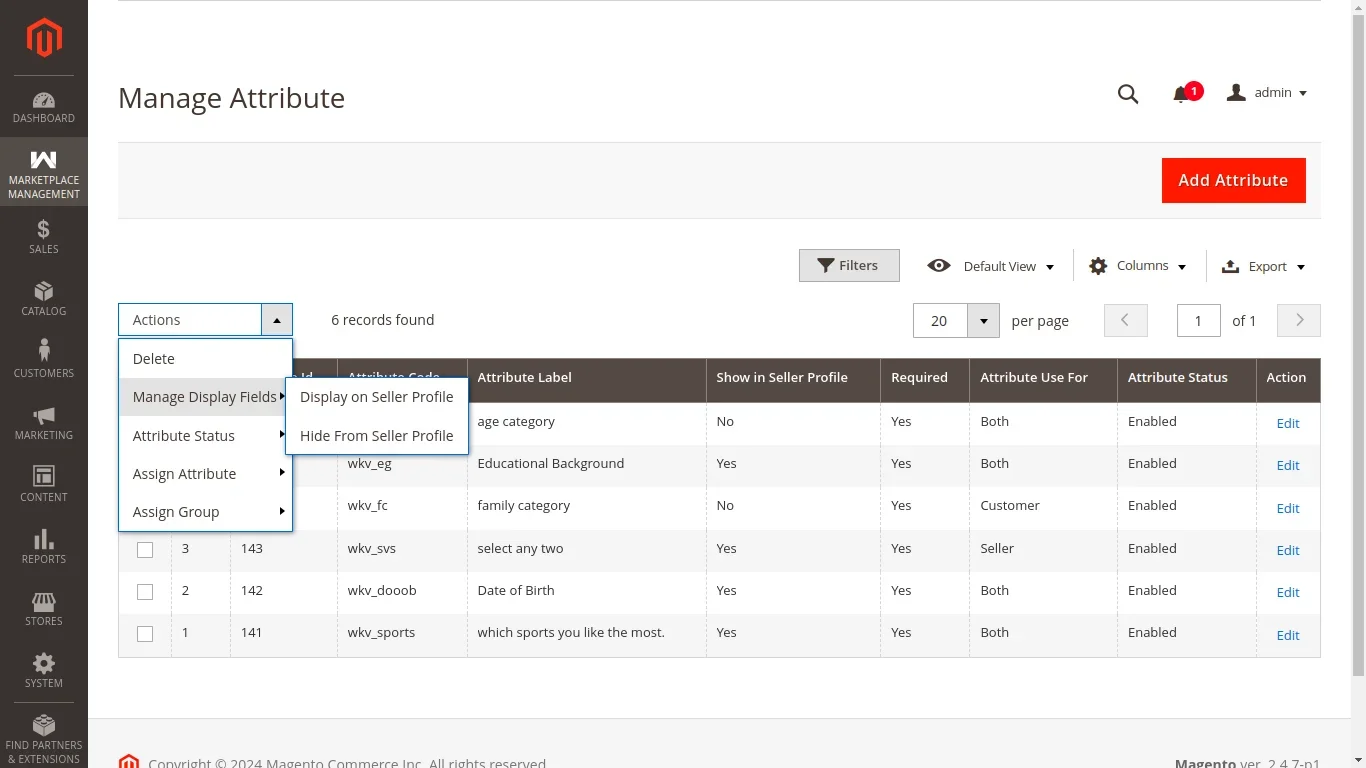
Display Configuration Rules
The grid lists all registered custom attributes alongside their current display flags:
- Field Name / Code: The system identifier of the attribute.
- Label: The visible title of the attribute.
- Display on Registration: Indicates whether the attribute appears during user registration.
- Display on Vendor Profile: Indicates whether the attribute value is shown publicly on the marketplace vendor profile page.
- Status: Operational status of the attribute display rule.
Customizing Field Visibility
Administrators can customize whether an attribute is collected during registration versus whether it is shared with the public:
- Private Seller Verification Fields: Attributes such as Tax Identification Number, Government ID Document, or Direct Phone Number can be set to Display on Registration = Yes but Display on Vendor Profile = No, keeping sensitive verification data private between the seller and the marketplace owner.
- Public Seller Showcase Fields: Attributes like Years in Business, Company Brochure, Brand Story, or Factory Photos can be enabled on both registration and the vendor profile to boost buyer trust and conversions.
- Internal Administrative Notes: Attributes can be hidden from both registration and public profiles, remaining accessible exclusively within the Magento Admin customer management panel.
Global vs Per-Field Visibility
The settings configured in Manage Display Fields operate in coordination with global flags in Module Configuration. If global Visible On Profile is set to No, individual profile visibility rules will be overridden globally.