
Out-of-Stock Product Separation
In standard e-commerce search results, out-of-stock products frequently appear near the top of the page if their titles or descriptions have high text relevance. This leads to customer frustration, higher bounce rates, and missed revenue opportunities.
The Webkul Magento 2 Elasticsearch module solves this by separating and demoting out-of-stock items, prioritizing purchasable inventory while keeping sold-out products accessible in a dedicated section.
How It Works
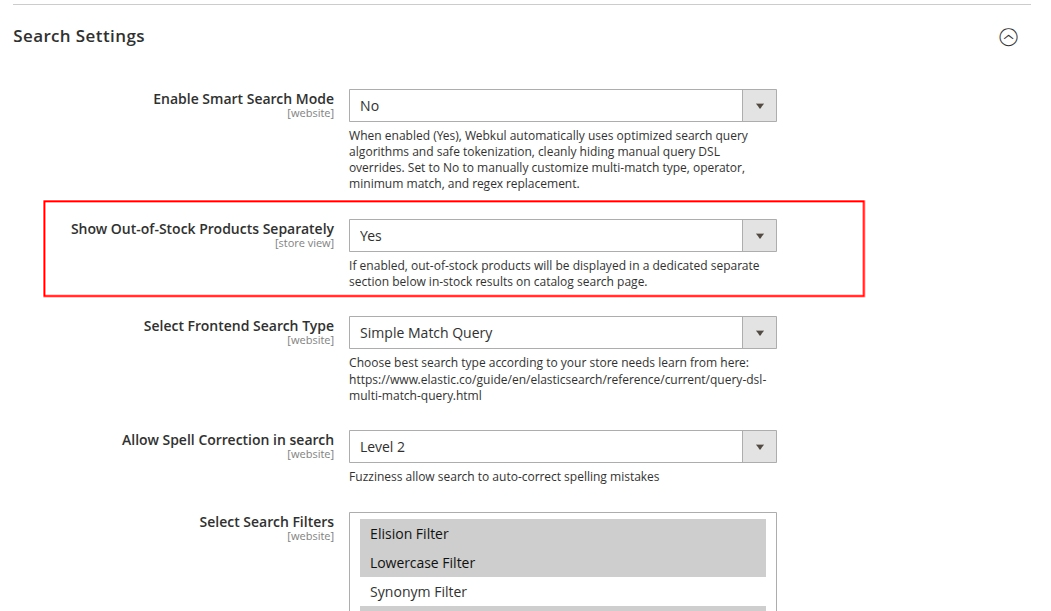
Under Stores > Configuration > Webkul > Elastic Search Settings > Search Settings, set Show Out-of-Stock Products Separately to Yes.
Loading diagram...
Key Capabilities
- Prioritize Purchasable Inventory: In-stock products are guaranteed to appear first in the primary search result grid, ensuring customers see items they can immediately purchase.
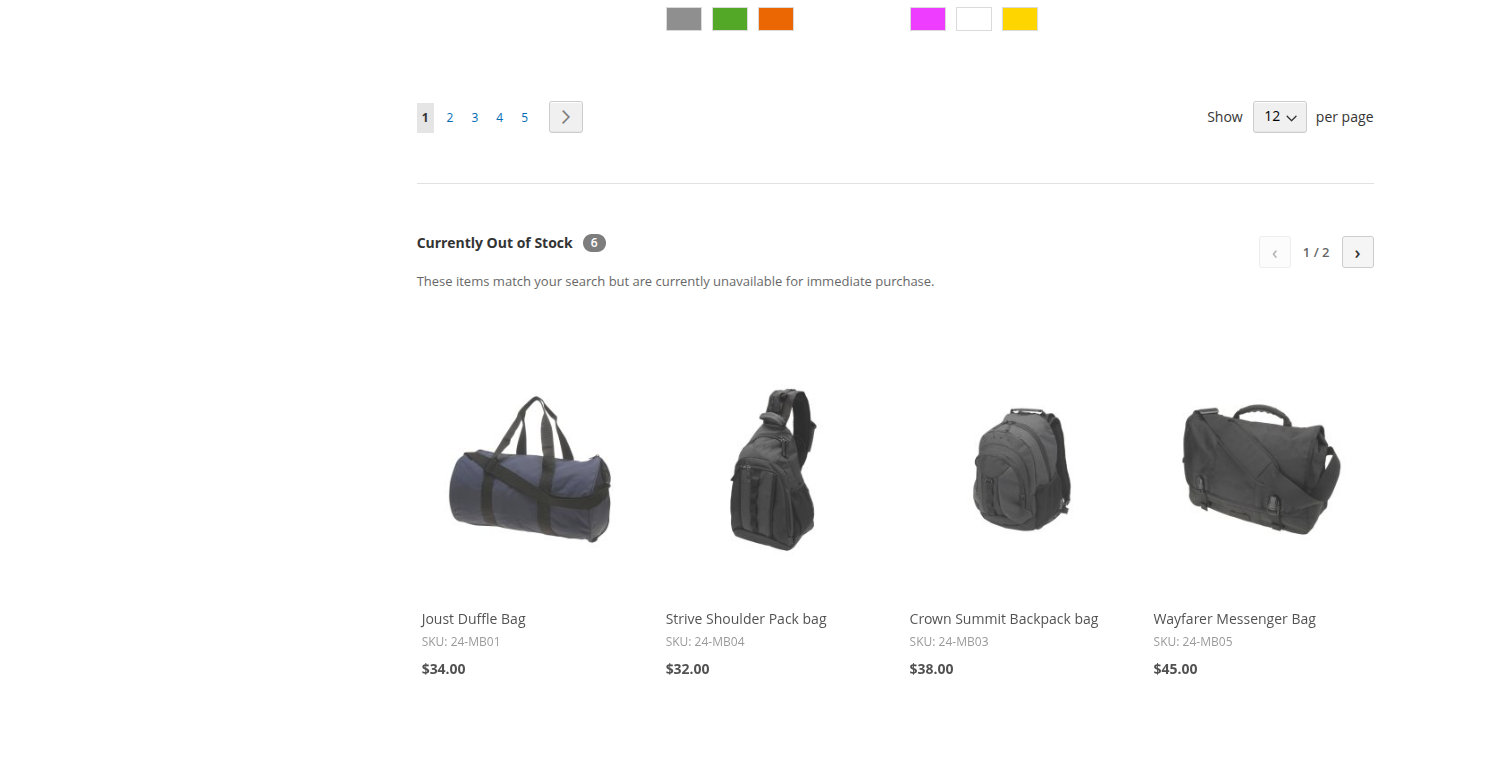
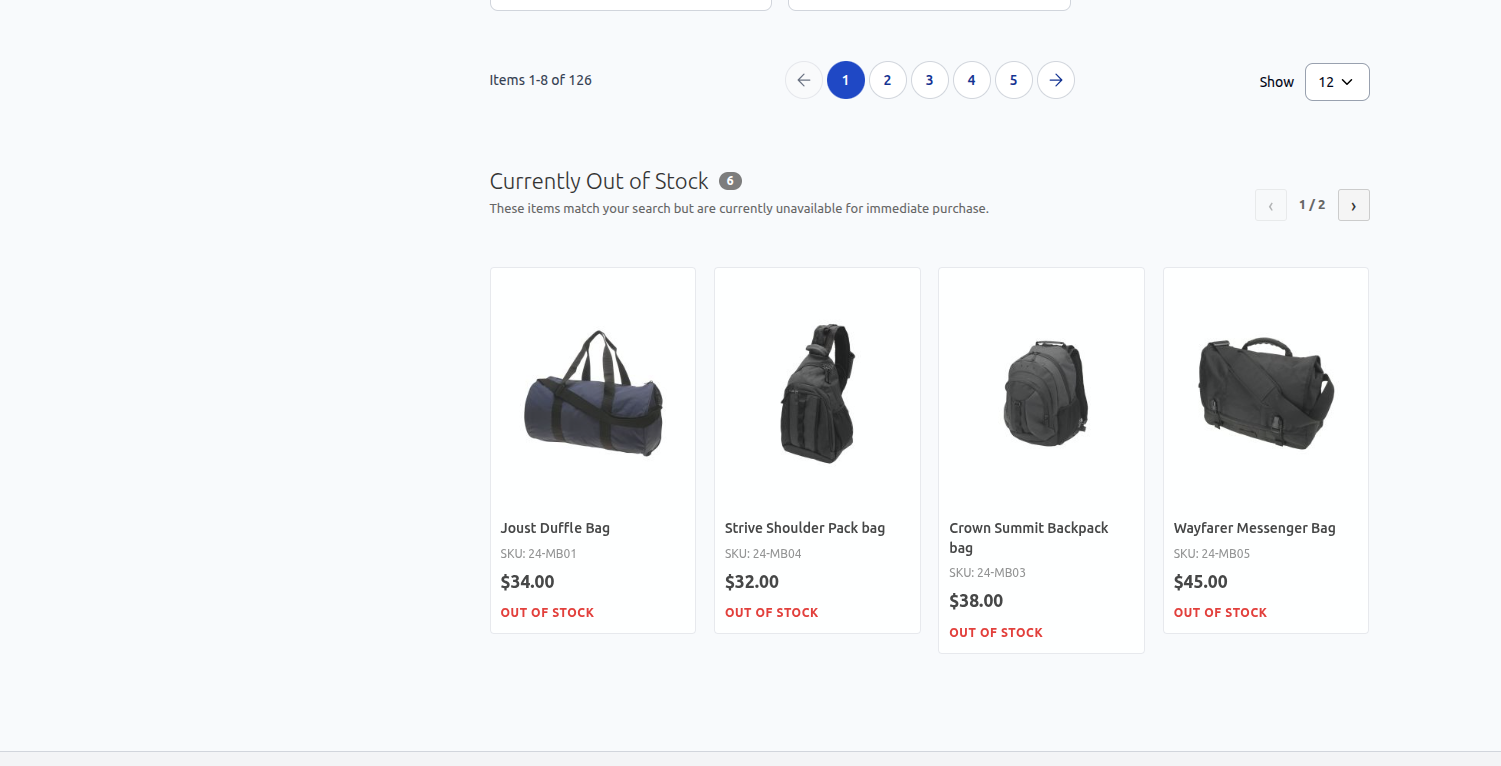
- Dedicated Out-of-Stock Section: Out-of-stock items are grouped into a clean, dedicated section placed directly underneath in-stock results.
- Single-Row Responsive Carousel / Slider: Rather than occupying multiple grid rows, out-of-stock products are organized into an elegant single-row slider with:
- Next / Previous navigation arrows.
- Smooth horizontal scrolling on mobile touch devices.
- Prominent Out of Stock badges.
- Product Name, SKU, Product thumbnails and formatted prices.
- Theme Compatibility:
- Luma Theme: Smooth CSS/JS carousel integration.
- Hyvä Theme: Responsive Alpine.js carousel with Tailwind CSS styling and zero third-party JavaScript dependencies.
Out of Stock Products Separately
Out of Stock Products Separately Hyva Theme
Configuration Summary
To enable this feature:
- Navigate to Stores > Configuration > Webkul > Elastic Search Settings > Search Settings.
- Locate Show Out-of-Stock Products Separately.
- Select Yes.
- Click Save Config and clear the Magento cache.
php bin/magento cache:flush