
Index Management & CLI
The Webkul Magento 2 Elasticsearch module provides both an interactive Admin UI grid and high-throughput command-line interface (CLI) commands to manage and monitor search indices.
1. Index Management Admin Grid
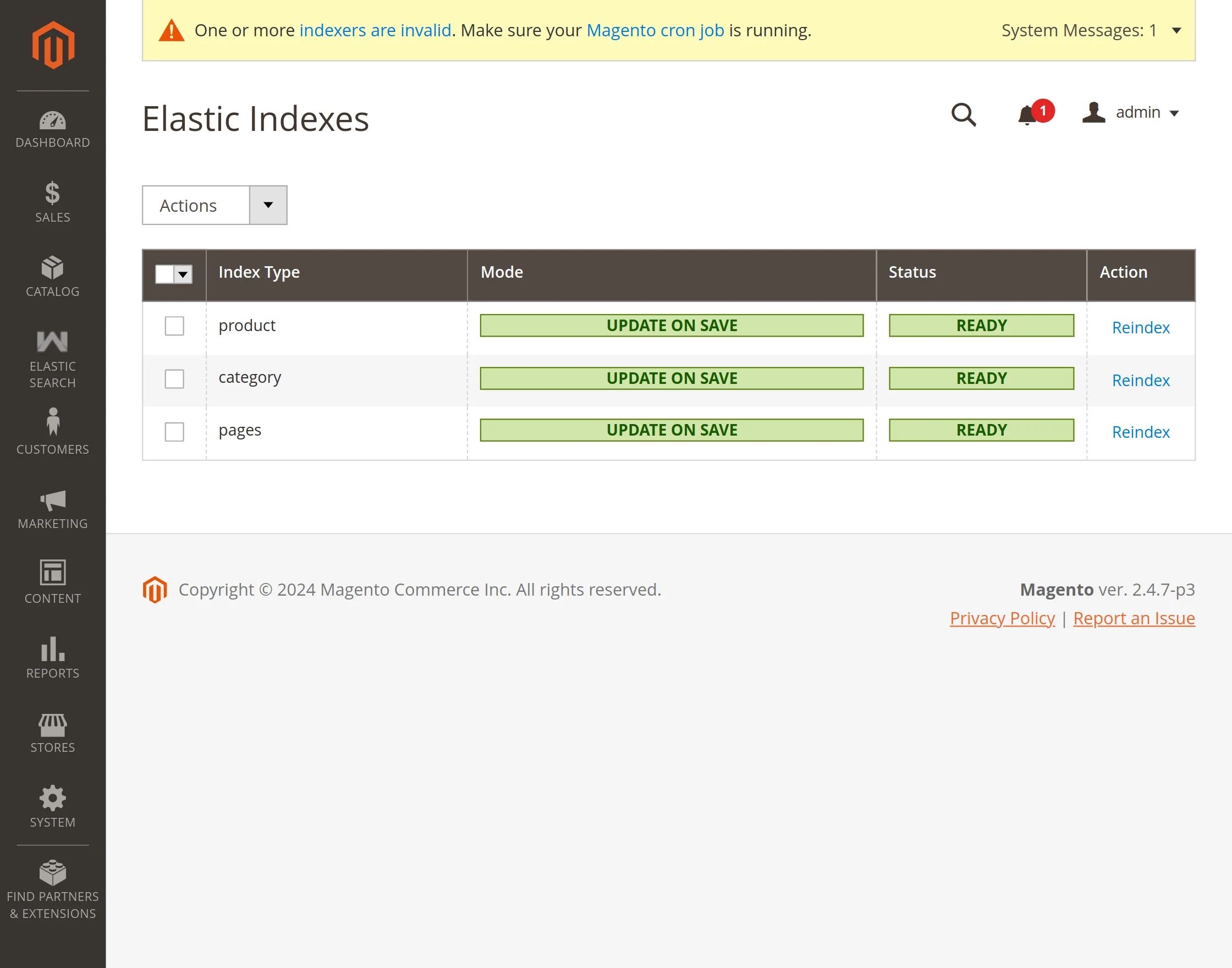
Navigate to Elastic Search > Index Management in your Magento Admin Panel:
Loading diagram...
Grid Capabilities
- Entity Breakdown: Monitors three distinct index types:
- Product: Indexes product catalog attributes, pricing, media, categories, and inventory stock status.
- Category: Indexes category names, URL keys, breadcrumbs, and product counts.
- Pages: Indexes CMS pages, titles, identifiers, and content.
- Status Indicators:
- Ready: Index is fully synchronized and up to date with the catalog.
- Reindex Required: Database changes have occurred that need to be synchronized to Elasticsearch.
- Index Mode:
- Update on Save: Real-time event observers automatically sync changes to Elasticsearch whenever a product, category, or page is saved or deleted.
- Update on Schedule: Changes are queued and processed asynchronously via Magento cron and Mview.
- Row-Level Reindex: Click the Reindex action button on any row to trigger an immediate sync for that specific entity.
2. CLI Console Commands
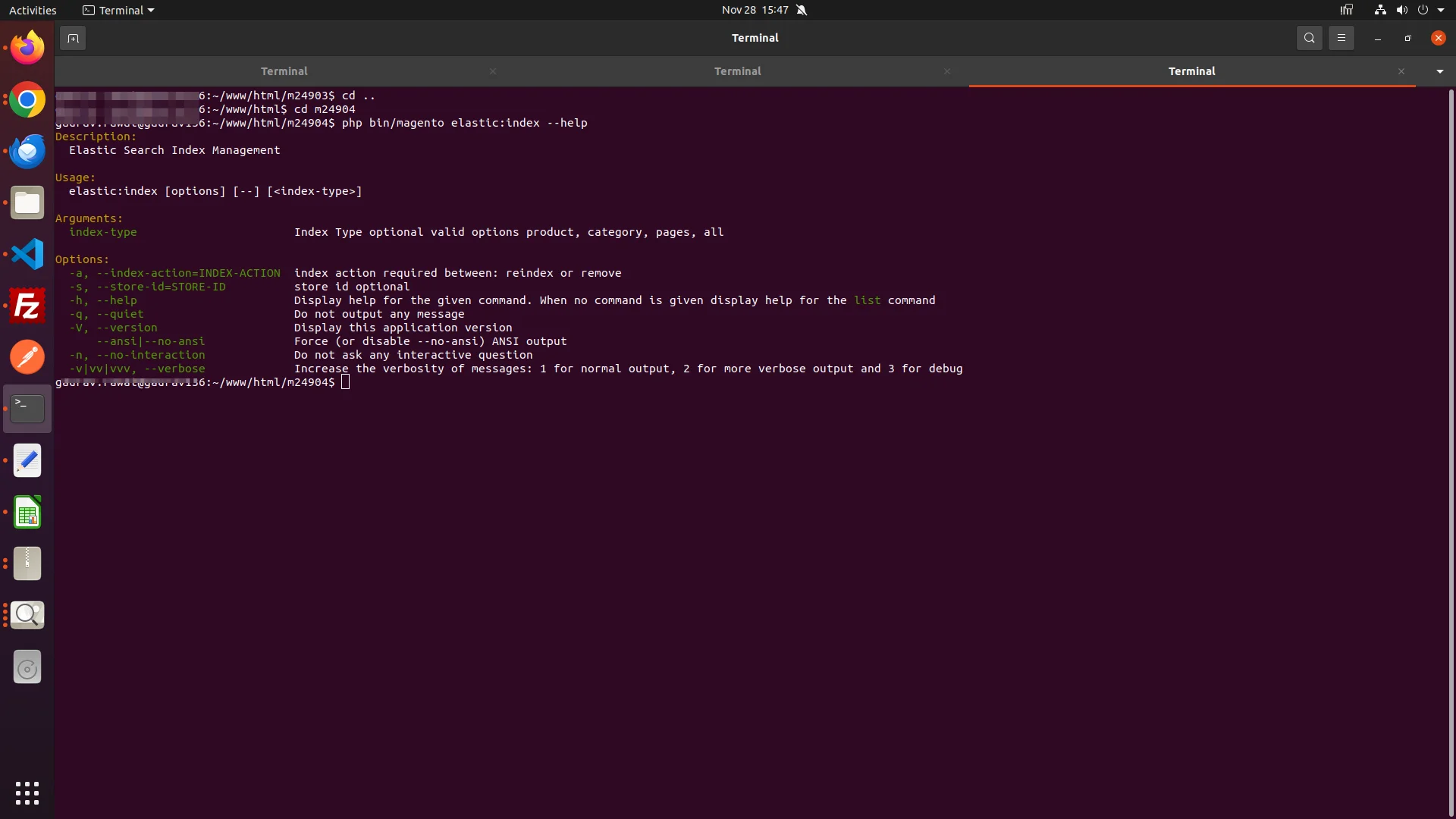
For large catalog bulk updates or deployment automation, use the bin/magento elastic:index CLI command:
Command Syntax
php bin/magento elastic:index [entity] -a [action]
Supported Entities & Actions
Full Reindex (All Entities)
php bin/magento elastic:index all -a reindex
Reindex Specific Entities
php bin/magento elastic:index product -a reindex
php bin/magento elastic:index category -a reindex
php bin/magento elastic:index pages -a reindex
Delete Indices from Cluster
php php bin/magento elastic:index all -a remove
3. Automated Background Cron Job
The module registers a scheduled background cron job (elastic_index_run) in etc/crontab.xml. When indexers are set to Update on Schedule, the cron job automatically processes pending changelogs and syncs data to Elasticsearch on a recurring schedule without manual administrator intervention.
To manually trigger Magento cron execution:
php bin/magento cron:run