
Attributes & Products Import
Once categories and attribute sets are established in Magento, individual attributes and catalog products can be synchronized from Akeneo PIM.
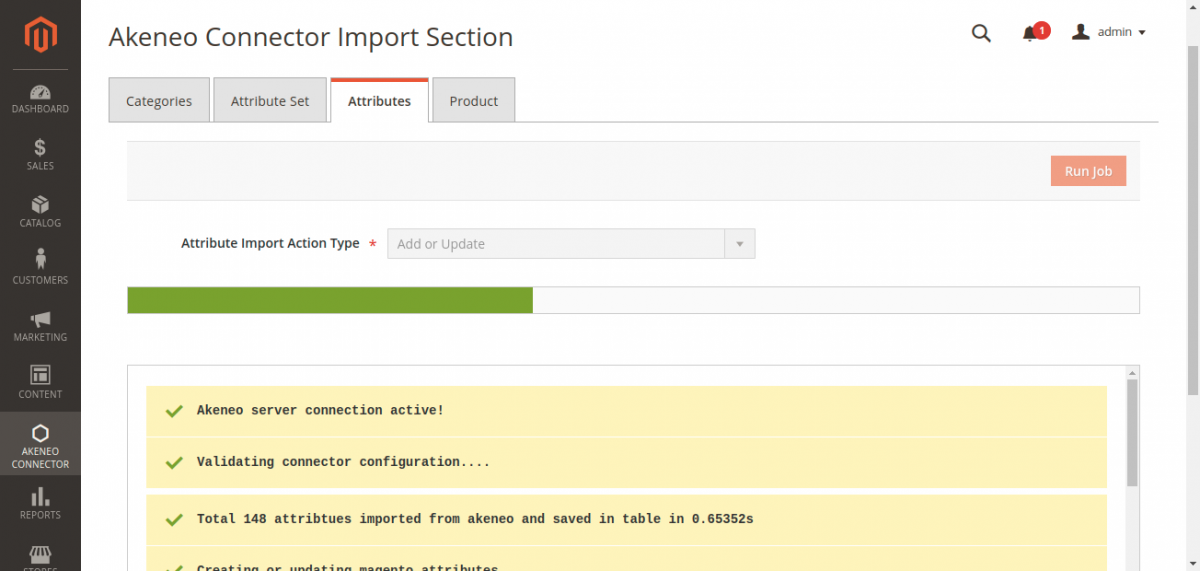
Step 3: Import Attributes
- Navigate to Akeneo Connector → Import.
- Select the Attributes tab.
- Select the Action Type (
Add or UpdateorReplace). - Click Run Job.
Attribute Ingestion Details
The connector queries /api/rest/v1/attributes and creates corresponding Magento product attributes:
- Frontend labels for mapped store view locales.
- Option codes and translated frontend labels for dropdown and multi-select attributes.
- Validation constraints (number ranges, regex, text lengths).
- Automatic assignment into respective Attribute Sets as defined by Akeneo families.
Step 4: Import Products
- Select the Product tab in the Import console.
- Select the Action Type (
Add or Update). - Click Run Job:
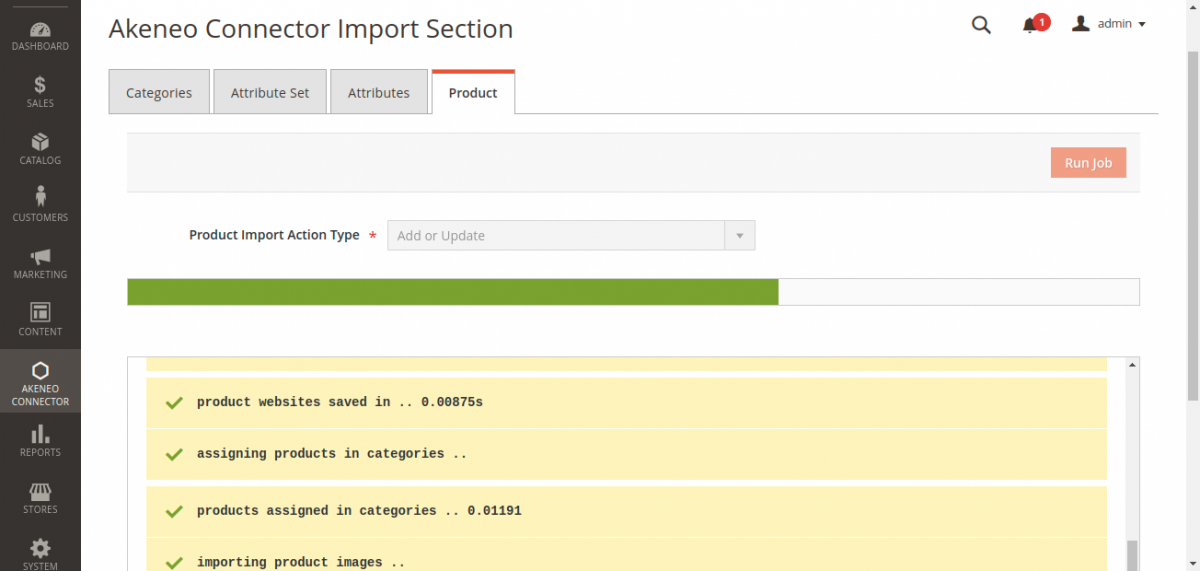
What Happens During Product Ingestion
- Simple Products: Creates standalone products with SKU, title, price, descriptions, and custom attribute values.
- Configurable Products: Detects Akeneo Product Models, provisions parent configurable products, creates child simple variant SKUs, and associates them via configurable super attributes (such as
colorandsize). - Category Association: Products are linked to the categories imported in Step 1.
- Media Assets: Downloads high-resolution images via Akeneo's media endpoint and maps them to base, small, and thumbnail roles in Magento (
pub/media/catalog/product). - Inventory: Assigns default stock levels according to your configured Default Product Quantity setting.
Post-Import Recommendation
After performing large product imports, run a Magento indexer refresh to update category anchor listings and search indexes:
php bin/magento indexer:reindex