
Ollama (Self-Hosted)
Ollama runs open models on your own hardware, so review text never leaves your infrastructure.
1. Install Ollama and pull a model
On the server that will run the model:
curl -fsSL https://ollama.com/install.sh | sh
ollama pull llama3.2
Any chat model works. A small model is enough for a 120-word summary.
2. Make it reachable from Magento
The Magento server calls Ollama directly, so the endpoint must be reachable from the Magento server, not from your browser.
# run on the Magento server
curl http://localhost:11434/api/tags
A JSON list of models means it is reachable. If Ollama runs on another host, start it with OLLAMA_HOST=0.0.0.0 and open port 11434 to the Magento server only.
3. Connect it
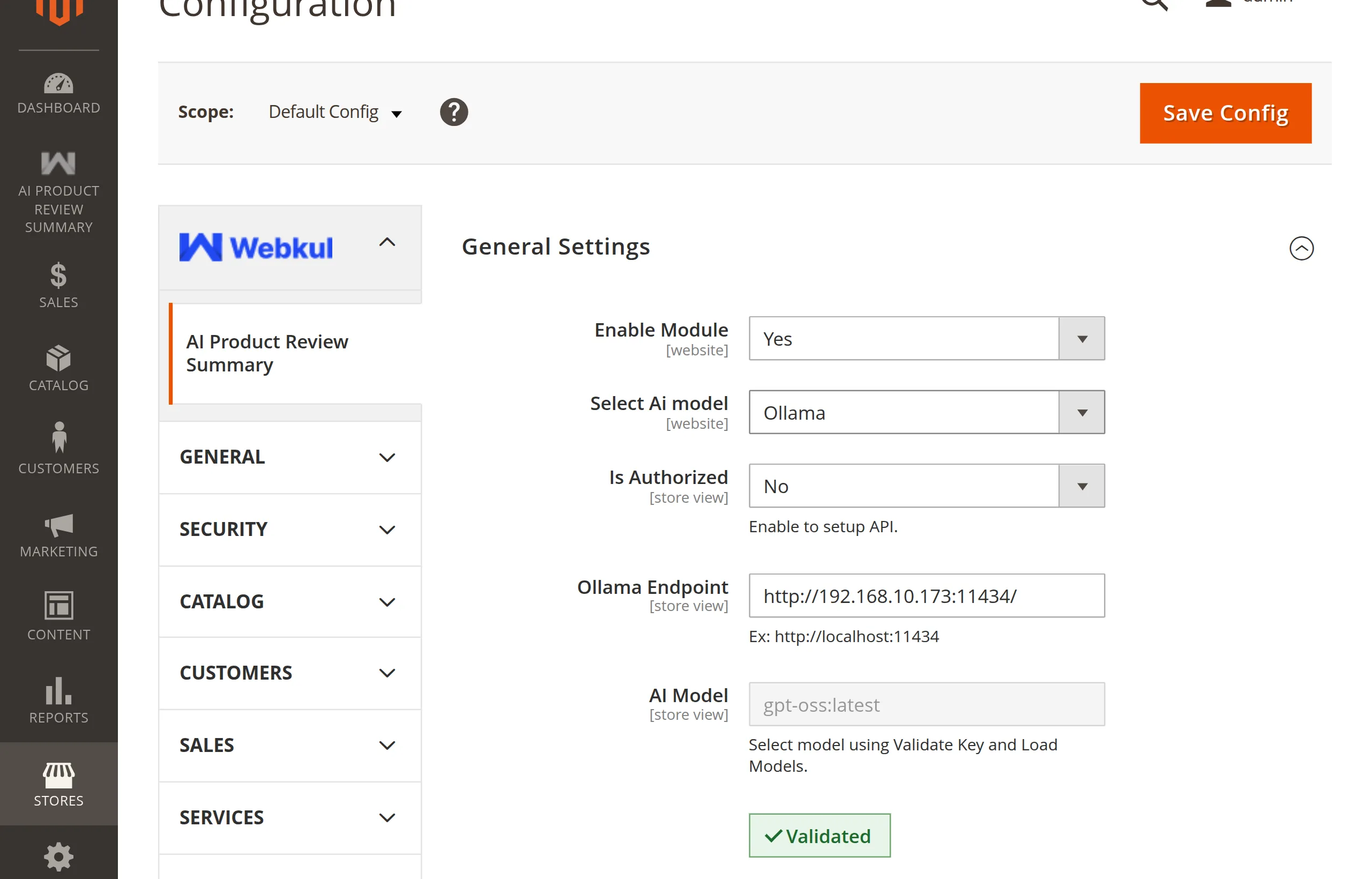
In Stores → Configuration → Webkul → AI Product Review Summary:
- Select Ai model → Ollama.
- Ollama Endpoint →
http://localhost:11434(or your server's URL). - Is Authorized → Yes only if a reverse proxy in front of Ollama requires a bearer token; then fill in Enter Api Key.
- Validate Key and Load Models, pick a model, Save Config.
How generation calls Ollama
POST {endpoint}/api/generate
{"model": "<AI Model>", "prompt": "<summary prompt>", "stream": false}
The request times out after 60 seconds. On slow hardware with many long reviews, use a smaller model.
Ollama errors
| Message | Fix |
|---|---|
Ollama Endpoint is missing. | Fill in Ollama Endpoint and save. |
Ollama model is not selected. | Validate and choose an AI Model. |
Unable to fetch models from Ollama endpoint. | Endpoint unreachable from the Magento server. |
Unable to connect to Ollama. Please check endpoint and try again. | Ollama is down or the URL is wrong. |
Unable to fetch summary from Ollama endpoint. | Ollama answered but returned no summary. Check its logs. |
Next: Switching Providers.