
Magento 2 ChatGPT Product Review SummaryMagento 2 ChatGPT Product Review Summary
Buy Now
Support
Buy Now
Support
  • Getting Started

    • Introduction
    • Key Features
    • How It Works
  • Installation

    • Requirements
    • Install the Module
    • Install the AI Packages
    • Enable & Compile
    • Verify the Installation
  • Setup

    • Enable the Module
    • Activate Your Licence
    • Select an LLM Provider
    • Validate & Load Models
    • First Summaries
  • Configuration

    • Overview
    • General Settings
    • Scope & Store Views
    • Admin Menu
    • Access Control
  • LLM Providers

    • Provider Overview
    • How Validation Works
    • Ollama (Self-Hosted)
    • Switching Providers
  • Generating Summaries

    • Summary Basics
    • What Is Sent to the Model
    • From the Reviews Grid
    • CLI Command
    • Keeping Summaries Fresh
  • Storefront

    • On the Product Page
    • Full-Width Layout
    • Styling
  • Developers

    • Data Model
    • Useful SQL
    • Logging
  • Help

    • Setup Problems
    • Generation Problems
    • Storefront Problems
    • FAQ

Configuration Overview

All settings live in one place:

Stores → Configuration → Webkul → AI Product Review Summary

The section has two groups.
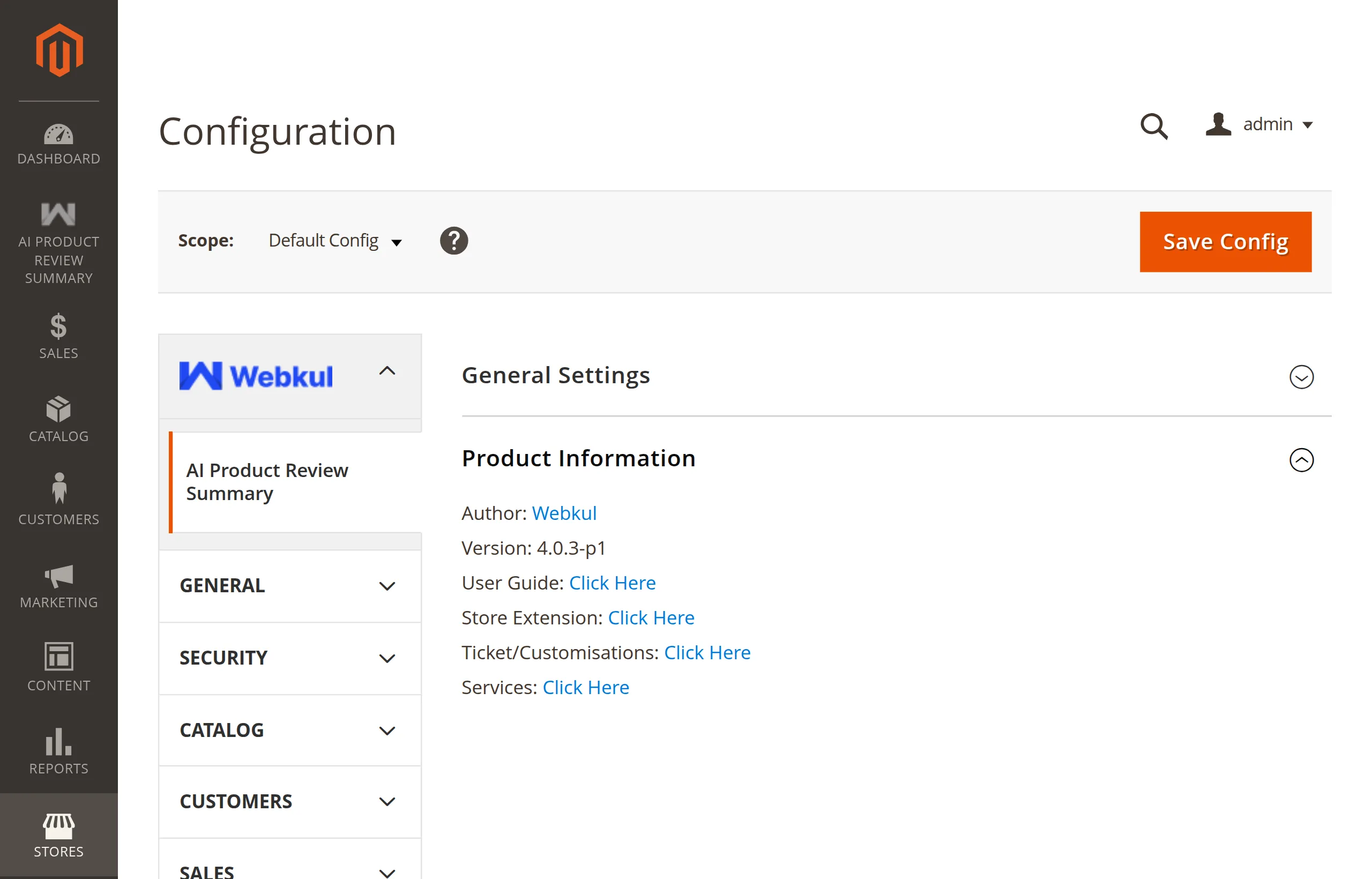
General Settings and Product Information groups

GroupWhat it holds
General SettingsThe master switch, provider, credentials, model, and the validate button. See General Settings.
Product InformationRead-only: author, installed version, and links to the user guide, store page, ticket desk, and services.

Before and after the AI packages

If the AI packages are missing, selecting a hosted provider shows a warning with the composer require command to run, and the remaining fields stay hidden:

Until then, model validation and generation remain unavailable. Configuration fields stay hidden while packages are unavailable.

Other places the module appears

  • An AI Product Review Summary entry in the admin sidebar. See Admin Menu.
  • Three permissions under System → User Roles. See Access Control.

Quote the version in tickets

Product Information → Version shows the installed module version. Include it when you raise a support ticket.

Next: General Settings.

Next
General Settings