
Checkout Sign-In
Page: /checkout/, for guests.
When a guest clicks Sign In at the top of the checkout page, Magento opens its sign-in popup. The extension adds the same Or sign in with divider and Zoho tile below the email and password fields.
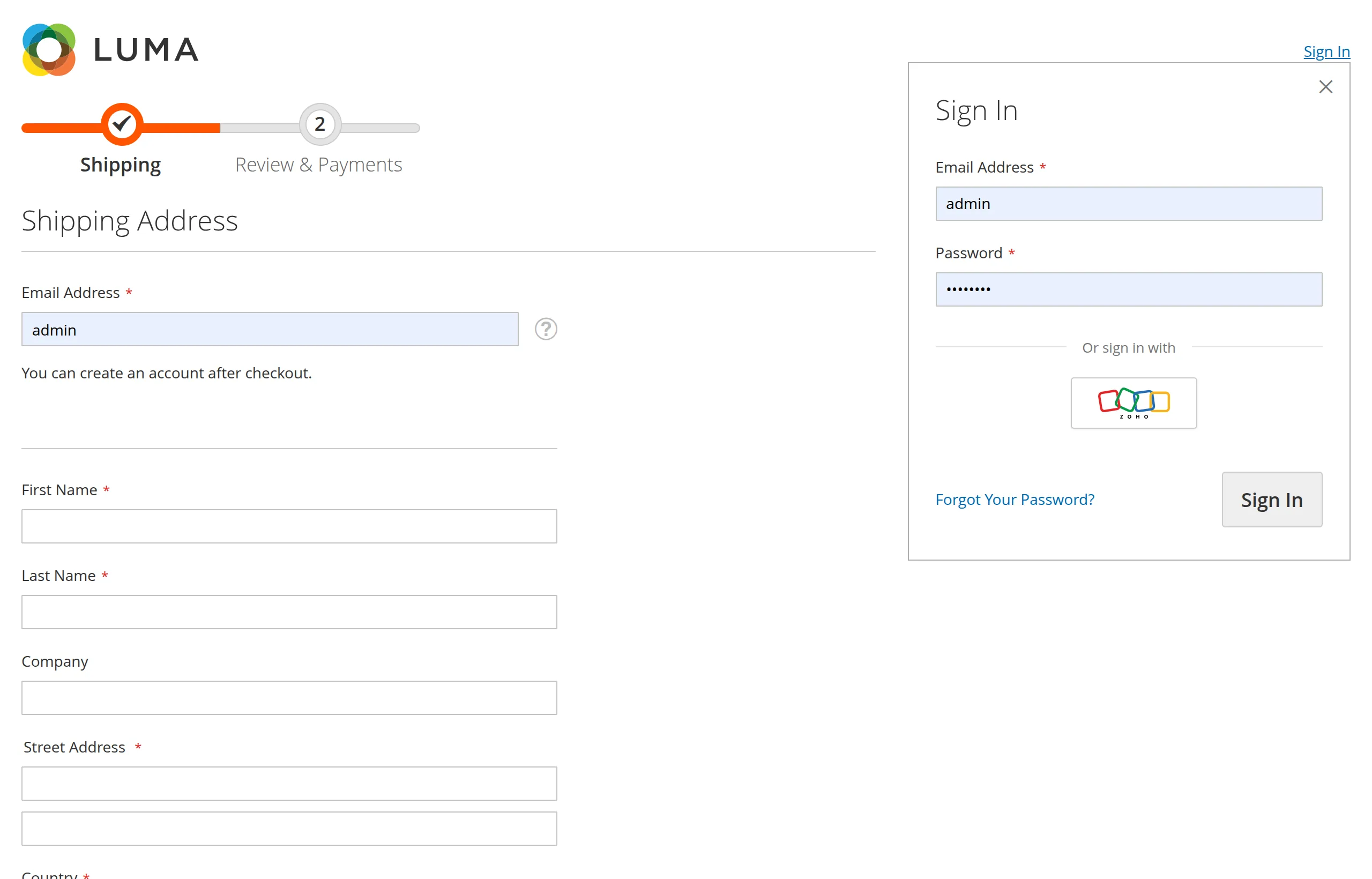
Signing in from checkout
- The guest opens the checkout sign-in popup and clicks the Zoho tile.
- Zoho opens — in a separate popup window on desktop, in the same tab on touch devices.
- After signing in to Zoho, the customer comes back to Checkout, now logged in.
The cart is kept
Signing in from checkout uses Magento's normal customer login. Magento merges the guest cart into the customer's cart, exactly as it does for a password login. Items added as a guest are still there.
If sign-in fails
The customer is returned to Checkout with an error message, and can continue as a guest or try again.
Hidden when disabled
When Enable Zoho SSO is No, the tile is removed from the checkout sign-in popup entirely.
Next: Popup & Mobile Behaviour.