
Storefront Experience
The Webkul Magento 2 Smart Device Based Promotions extension delivers dynamic, device-tailored storefront experiences. This guide illustrates how targeted banners appear on desktop and mobile viewports, how automatic cart discounts are applied, and how coupon restrictions operate for customers.
Promotional Banners on Storefront
Based on the campaign configuration defined under Smart Device Based Promotions > Manage Promotions, banners are selectively injected into the storefront layout.
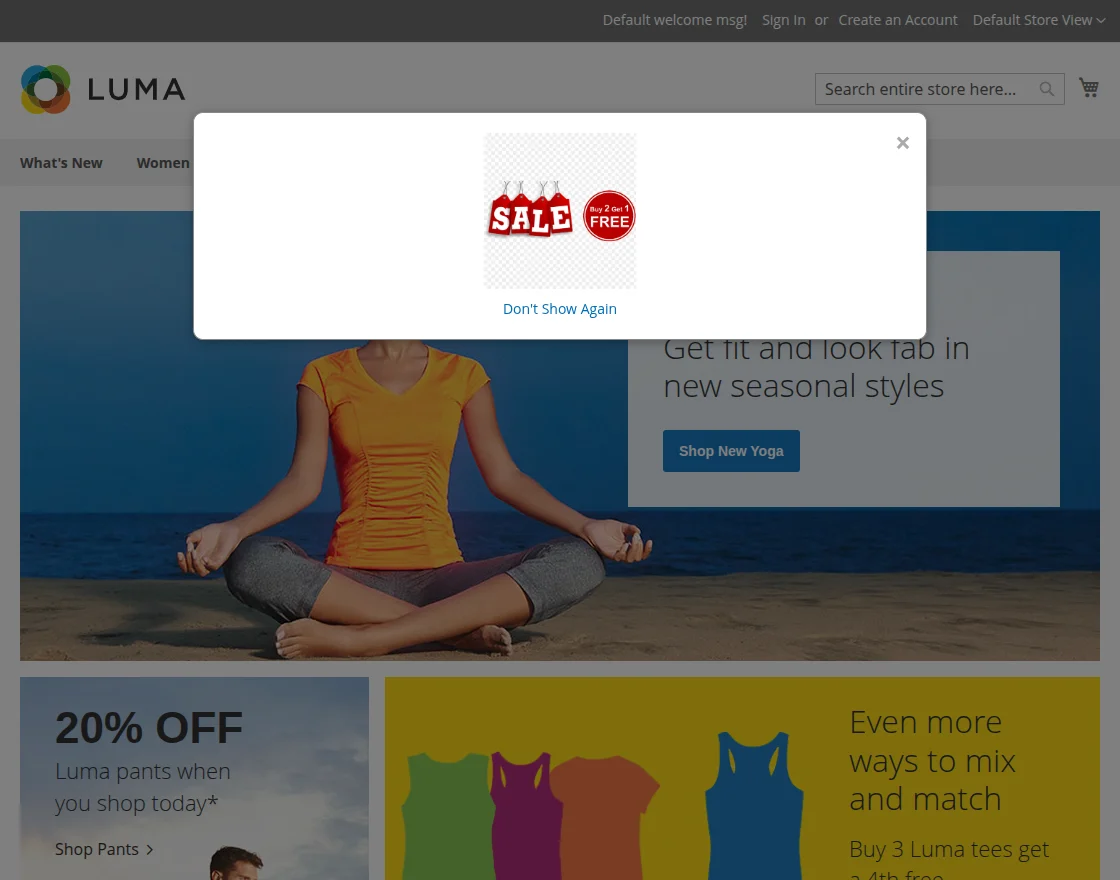
1. Promotional Banner on Desktop Browser
When a customer visits the storefront from a desktop computer or laptop, the module delivers banners configured with the Desktop device type. Desktop banners take full advantage of wide viewports to display high-resolution imagery, and detailed promotional content.
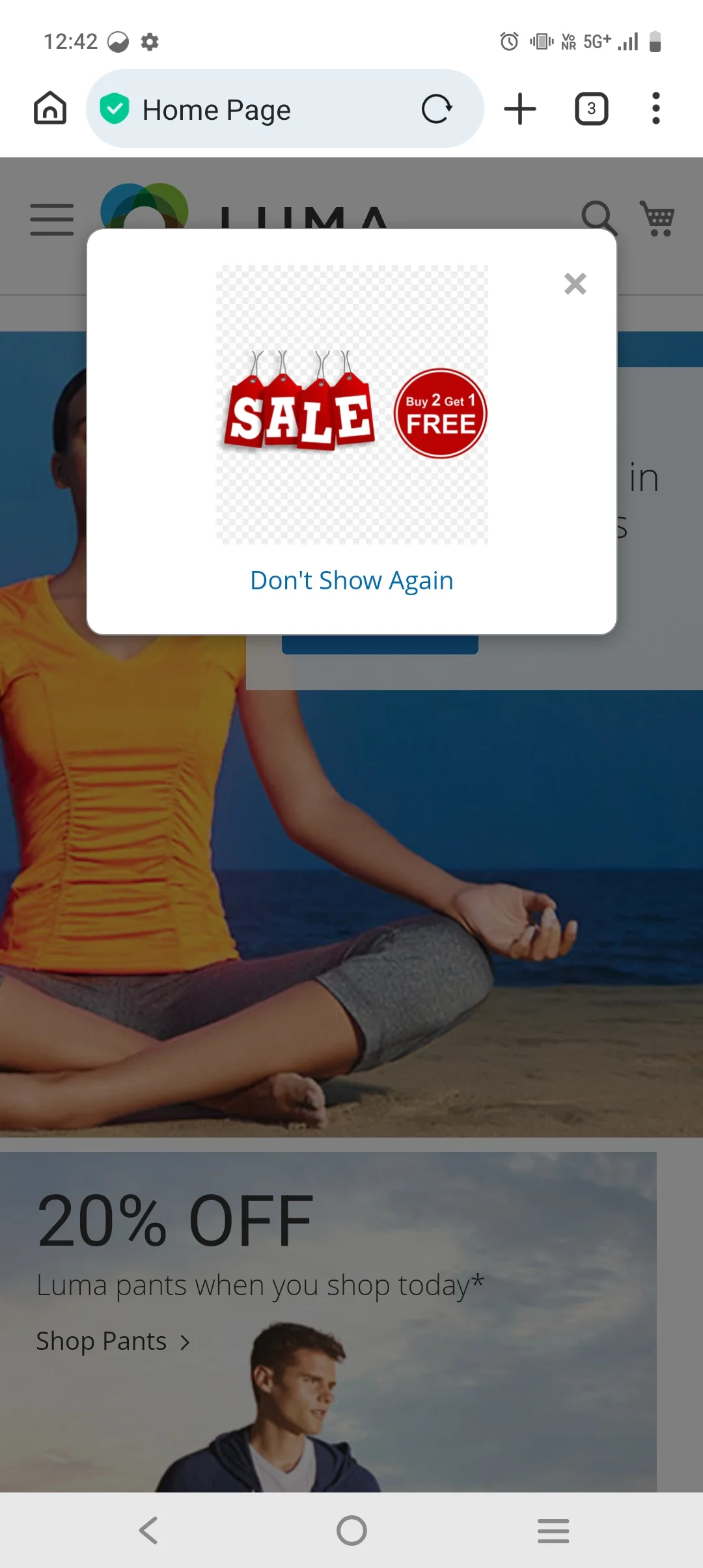
2. Promotional Banner on Mobile Browser
When a customer browses using a smartphone or tablet (such as Safari on iOS or Chrome on Android), only promotions configured with the Mobile device type are delivered. Mobile banners adapt fluidly to smaller vertical screens, ensuring text and buttons remain accessible without cluttering the screen.
Automatic Cart Discounts on Storefront
When an automatic Cart Price Rule is configured with a Device Type condition, shoppers receive price reductions instantly upon adding qualifying products to their cart, without entering a coupon code.
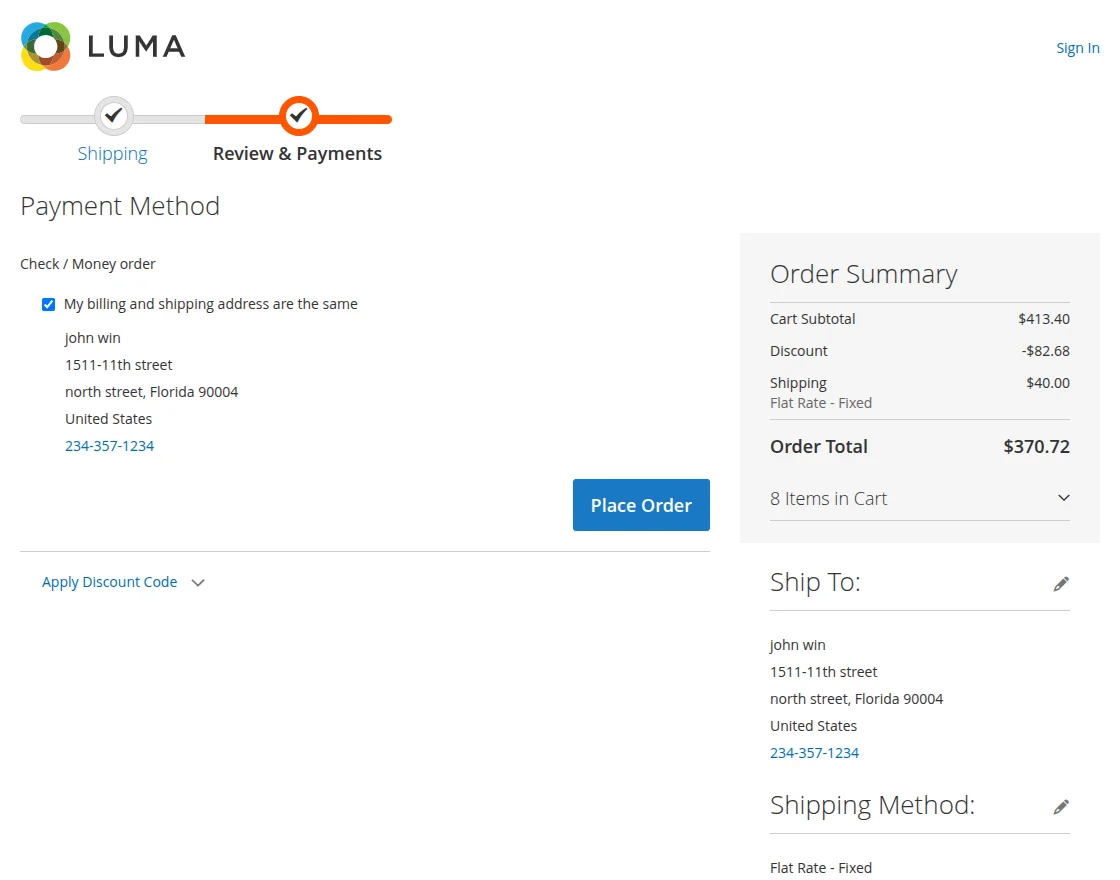
1. Automatic Discount on Desktop
When a desktop shopper adds items to the shopping cart, the discount is calculated automatically and appears directly in the Order Summary as a dedicated line item:
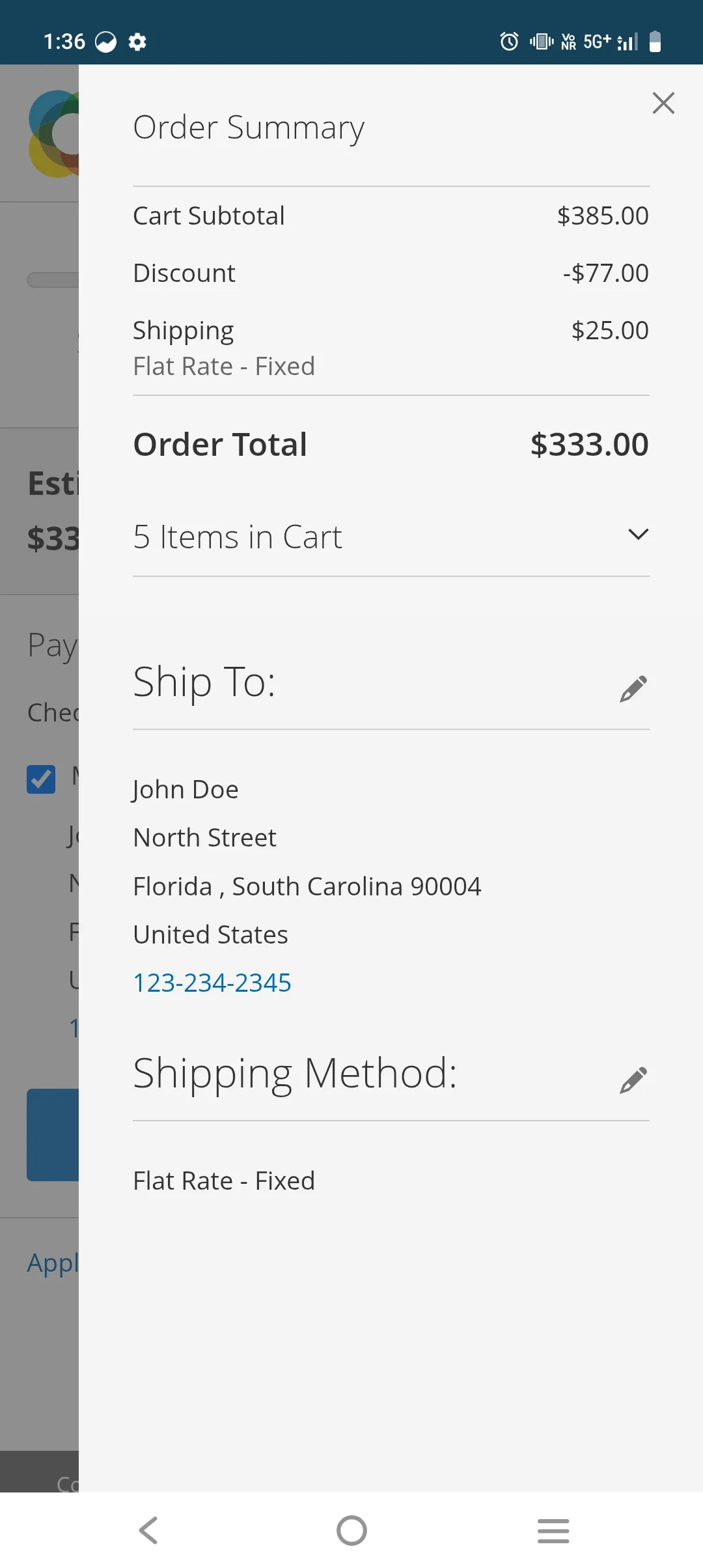
2. Automatic Discount on Mobile
Similarly, when a customer shops on a smartphone, eligible mobile rules apply immediately upon cart calculation:
Device-Specific Coupon Code Redemption
When a promotional campaign requires a coupon code that is restricted to a specific device, the extension validates the customer's device type during the coupon redemption request.
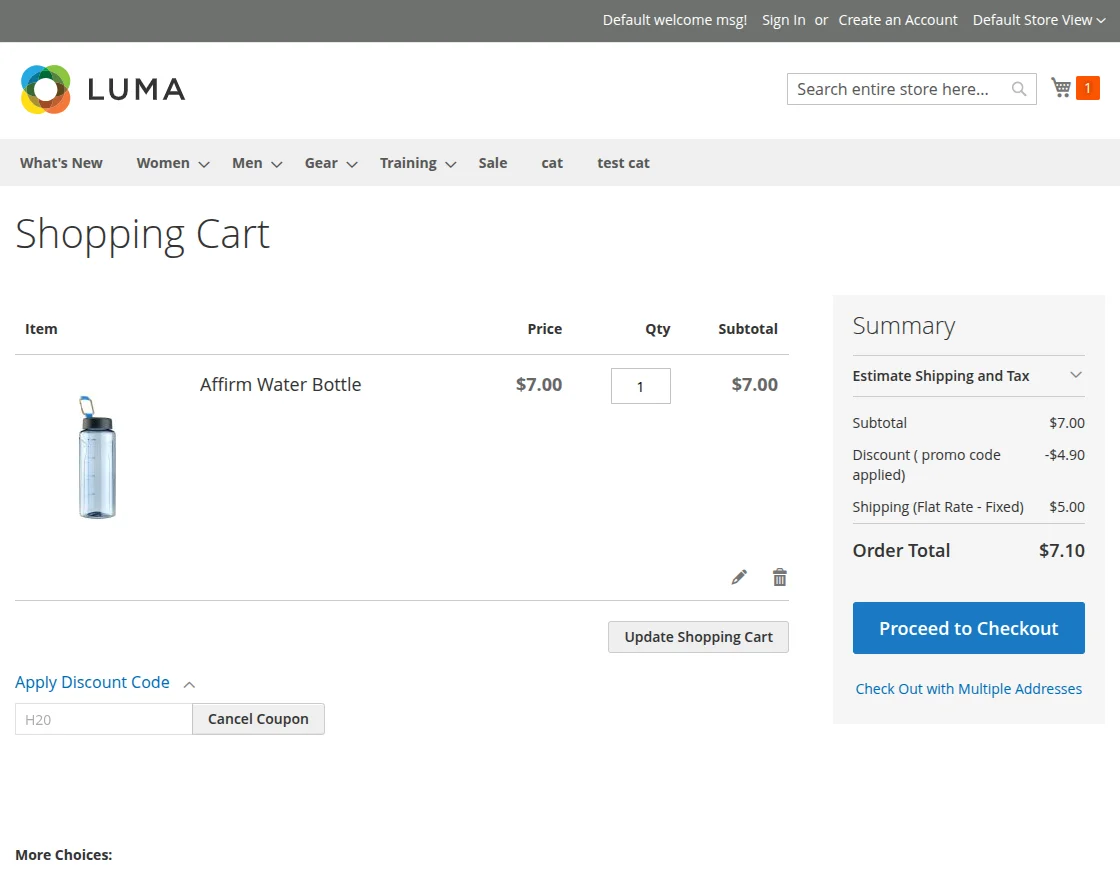
1. Coupon Code Application on Desktop
Shoppers entering a valid desktop-eligible coupon code on a desktop browser receive a confirmation message, and the discount is deducted from the order total:
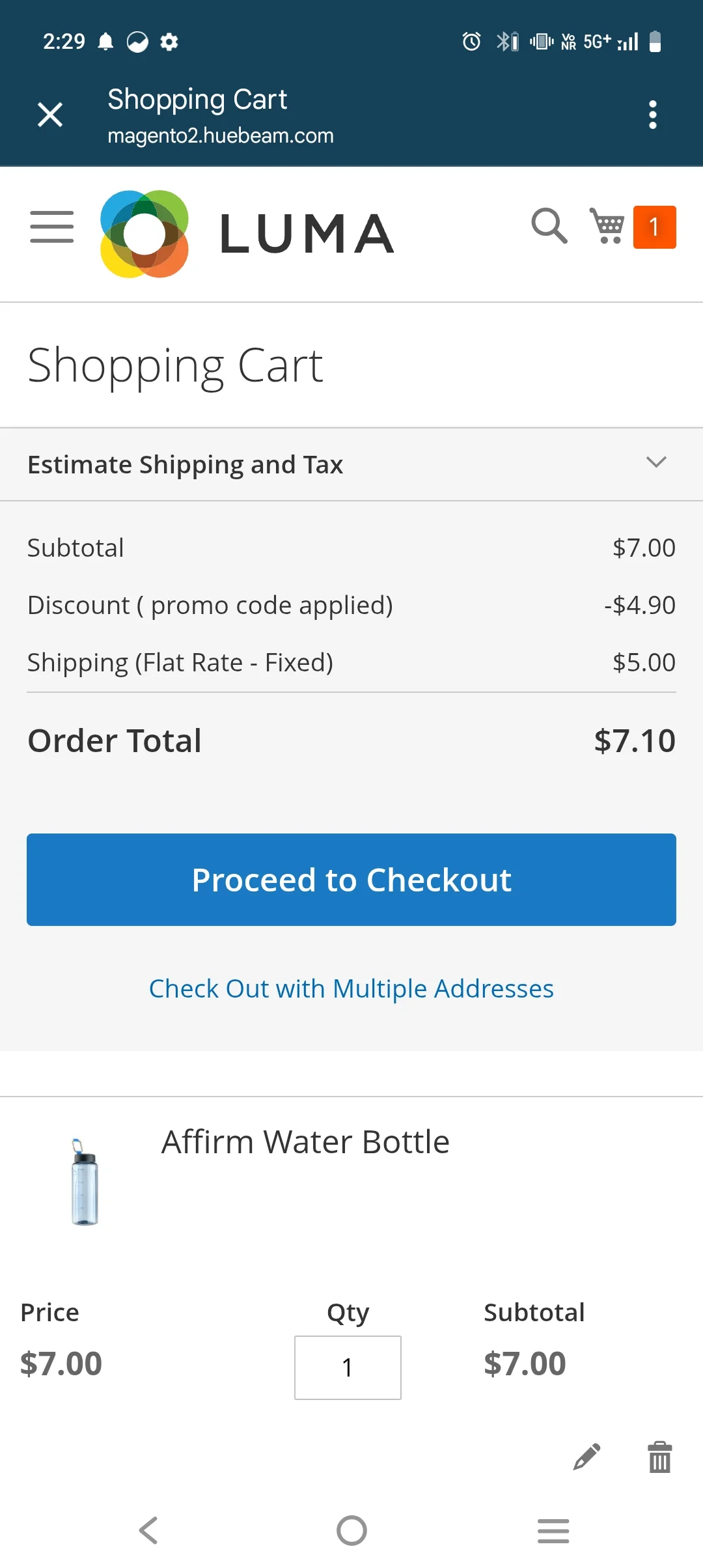
2. Coupon Code Application on Mobile
Mobile-targeted coupons can only be activated by customers browsing on mobile devices:
Cross-Device Validation Error
If a customer attempts to apply a mobile-restricted coupon code while browsing from a desktop computer (or vice versa), Magento rejects the coupon and alerts the customer that the entered code is not valid for their current device.
Testing & Emulating Devices
Store administrators and quality assurance teams can easily test device promotions without needing multiple physical mobile phones or tablets:
- Open your Magento store in Google Chrome, Mozilla Firefox, or Microsoft Edge.
- Open Developer Tools by pressing
F12(orCtrl + Shift + Ion Windows /Cmd + Option + Ion Mac). - Click the Toggle Device Toolbar icon (or press
Ctrl + Shift + M/Cmd + Shift + M). - Select a mobile device profile (such as iPhone 14, Pixel 7, or iPad Air) from the top emulation bar.
- Refresh the page to reload the storefront with the emulated mobile user-agent.
- Verify that mobile-targeted promotional banners appear, automatic mobile cart discounts calculate correctly, and mobile coupon codes apply successfully.
After creating or modifying promotional rules, flush Magento's system cache:
php bin/magento cache:flush