
Installation
Installing the Magento 2 QuickBooks Connect module is simple. Follow the steps below to upload files, install required dependencies, compile code, and flush caches.
Option A — Install from Zip Package
Use this method if you downloaded the module zip package directly from the Webkul Store.
1. Extract Package
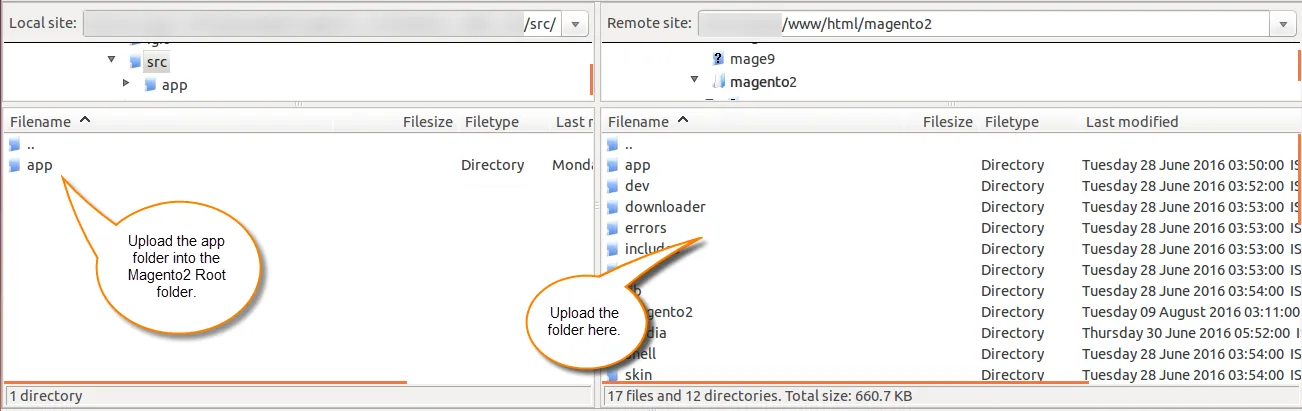
Extract the downloaded zip file on your local computer. Inside the src folder, locate the app directory.
2. Upload Code Directory
Connect to your server via SSH or SFTP. Upload the app directory into your Magento 2 root directory so the files reside under: app/code/Webkul/QuickbooksConnect/
3. Install QuickBooks V3 PHP SDK
Run composer to install the required Intuit QuickBooks PHP SDK dependency:
composer require quickbooks/v3-php-sdk:6.2
4. Execute Deployment Commands
Run the following Magento CLI commands sequentially in your root directory:
php bin/magento setup:upgrade
php bin/magento setup:di:compile
php bin/magento setup:static-content:deploy -f
php bin/magento indexer:reindex
php bin/magento cache:flush
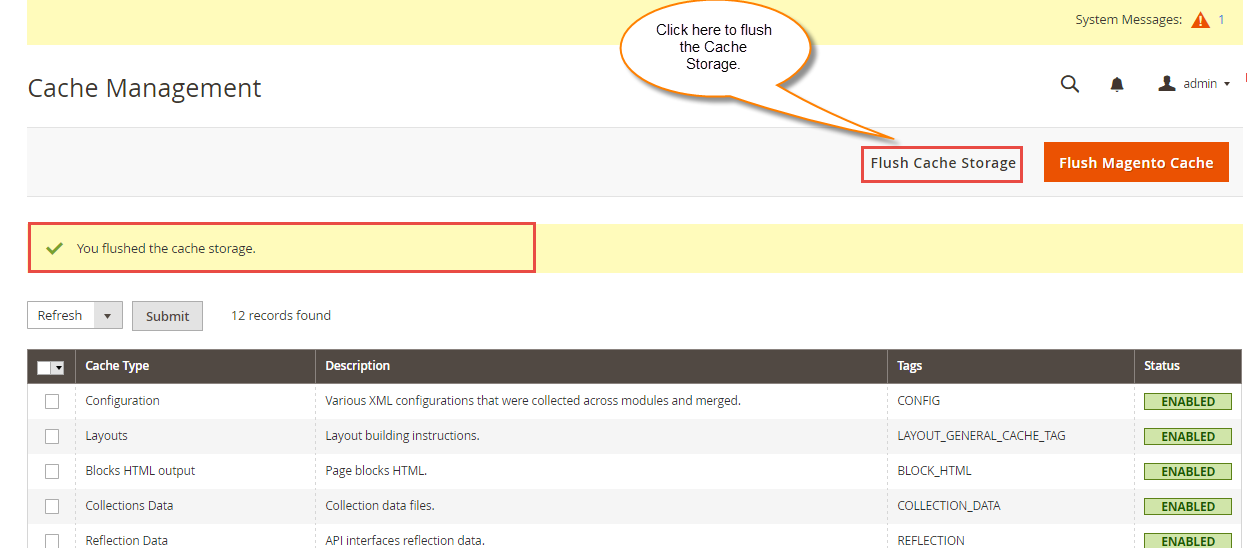
You can also flush cache via Admin backend under System -> Tools -> Cache Management by clicking Flush Magento Cache.
Option B — Install with Composer
If installing via private Composer repository:
composer require webkul/quickbooks-connect
After requiring the package, execute the deployment commands outlined in Option A > Step 4.
Language Translation
The module supports multi-lingual environments, including LTR and RTL language layouts. To translate module labels into another language (e.g., German or French):
- Navigate to the module's translation folder:
app/code/Webkul/QuickbooksConnect/i18n. - Open
en_US.csv. - Save a copy of the file renamed with your target locale code, for example
de_DE.csv(German) orfr_FR.csv(French). - Translate all text strings on the right side of the comma into your target language.
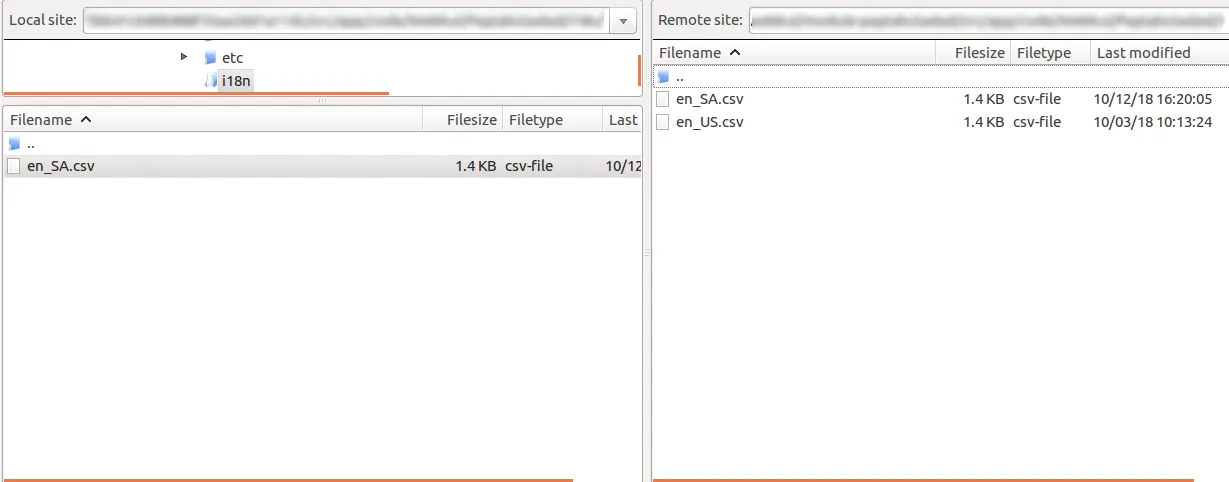
- Upload the CSV file back to
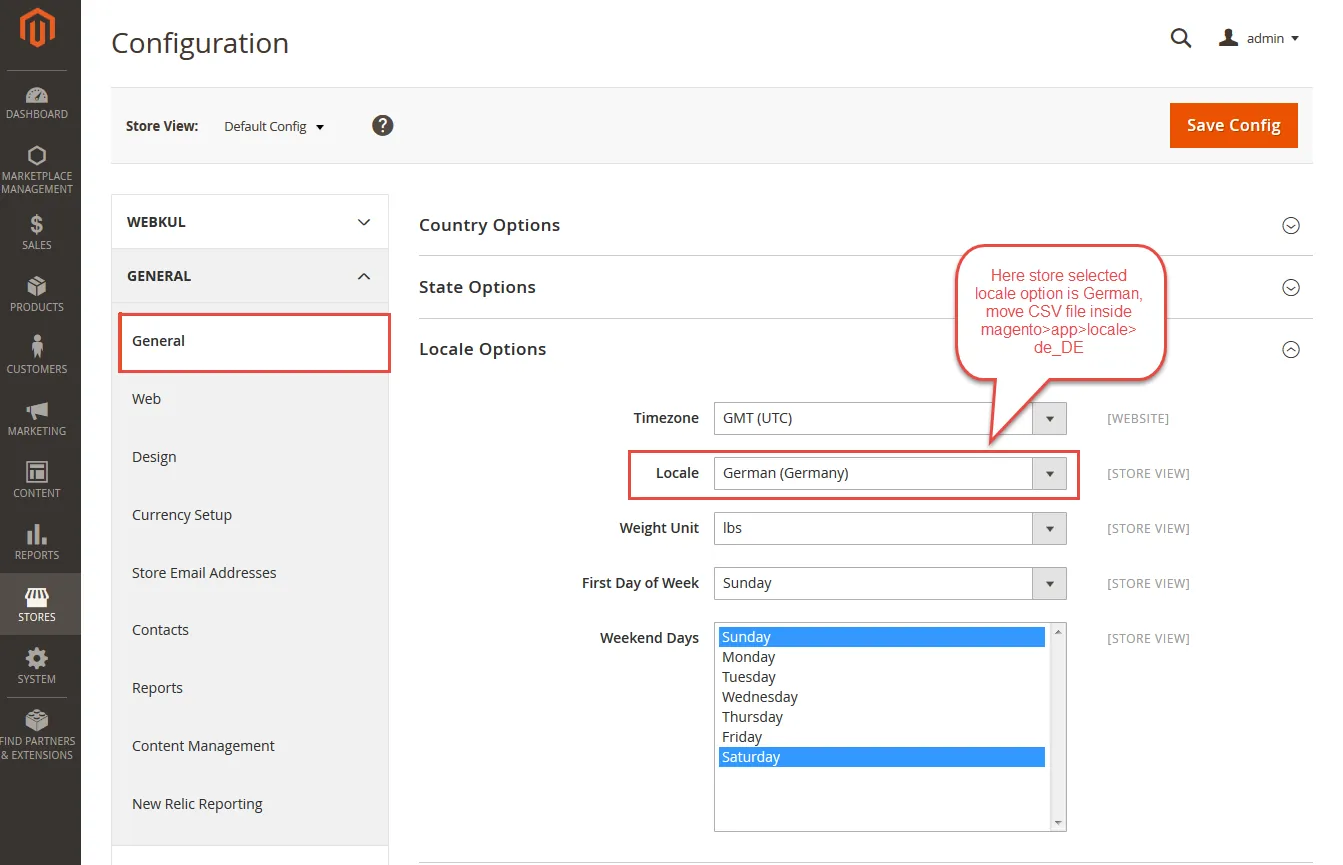
app/code/Webkul/QuickbooksConnect/i18n/. - Go to Stores -> Configuration -> General -> Locale Options in Magento Admin and select your desired locale.
- Run
php bin/magento setup:static-content:deploy <locale_code>and flush the cache.
Translation Note
Always preserve the English key string on the left side of the comma. Only modify the translated string on the right side.