Credit Memos Management
When store orders are refunded in Magento 2, the Magento 2 QuickBooks Connect extension synchronizes refunds to QuickBooks Online as Credit Memos to maintain accurate financial ledgers.
Automatic Credit Memo Sync
Whenever a store administrator issues an online or offline refund for an order in Magento Admin (Sales > Orders > View Order > Credit Memo > Refund), the extension's refund observer (SalesOrderRefundAfterObserver) executes automatically:
- Detects the newly created Magento Credit Memo.
- Formats refunded line items, quantities, shipping refund, and tax adjustments.
- Calls the QuickBooks API V3 SDK to create an official QuickBooks Credit Memo.
- Saves the mapping relationship between Magento Credit Memo ID and QuickBooks Credit Memo ID in the database.
Manual Credit Memo Synchronization
To manually export historical or un-synced credit memos:
- Log in to Magento Admin.
- Navigate to All Apps > Credit Memos.
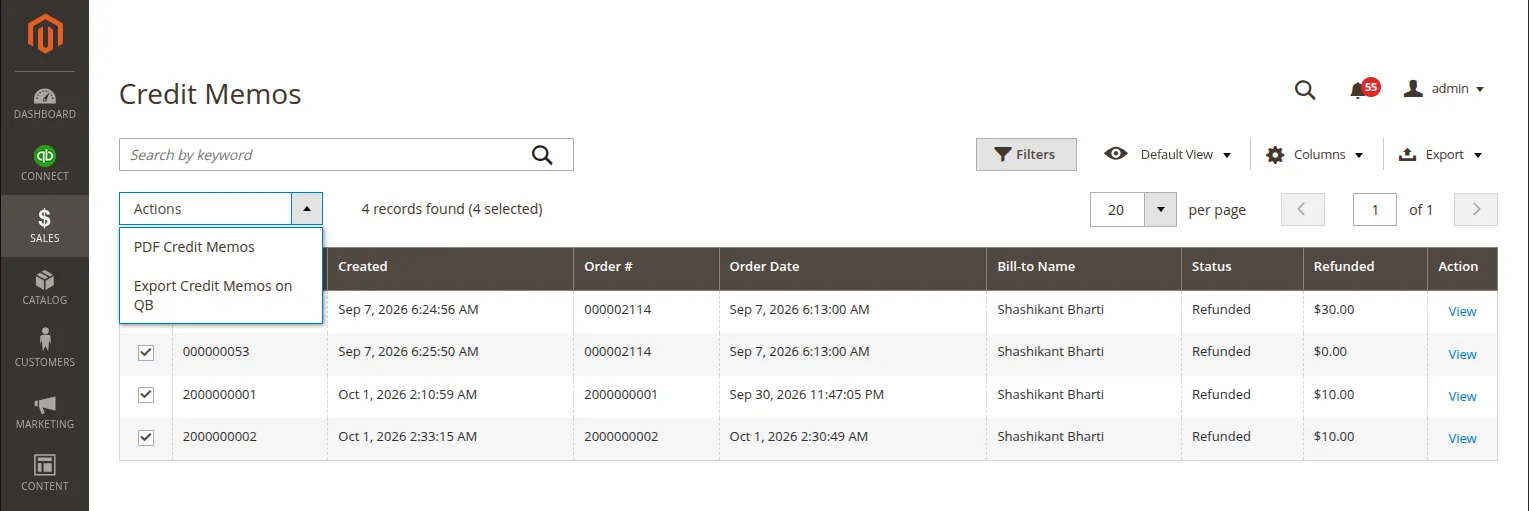
- Select the target credit memo records using the grid checkboxes.
- From the Actions dropdown menu, select Export Credit Memos on QB.
- A confirmation dialog will appear. Click OK to start the export process.
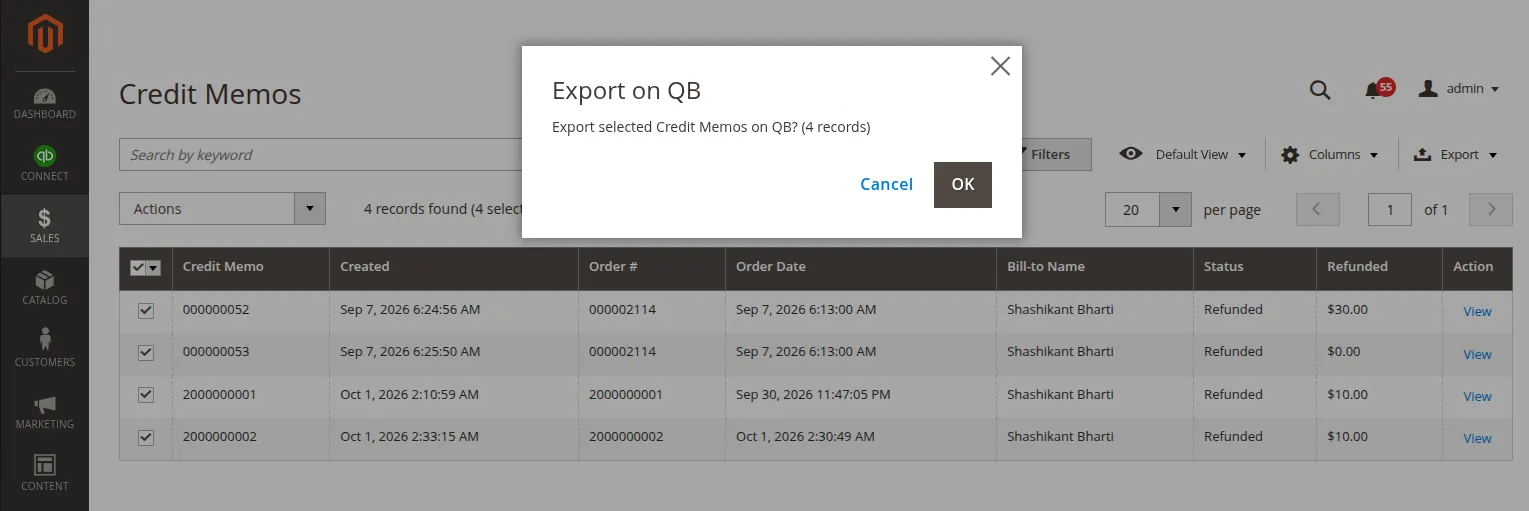
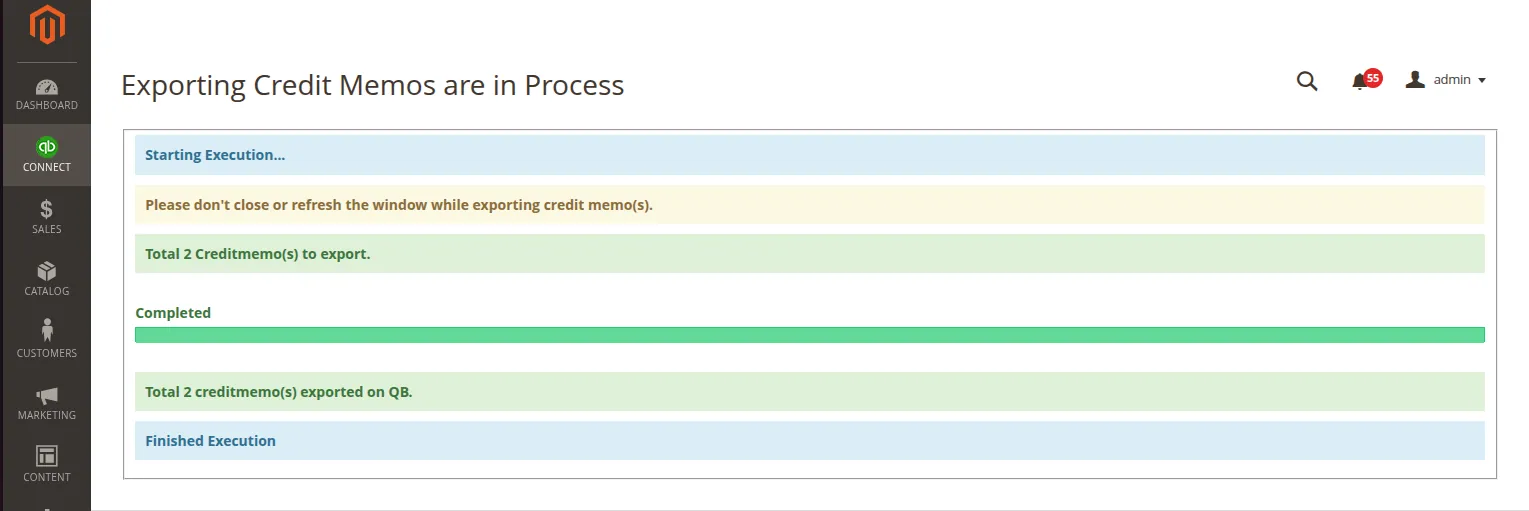
- Stay on the page until the batch processing window completes and displays a success execution log.
Map Credit Memo Admin Grid
View all synchronized refund records by navigating to Connect > Map Credit Memo:
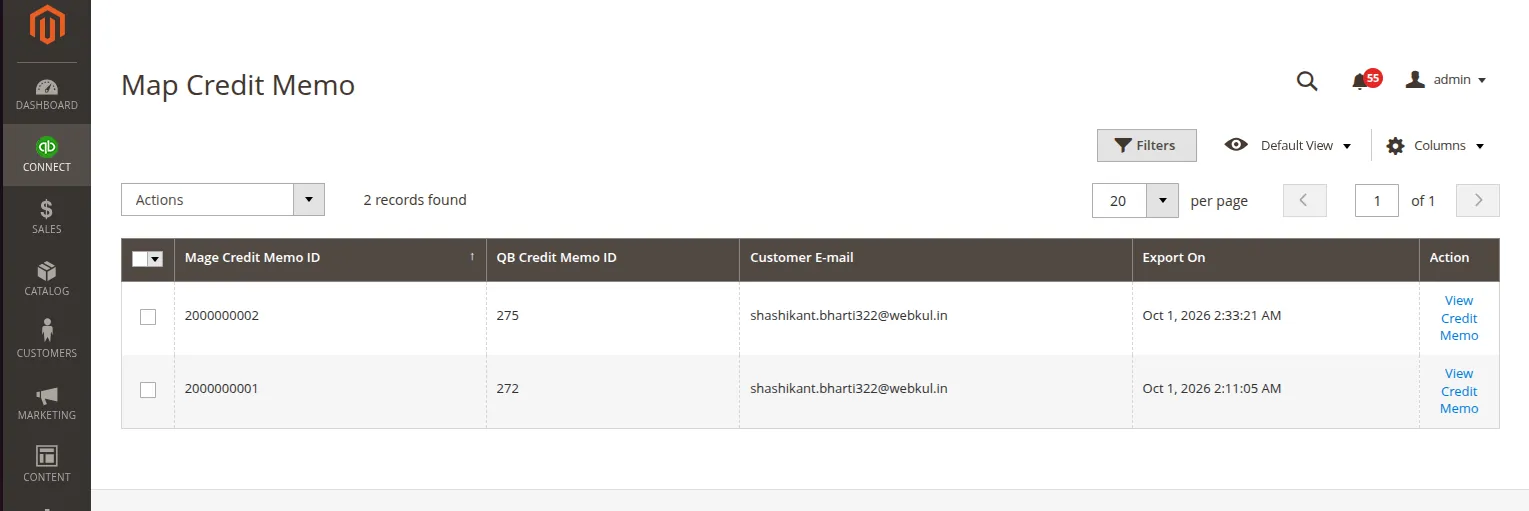
| Column Name | Description |
|---|---|
| Map ID | Internal database relationship ID. |
| Credit Memo ID | Increment ID of the Magento Credit Memo (e.g., #000000005). |
| Order ID | Associated Magento Sales Order ID. |
| QB Credit Memo ID | Unique Credit Memo ID generated inside QuickBooks. |
| Refund Amount | Total refunded currency value synchronized. |
| Created At | Timestamp of mapping synchronization. |
| Action | Click View to inspect detailed credit memo item records. |
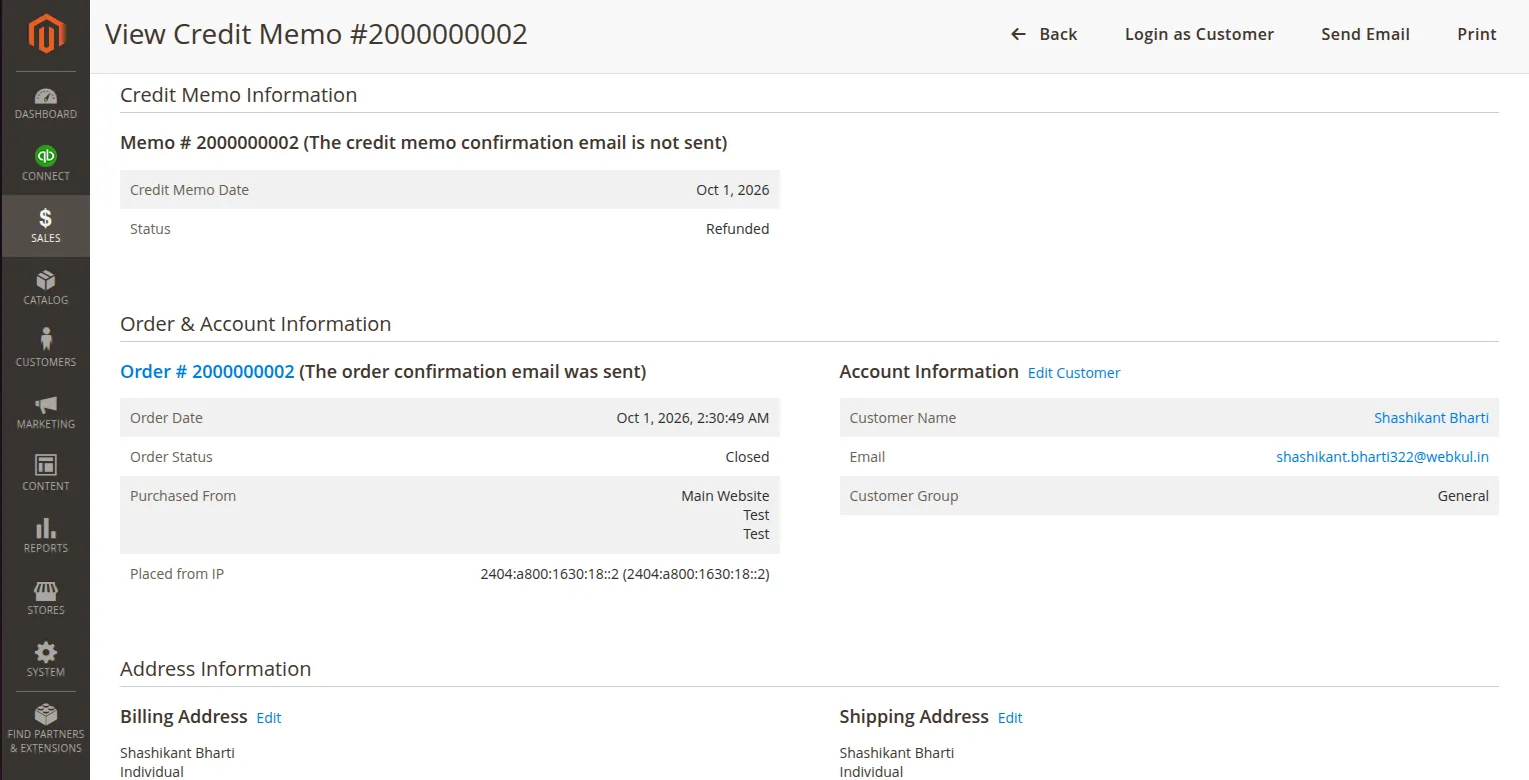
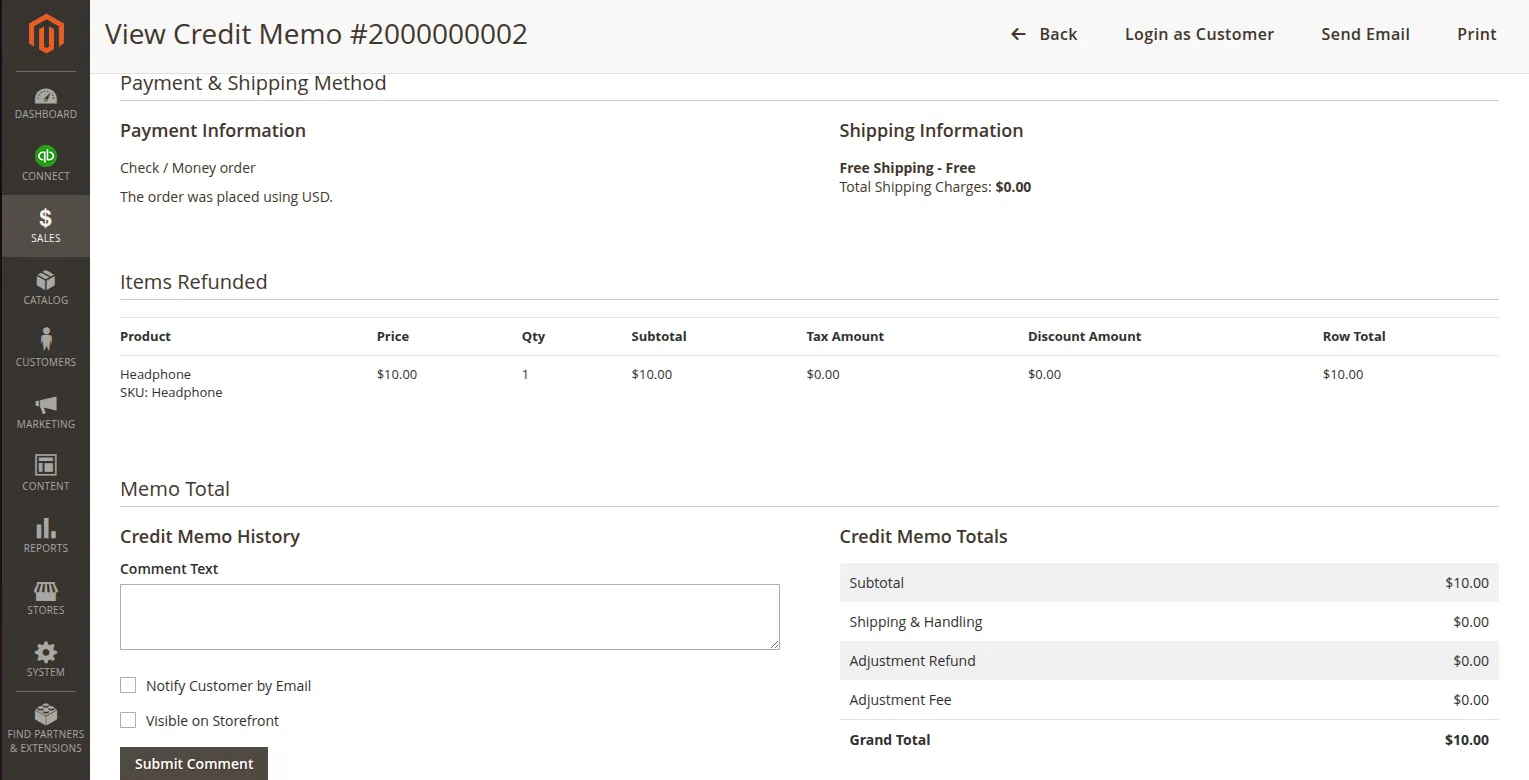
Clicking View displays the Magento Credit Memo details:
Verifying Credit Memos in QuickBooks
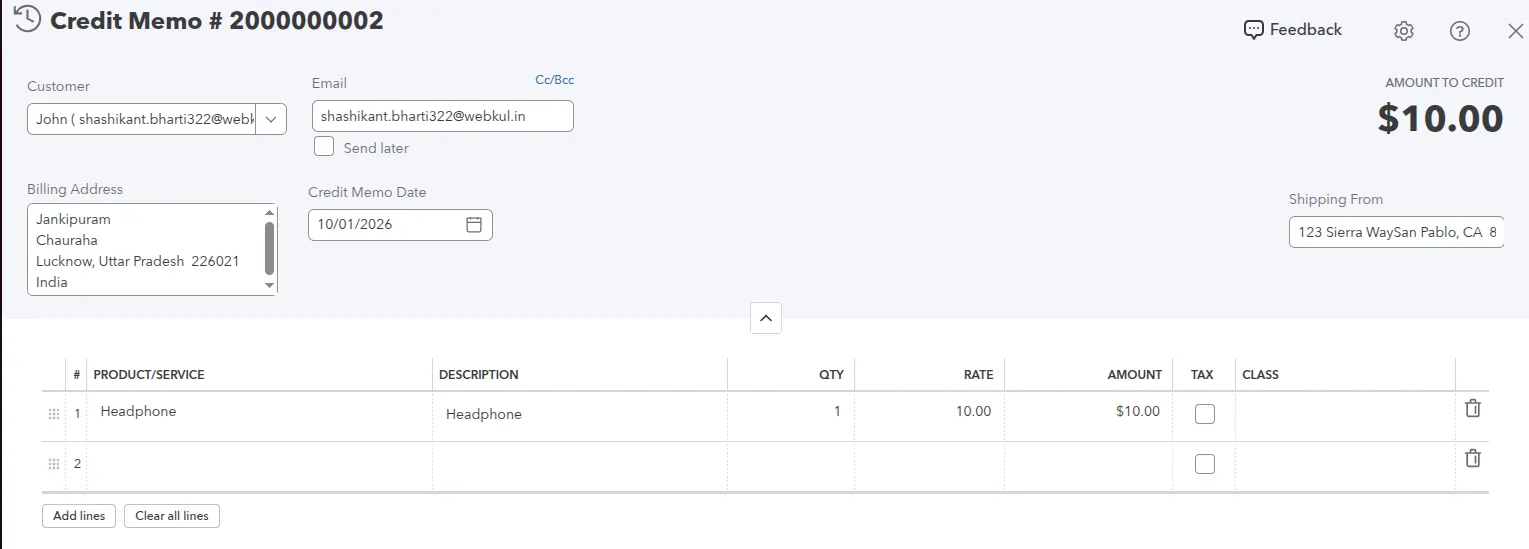
To view synchronized credit memos inside your QuickBooks Online account:
- Log in to QuickBooks Online.
- Navigate to All Apps > Sales & Get Paid > Sales Transactions.
- Filter by transaction type Credit Memos.
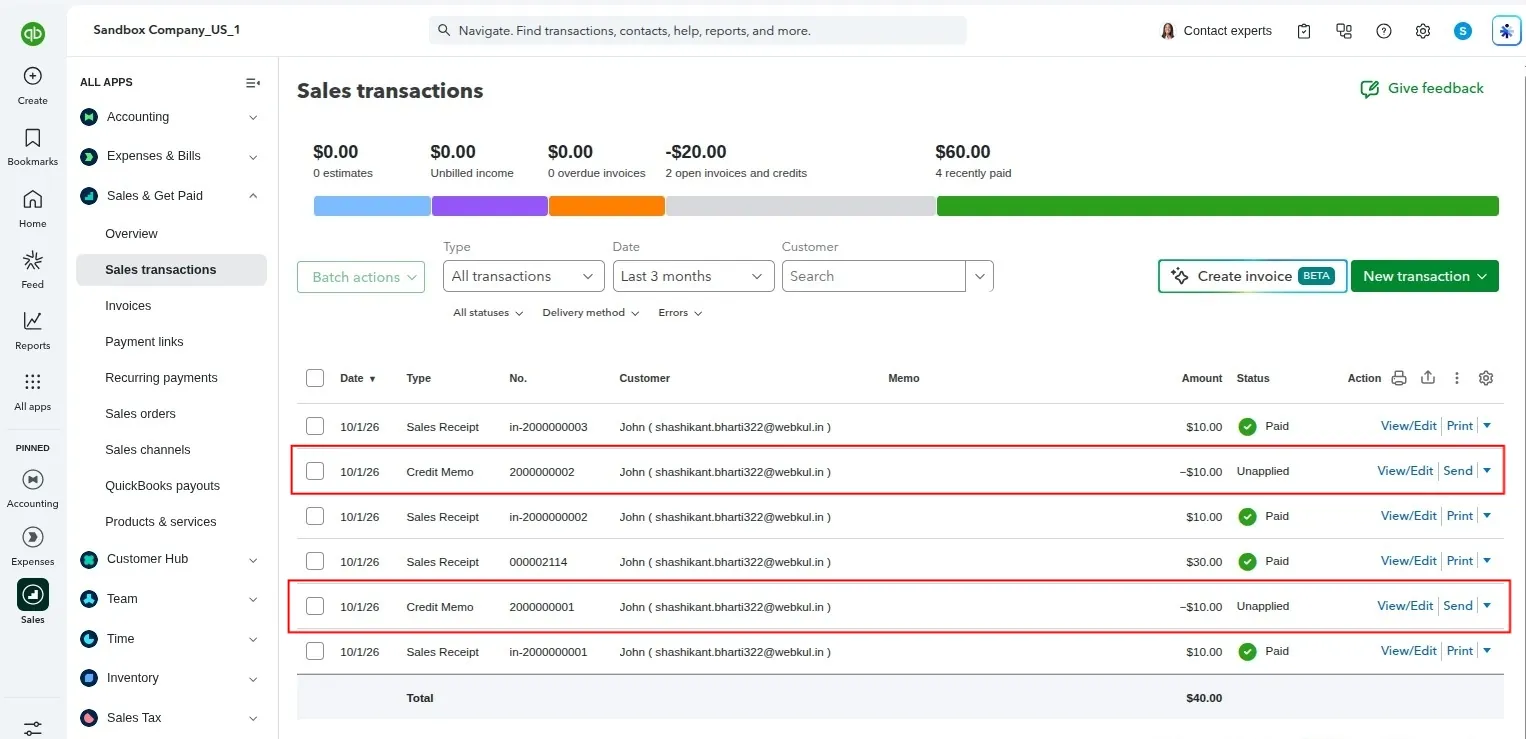
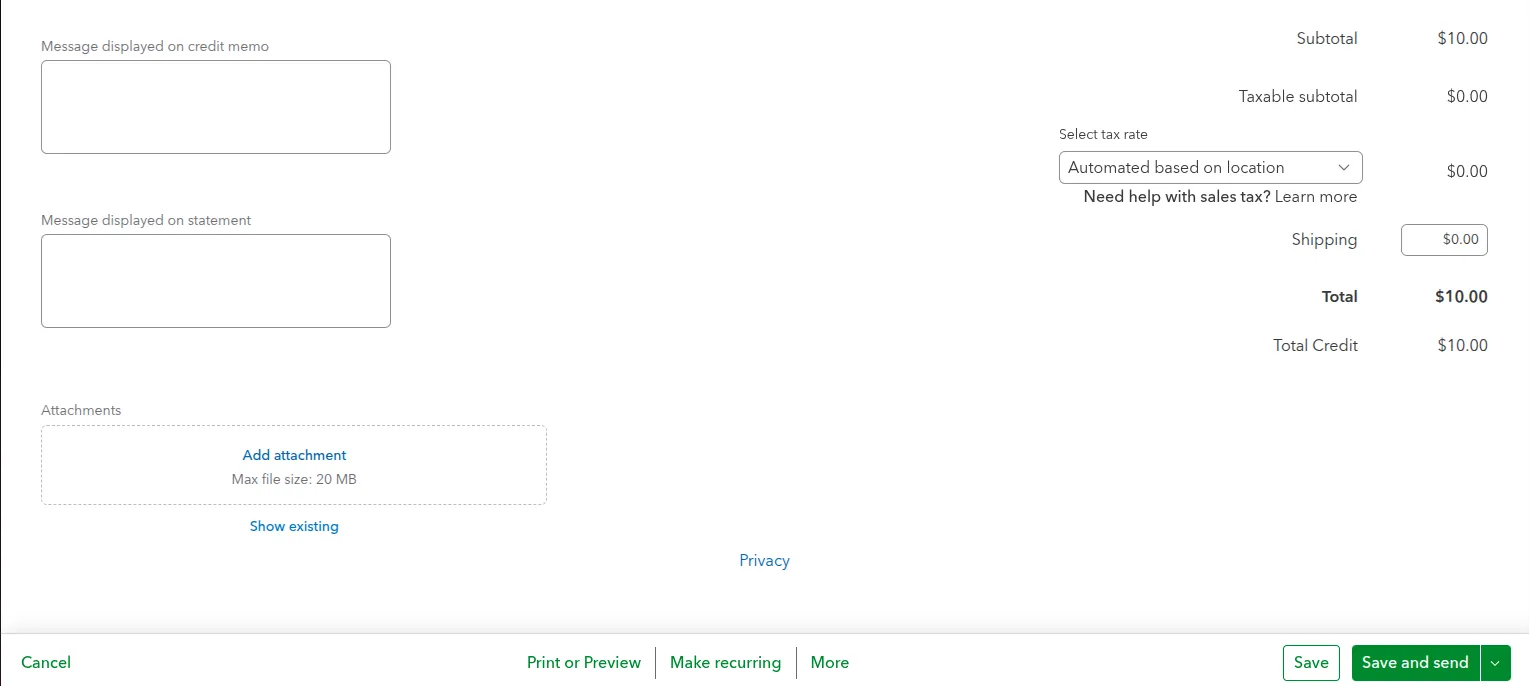
- Click on any Credit Memo entry to verify customer name, refunded item list, tax adjustments, tracking class, and total refunded amount: