
Tax Rates Mapping
To ensure order tax calculations in QuickBooks Online match Magento store order invoices down to the cent, the Magento 2 QuickBooks Connect extension provides Tax Mapping functionality.
Why Tax Mapping is Essential
Magento and QuickBooks calculate tax rules based on tax rates, zones, and tax agencies. Mapping Magento tax rules to corresponding QuickBooks Tax Codes guarantees:
- Accurate tax calculation breakdown on Sales Receipts and Credit Memos.
- Compliance with local tax authorities and tax agency reporting.
- Prevention of order export validation errors caused by mismatched tax totals.
Step 1 — Configure Tax Agencies & Rates in QuickBooks
Before mapping tax rates in Magento, create matching tax rates in your QuickBooks account:
- Log in to QuickBooks Online.
- Navigate to All Apps > Sales Tax.
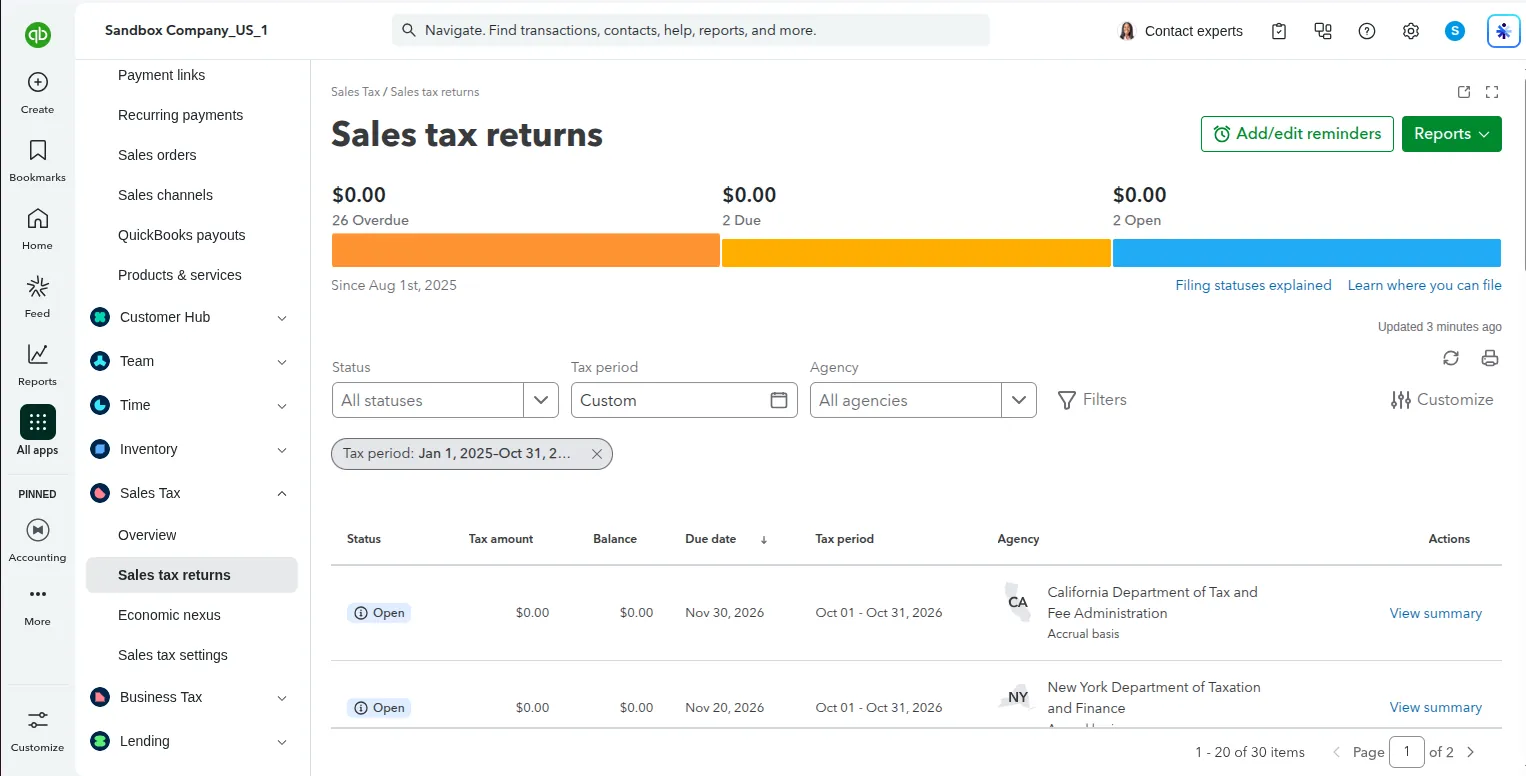
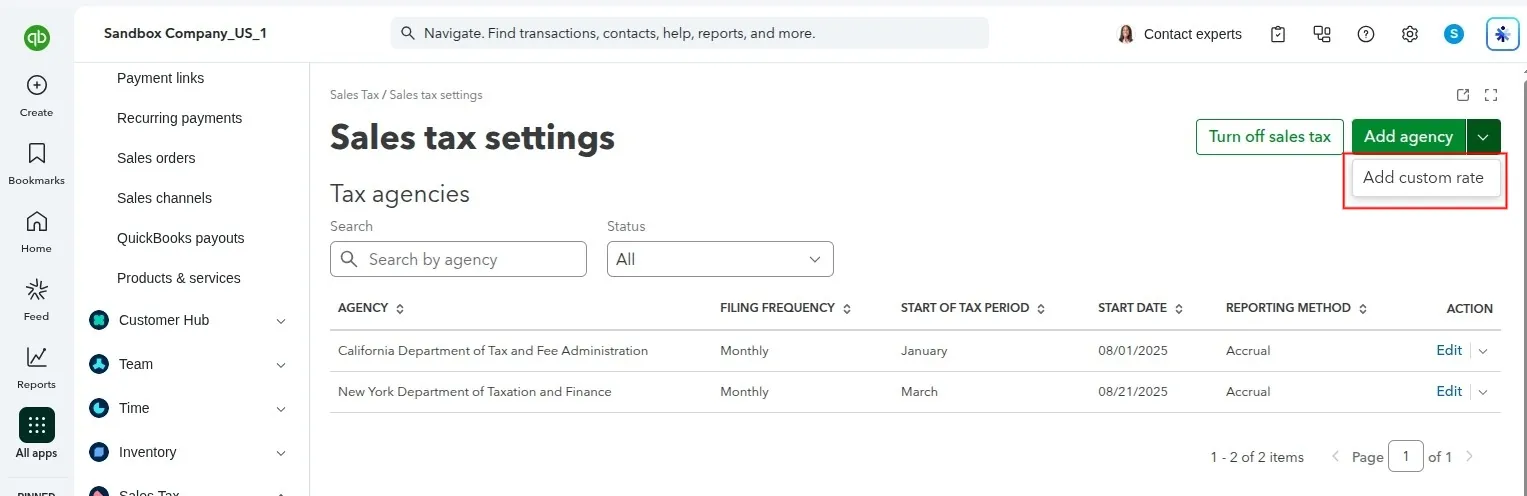
- Click Sales Tax Settings to inspect active tax agencies:
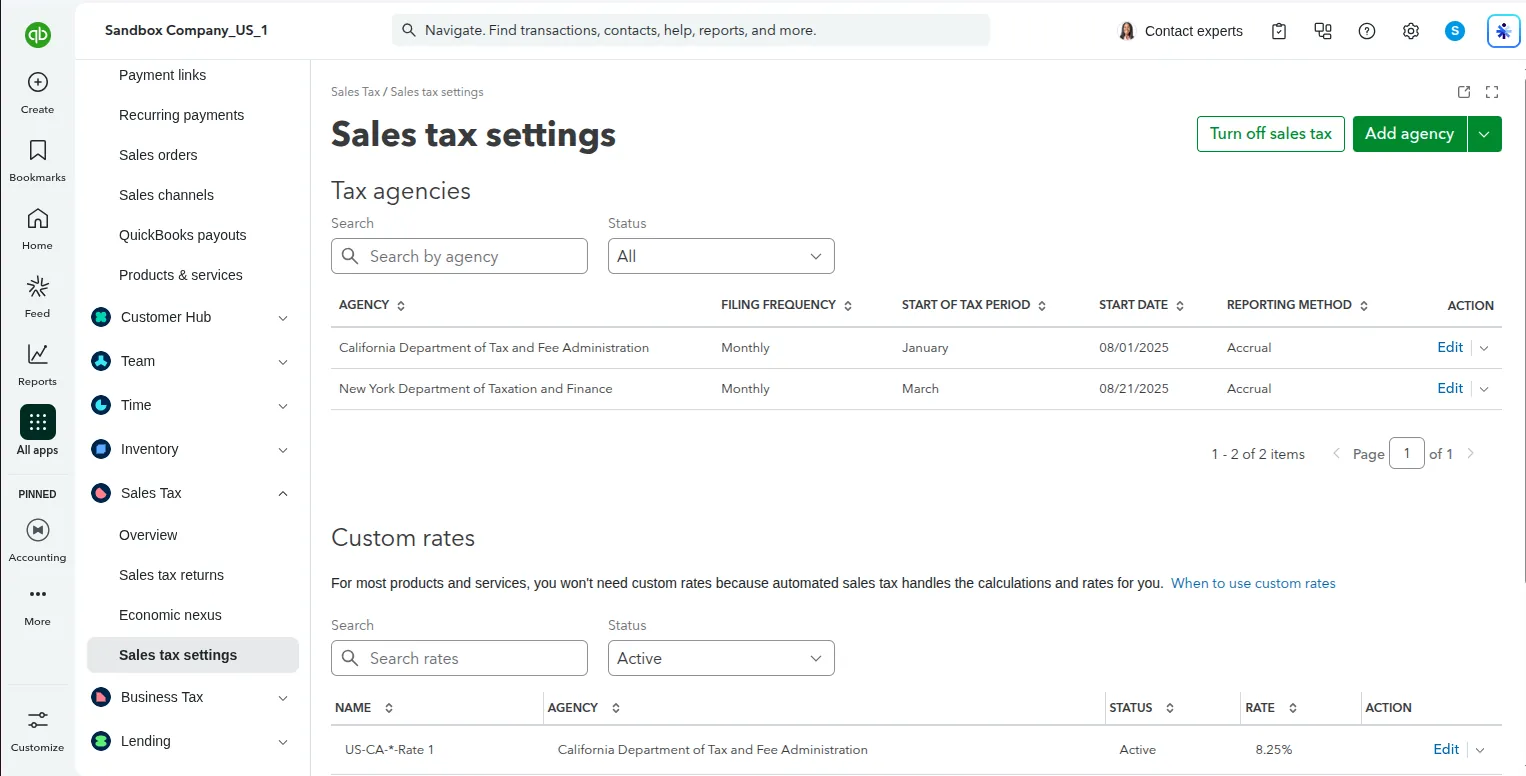
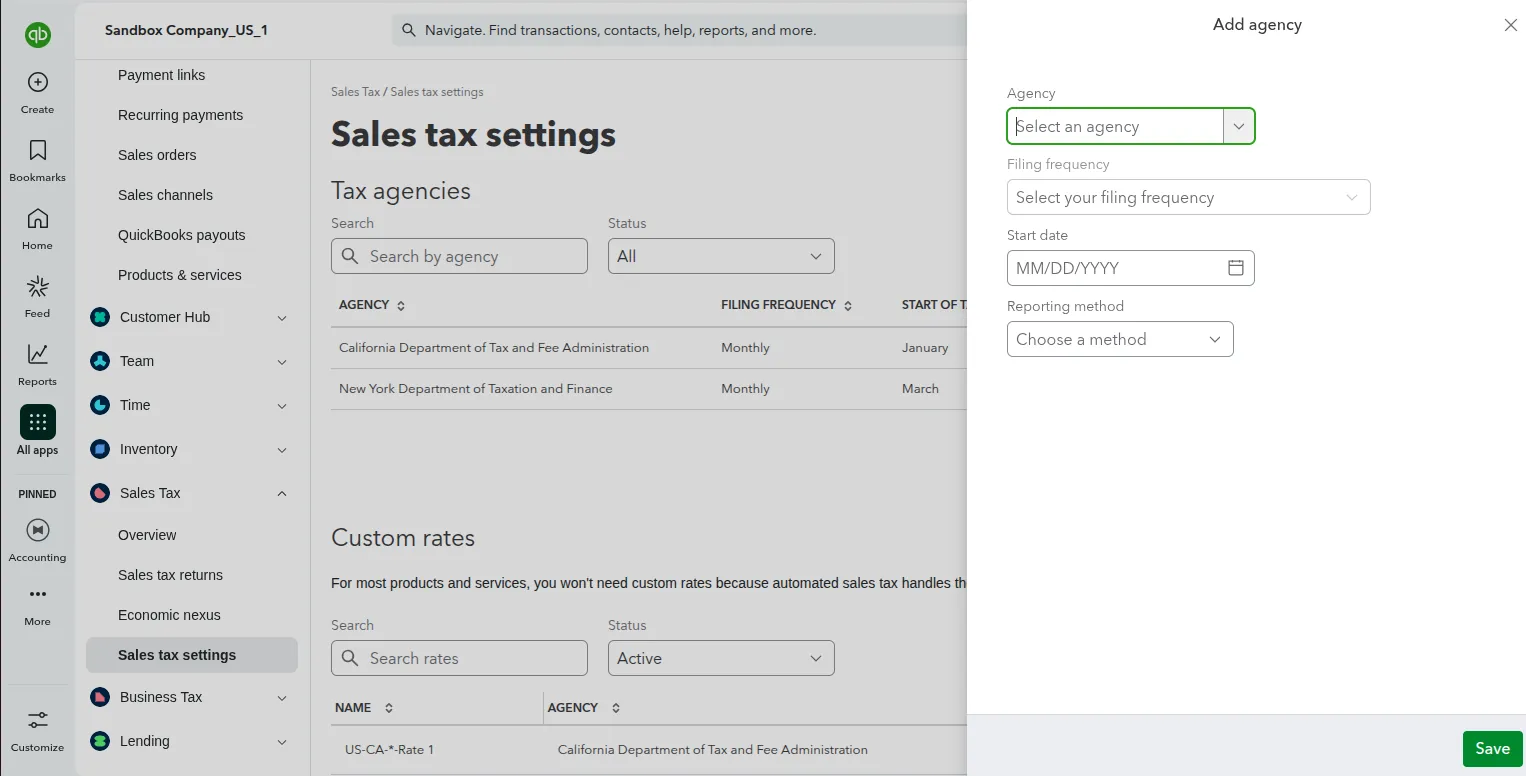
- If your tax agency is not listed, click Add Agency and select your tax authority (e.g., California Department of Tax and Fee Administration):
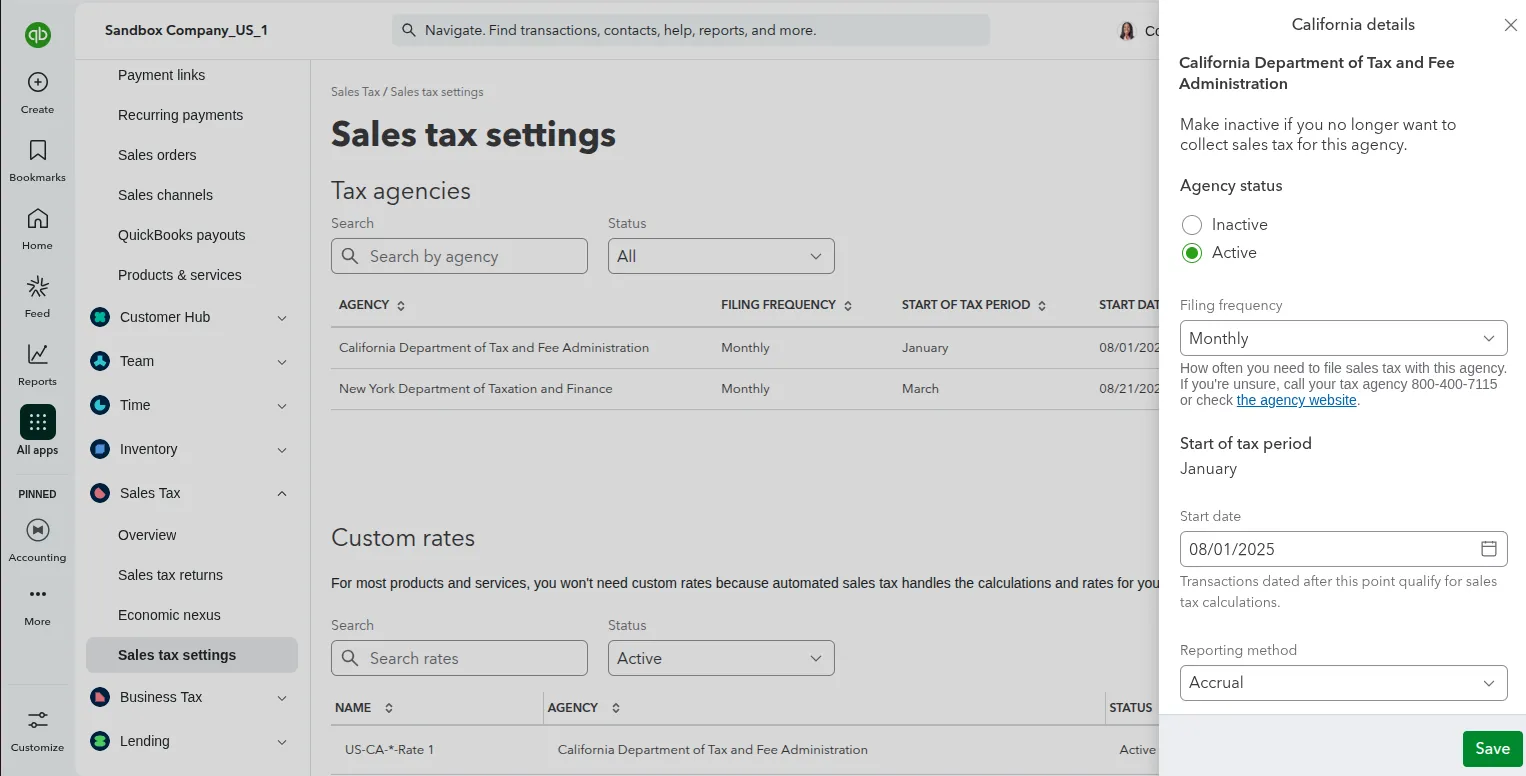
- Click Edit under Actions to adjust existing tax agency configurations:
- Click Add Rate to create custom tax rates (e.g., Standard Tax 8.25%, Reduced Tax 5%):
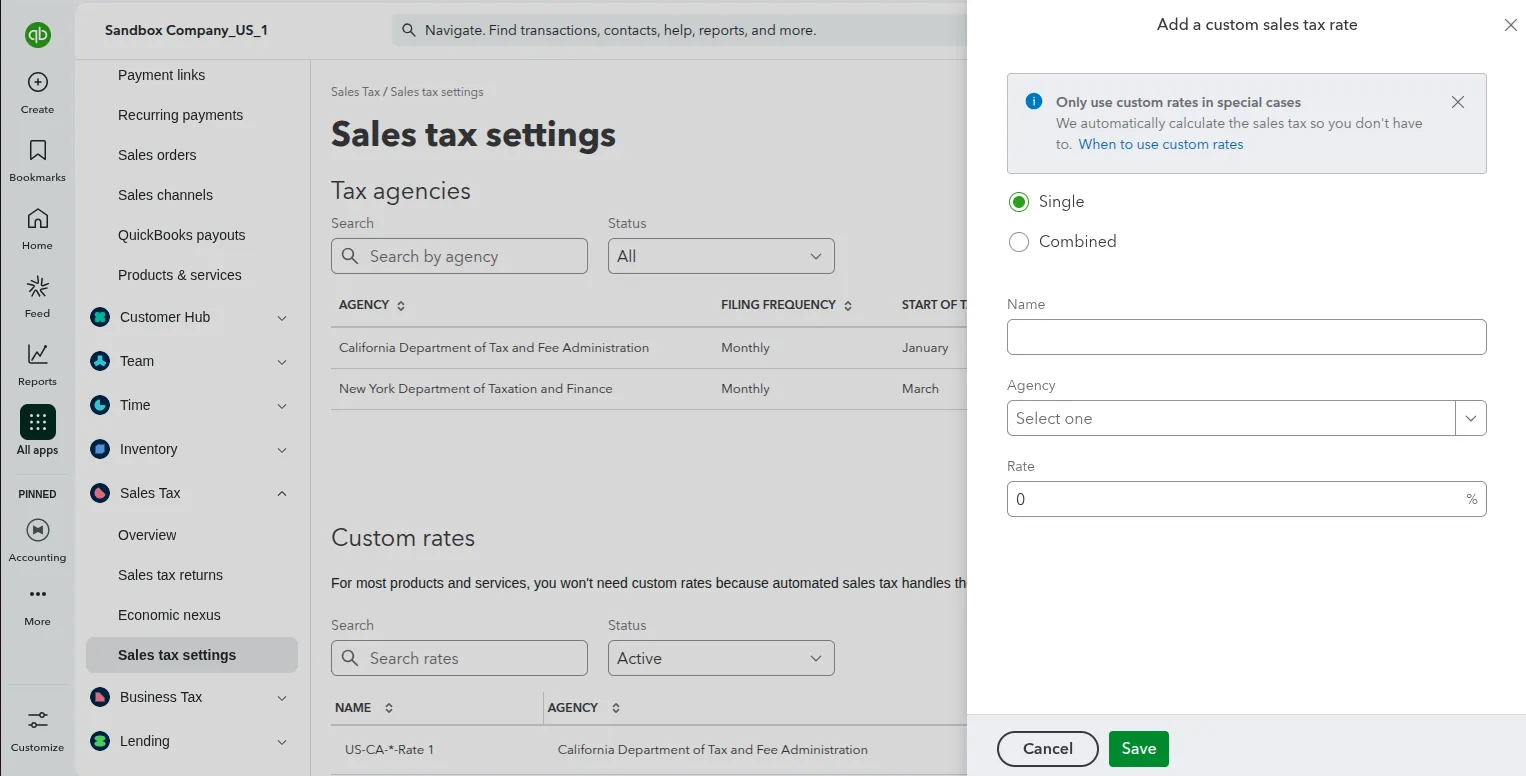
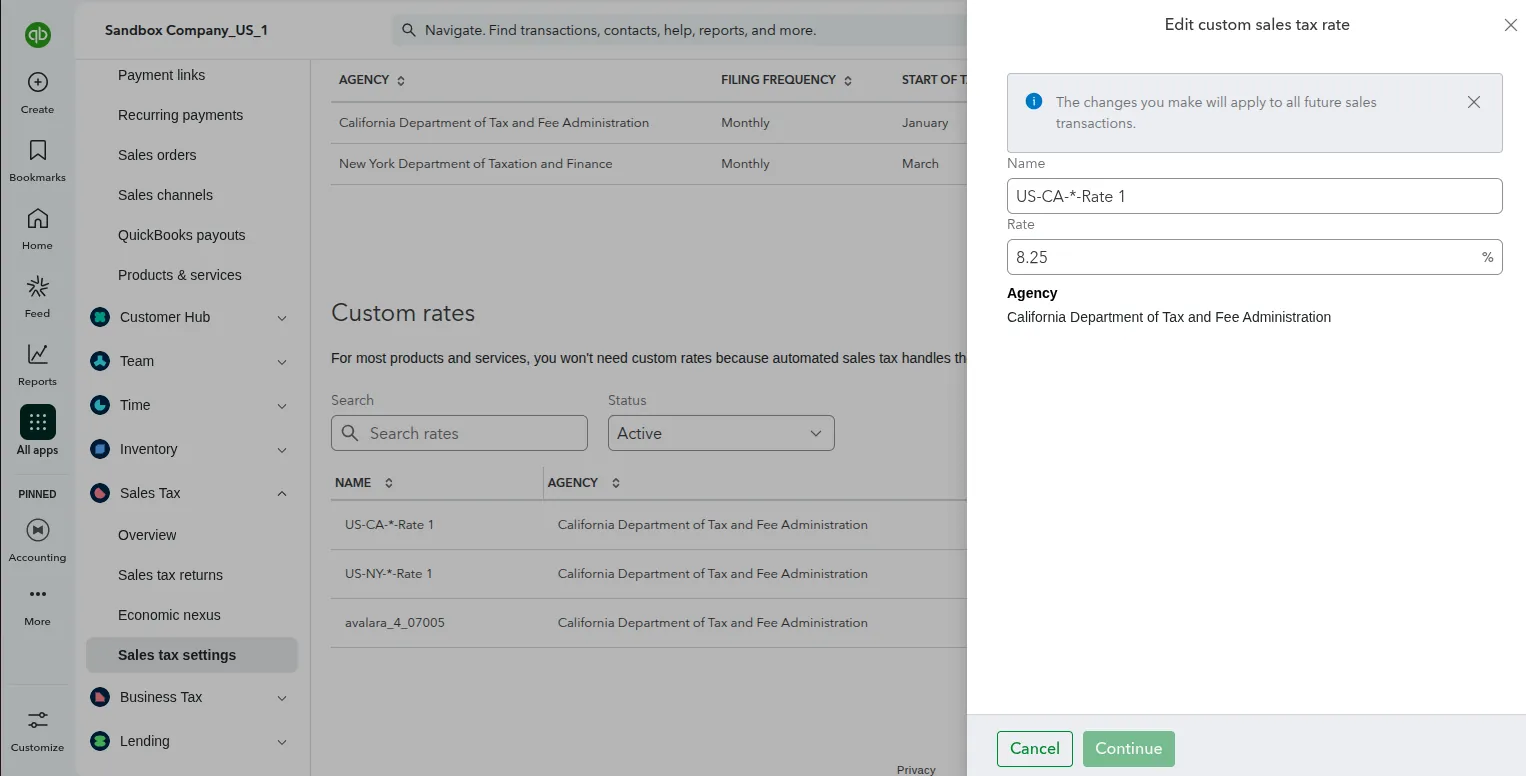
- Click Edit under Actions to adjust custom tax rate settings:
Step 2 — Map Tax Rates in Magento Admin
- Log in to Magento Admin.
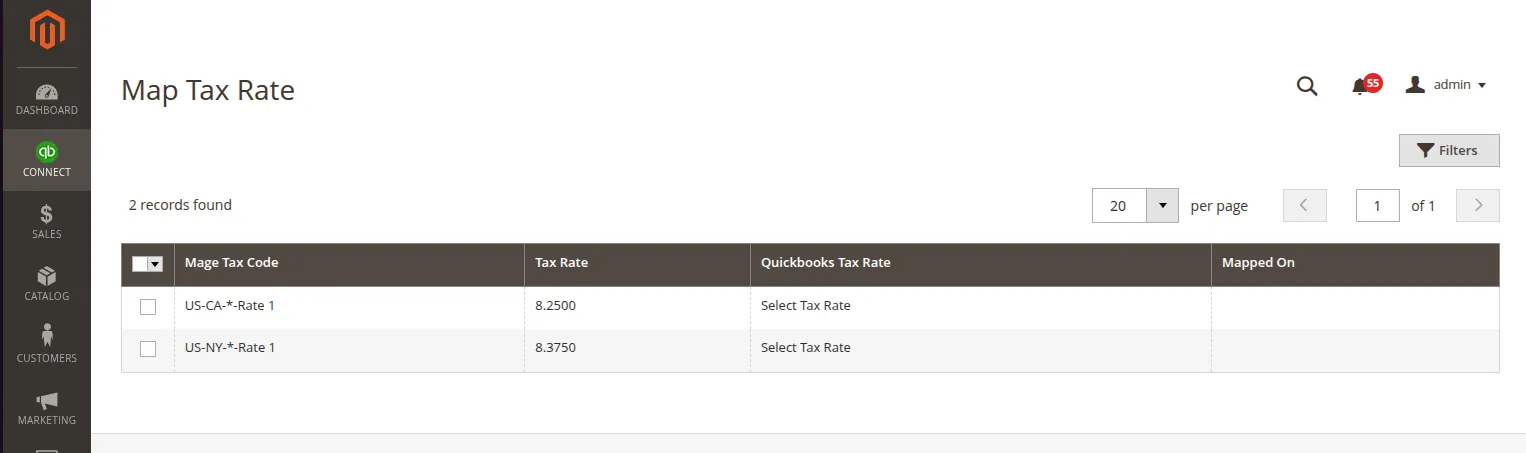
- Navigate to Connect > Map Tax Rate (or Webkul QuickBooks Connect > Map Tax Rate).
- The grid displays all active tax rates configured under Stores > Tax Zones and Rates in Magento.
| Column Name | Description |
|---|---|
| Magento Tax Rate Code | Identifier name of the Magento tax rate (e.g., US-CA-*-Rate 1). |
| Rate Percent (%) | Configured tax percentage in Magento (e.g., 8.2500). |
| QuickBooks Tax Code | Drop-down selection of active QuickBooks tax codes fetched via API. |
| Sync Status | Indicates whether the tax rate is successfully mapped. |
- Select the matching QuickBooks Tax Code for each Magento tax rate.
- Click Save Tax Mapping.
Special Prices & Tax Handling
- Special Prices: When an order contains items purchased at a special promotional price, QuickBooks sales receipts evaluate tax against the discounted rate.
- Tax Exempt Customers / Products: Zero-rated or exempt items are mapped to QuickBooks Non-Taxable (
NON) tax codes automatically.