
Multi-Lingual & Language Translation
The Magento 2 Parcel Perfect Shipping extension supports multi-lingual store views and internationalization (i18n), allowing store owners to display shipping carrier titles, method names, and notices in any language.
Setting Storefront Locale
To configure your store view language:
- In the Magento Admin Panel, navigate to Stores > Configuration > General > General.
- Expand the Locale Options group.
- Deselect Use system value for Locale.
- Select your target language from the Locale dropdown (e.g., English (United States), French (France), German (Germany), Spanish (Spain)).
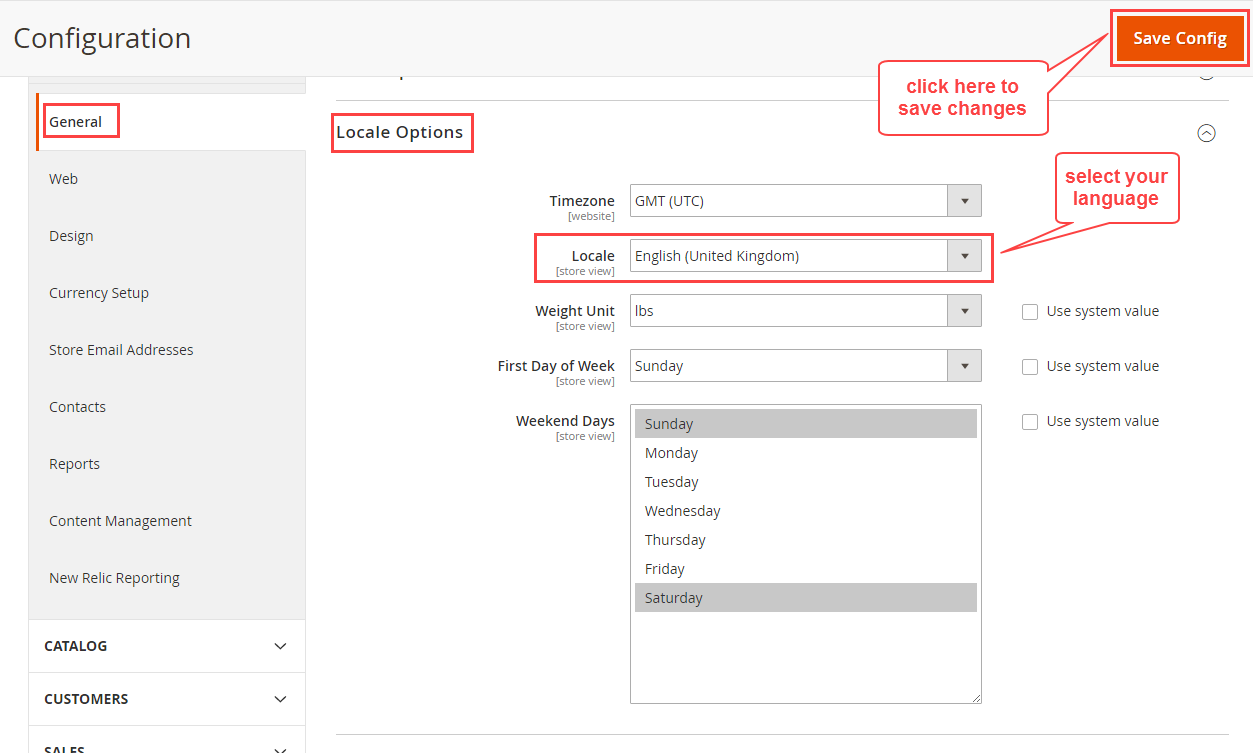
- Click Save Config and flush the cache.
Translating Extension Phrases via CSV
To translate module-specific strings or error messages:
Step 1: Locate Translation Directory
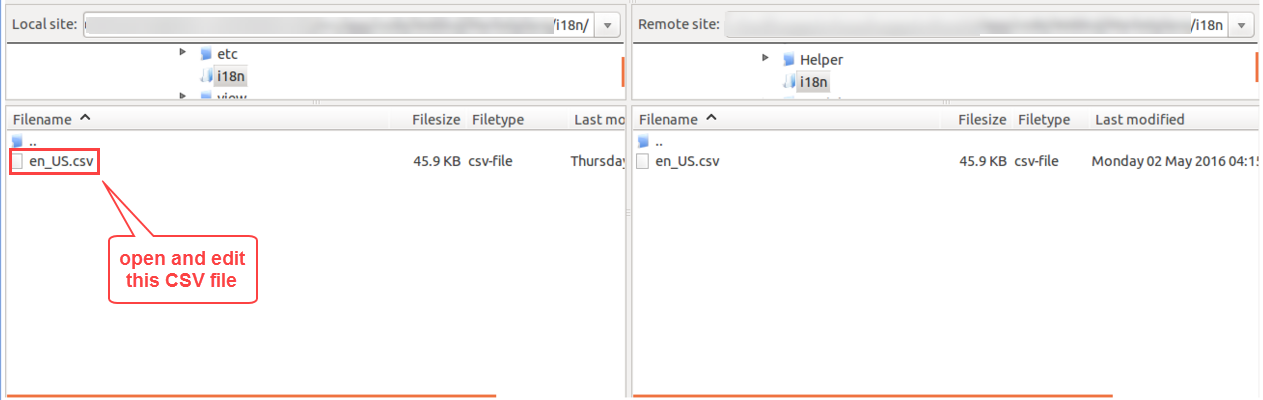
In your Magento installation directory, navigate to:
app/code/Webkul/ParcelPerfectShipping/i18n/
Inside this directory, locate the default translation file en_US.csv.
Step 2: Edit or Create Locale File
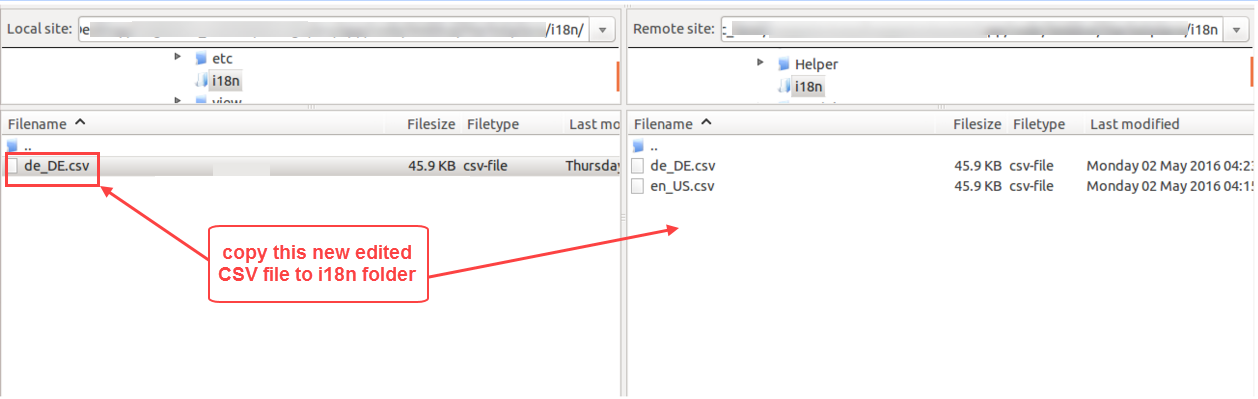
To create a translation for another language (e.g., German de_DE.csv, French fr_FR.csv, or Spanish es_ES.csv):
- Create or copy the CSV file inside
app/code/Webkul/ParcelPerfectShipping/i18n/. - Open the file in a text or spreadsheet editor.
- The file uses a two-column comma-separated structure:
- Column 1: The original English phrase.
- Column 2: The translated phrase in your target language.
"Parcel Perfect Shipping","Parcel Perfect Versand"
"Shipping Method","Versandart"
"This shipping method is currently unavailable.","Diese Versandart ist derzeit nicht verfügbar."
Step 3: Save and Upload
- Save the CSV file with UTF-8 encoding.
- Upload the file to
app/code/Webkul/ParcelPerfectShipping/i18n/. - Flush the Magento cache using
php bin/magento cache:flush.
Next Step
Discover how customers interact with shipping estimates and methods during checkout in the Customer Checkout Workflow guide.