
Purchasing & Redeeming Gift Cards
This section details how customers purchase gift cards for recipients and how recipients redeem gift codes during store checkout.
Purchasing Flow
- Selection: Customer visits product page, selects gift card value, enters Email To (recipient's email address), and types a Message.
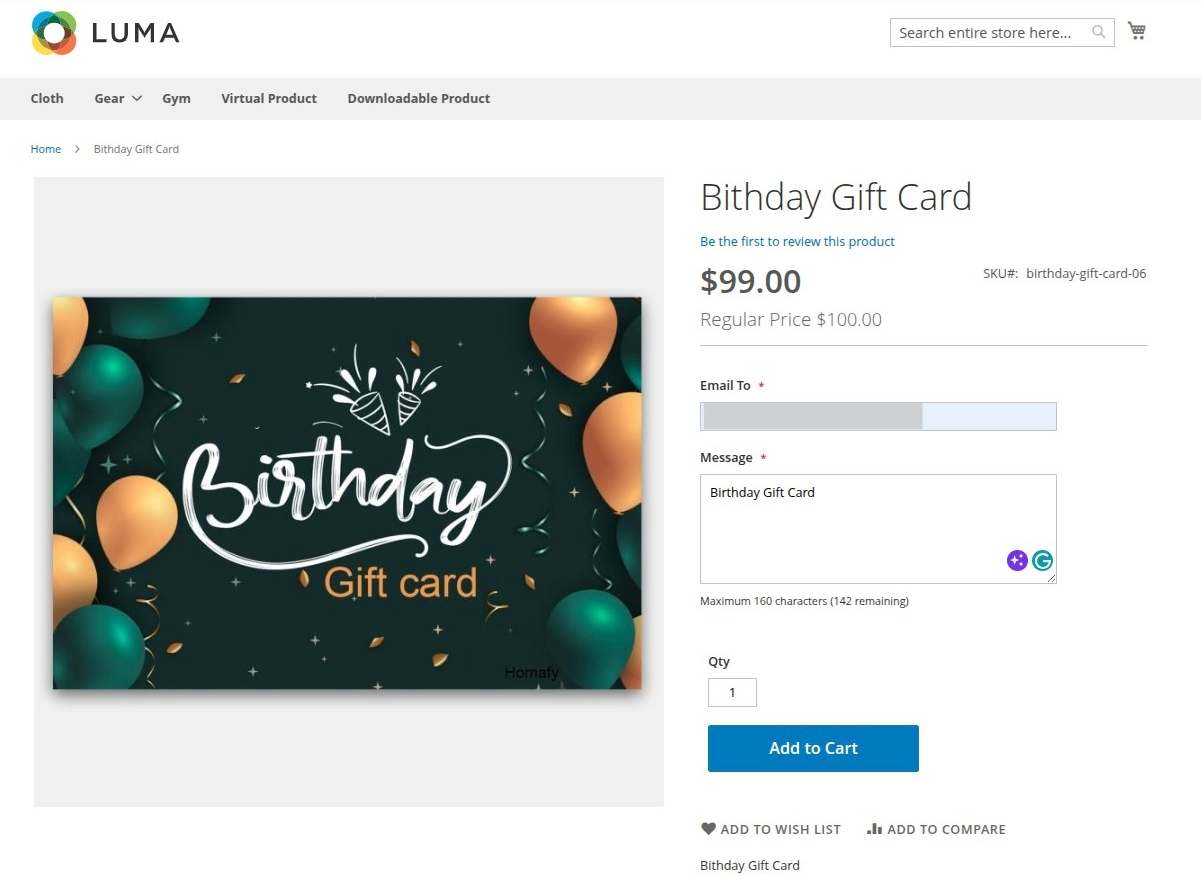
Hyvä Compatible Image 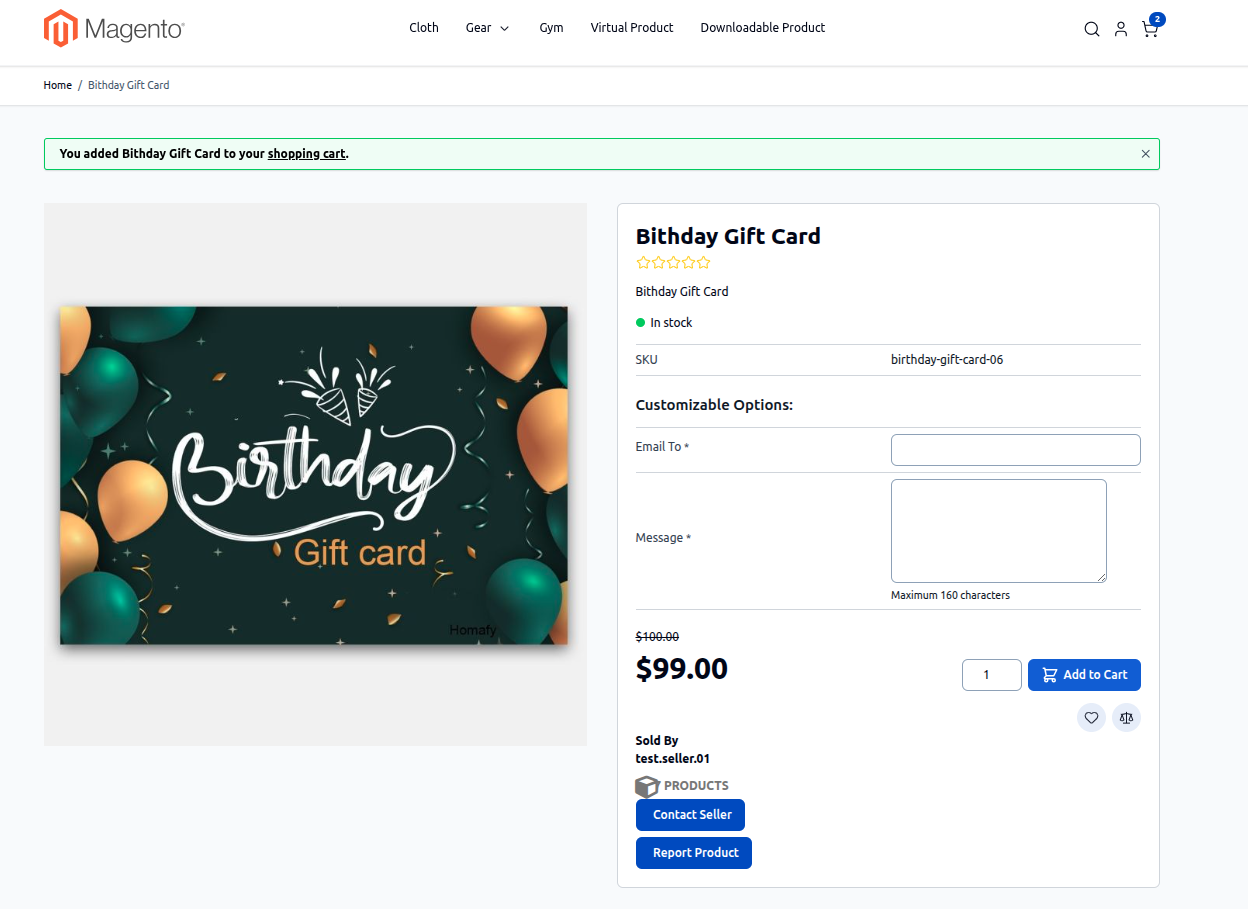
- Checkout: Customer adds the gift card to cart and proceeds through payment checkout.
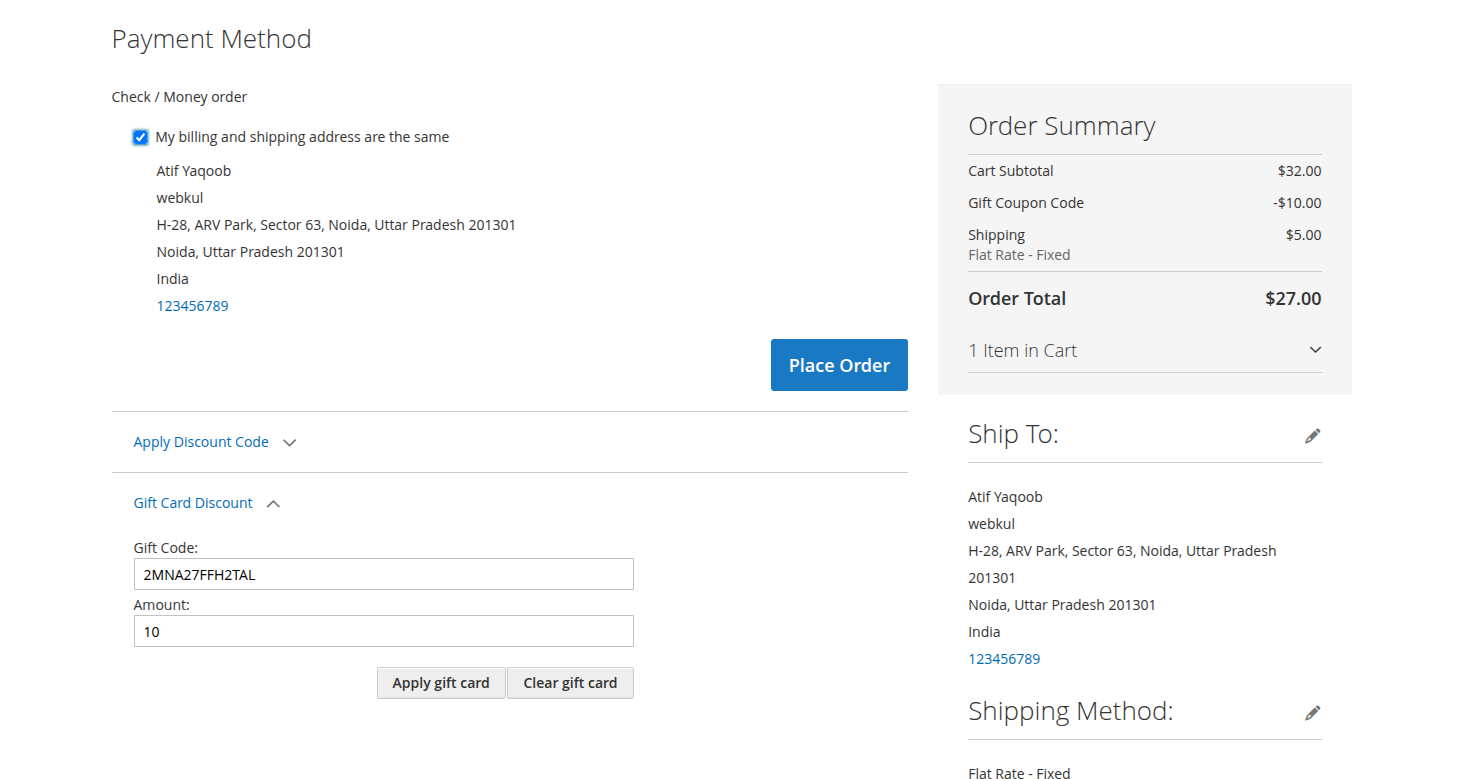
Hyvä Compatible Image 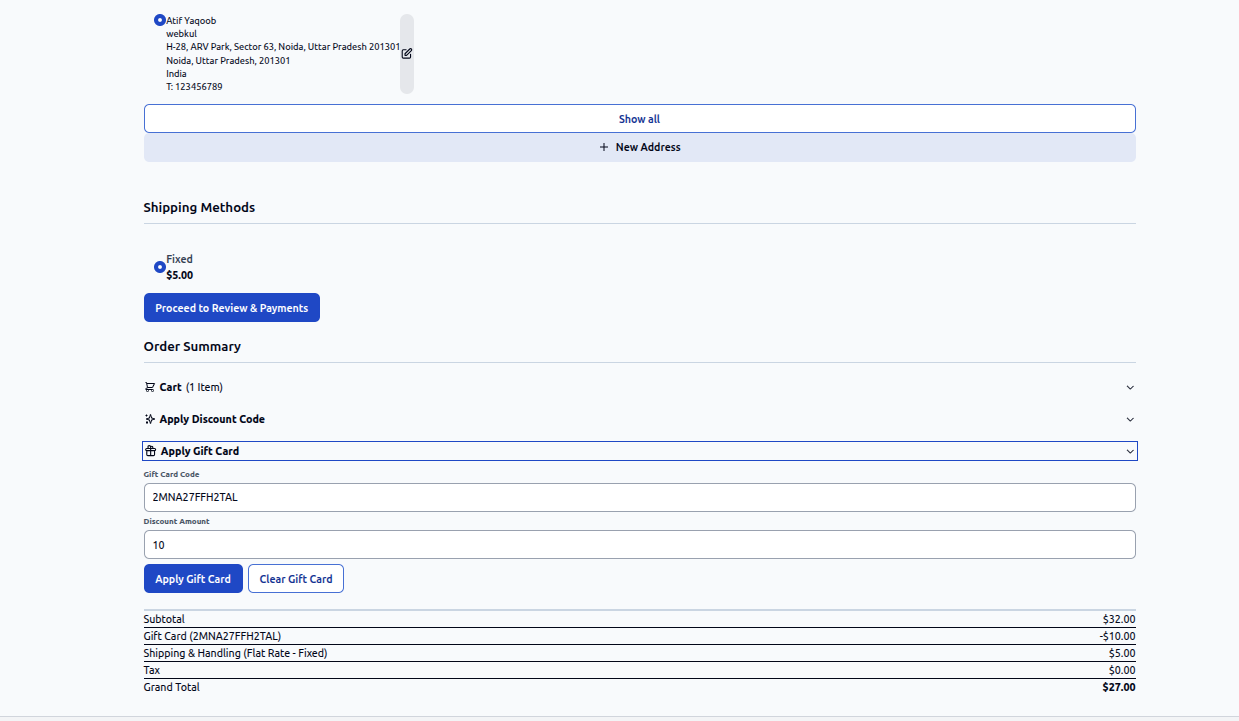
- Automated Generation: Upon invoice generation / order completion:
- A unique, encrypted Gift Card coupon code (e.g.
GC-8849-2104) is auto-generated. - Initial balance is set equal to the gift card value.
- Active duration expiration date is calculated.
- A unique, encrypted Gift Card coupon code (e.g.
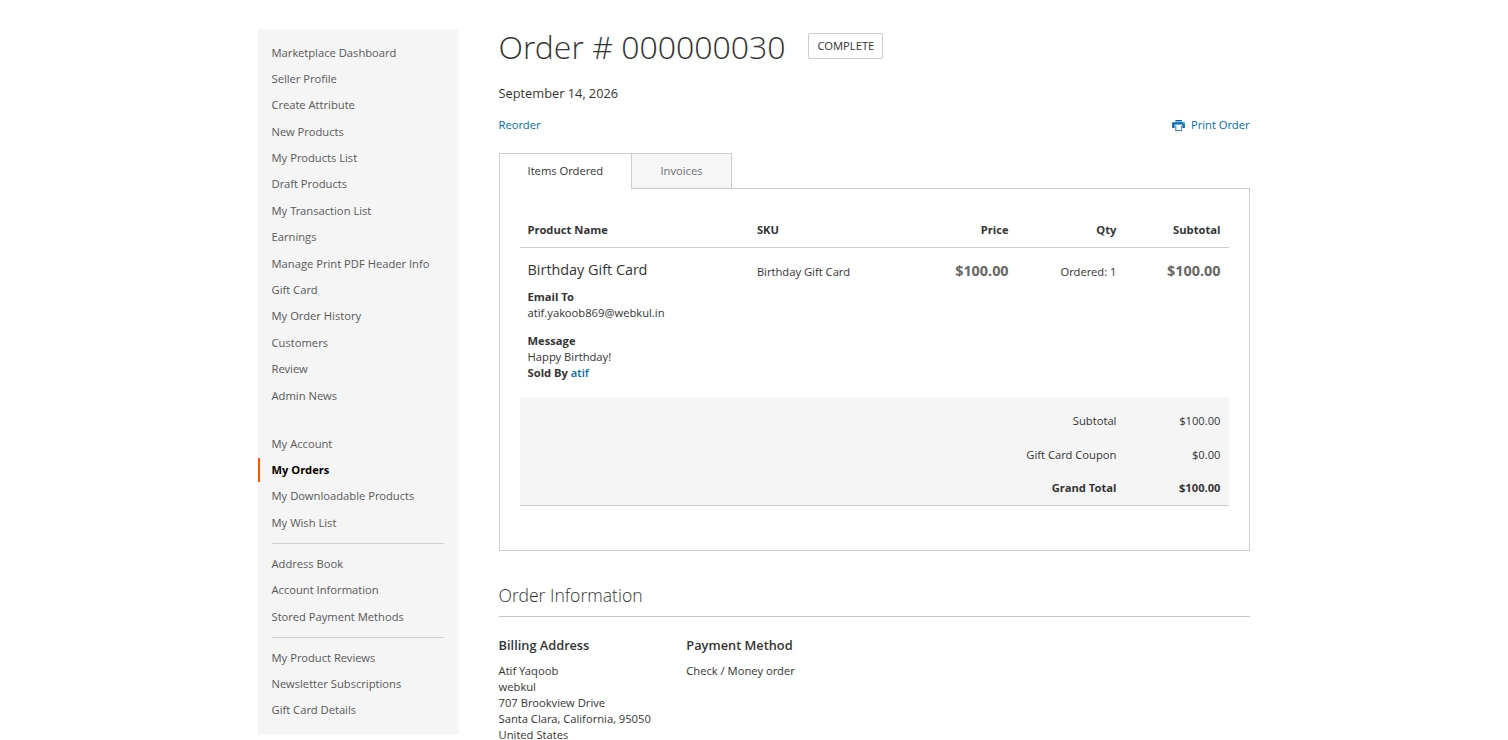
Hyvä Compatible Image 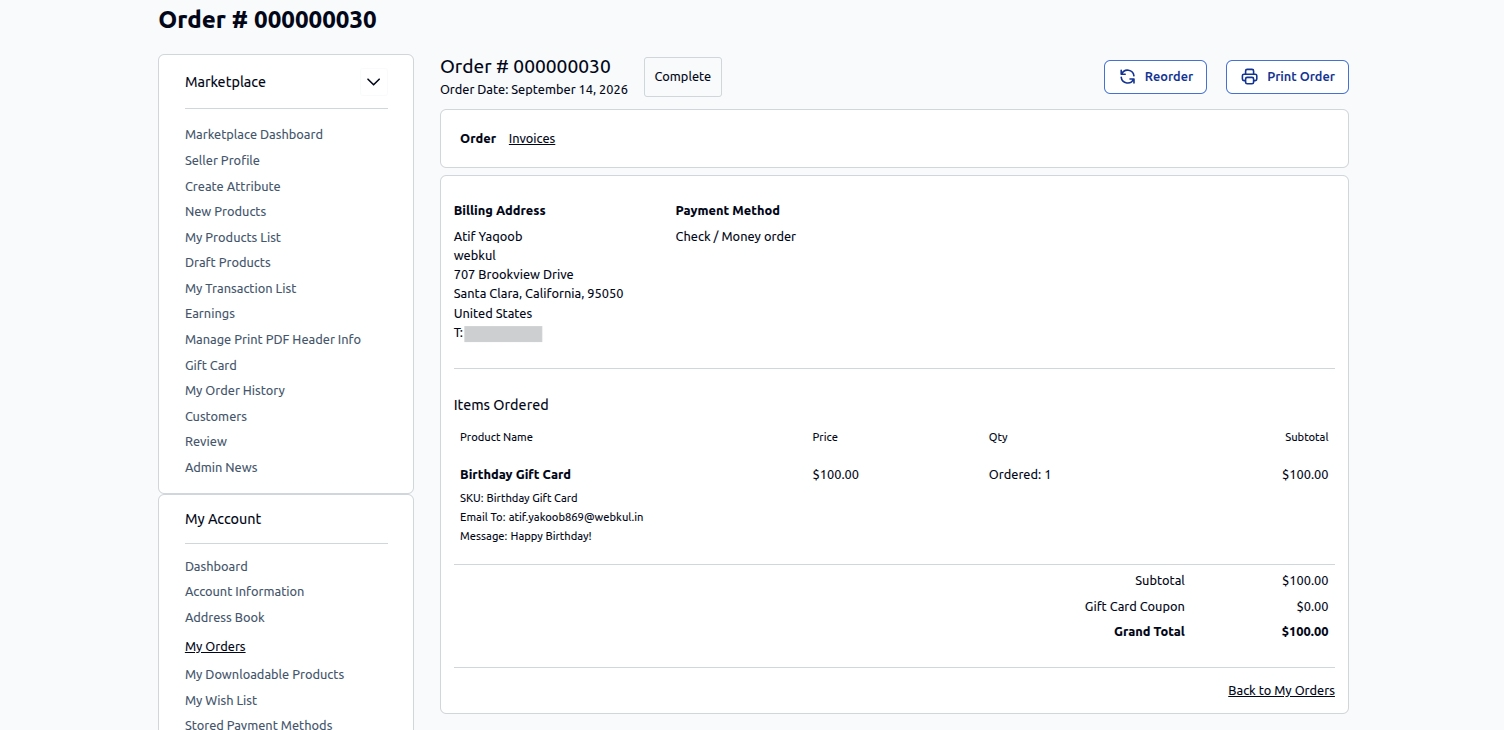
- Email Dispatch: An automated notification email is sent to the specified recipient containing the code, balance amount, personal note, and expiration date.
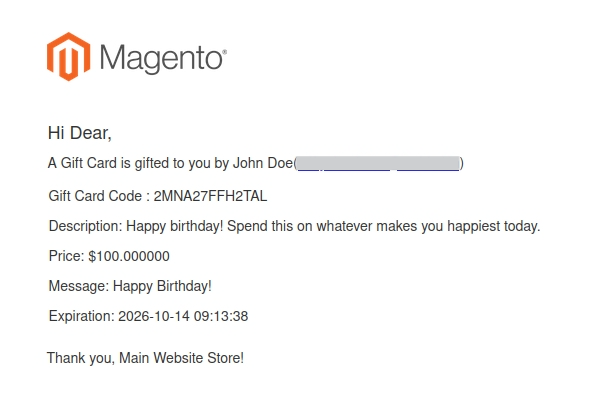
Checkout Flow
Redemption & Checkout Discount Flow
Recipients can use their gift code on any standard product checkout.
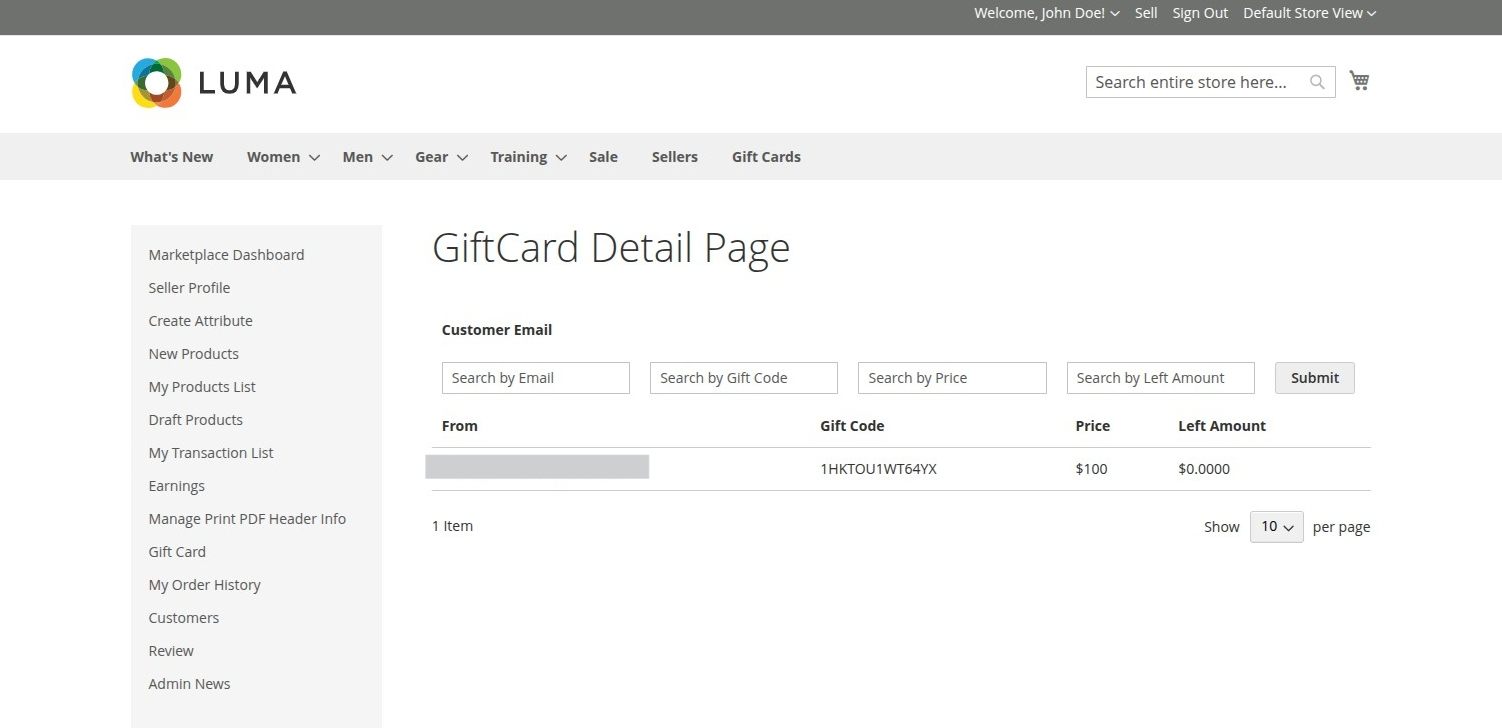
Hyvä Compatible Image 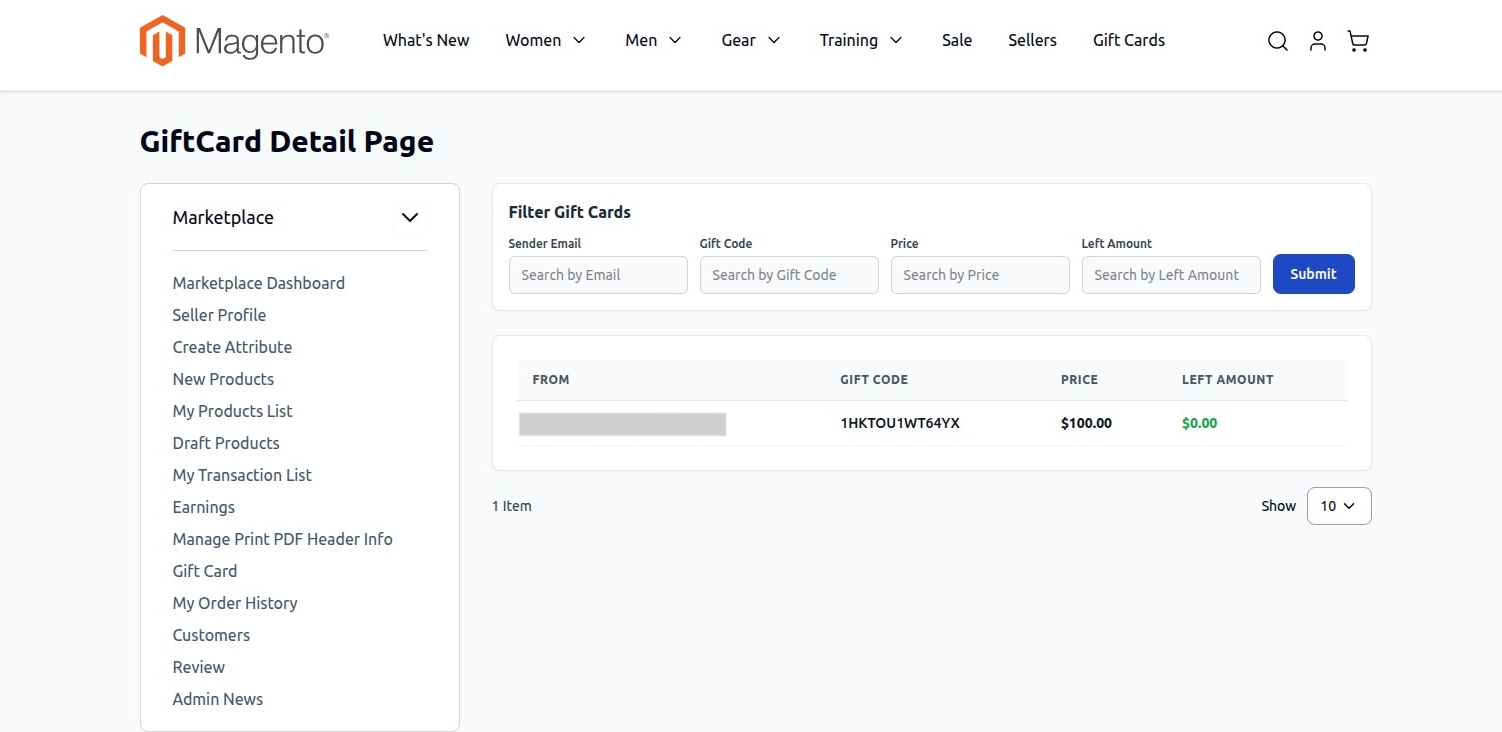
Applying Code at Checkout
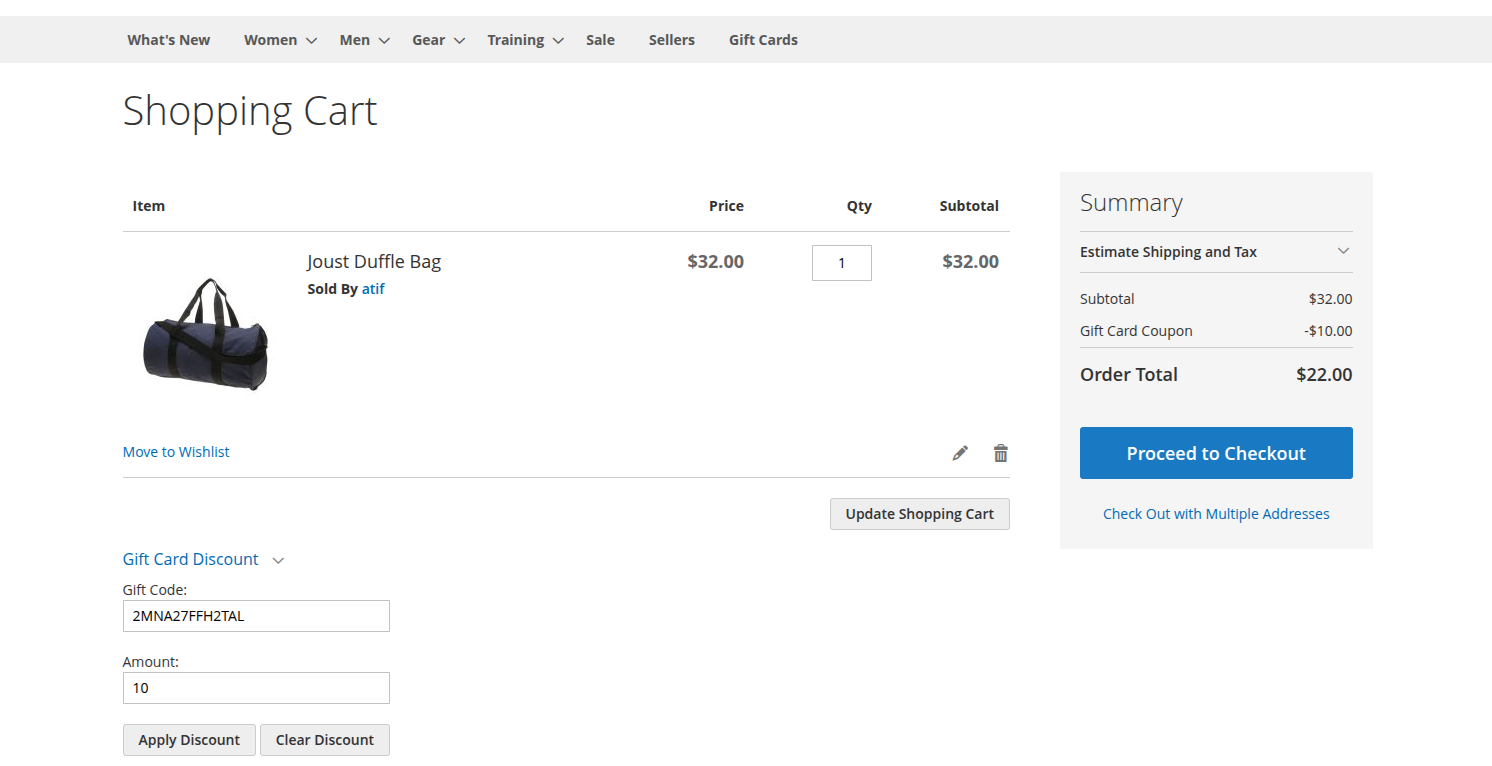
- Add items to shopping cart.
- Proceed to Cart or Checkout page.
- Under the Apply Discount Code / Gift Card Code section:
- Enter the received Gift Card Code.
- Click Apply Gift Card.
Hyvä Compatible Image 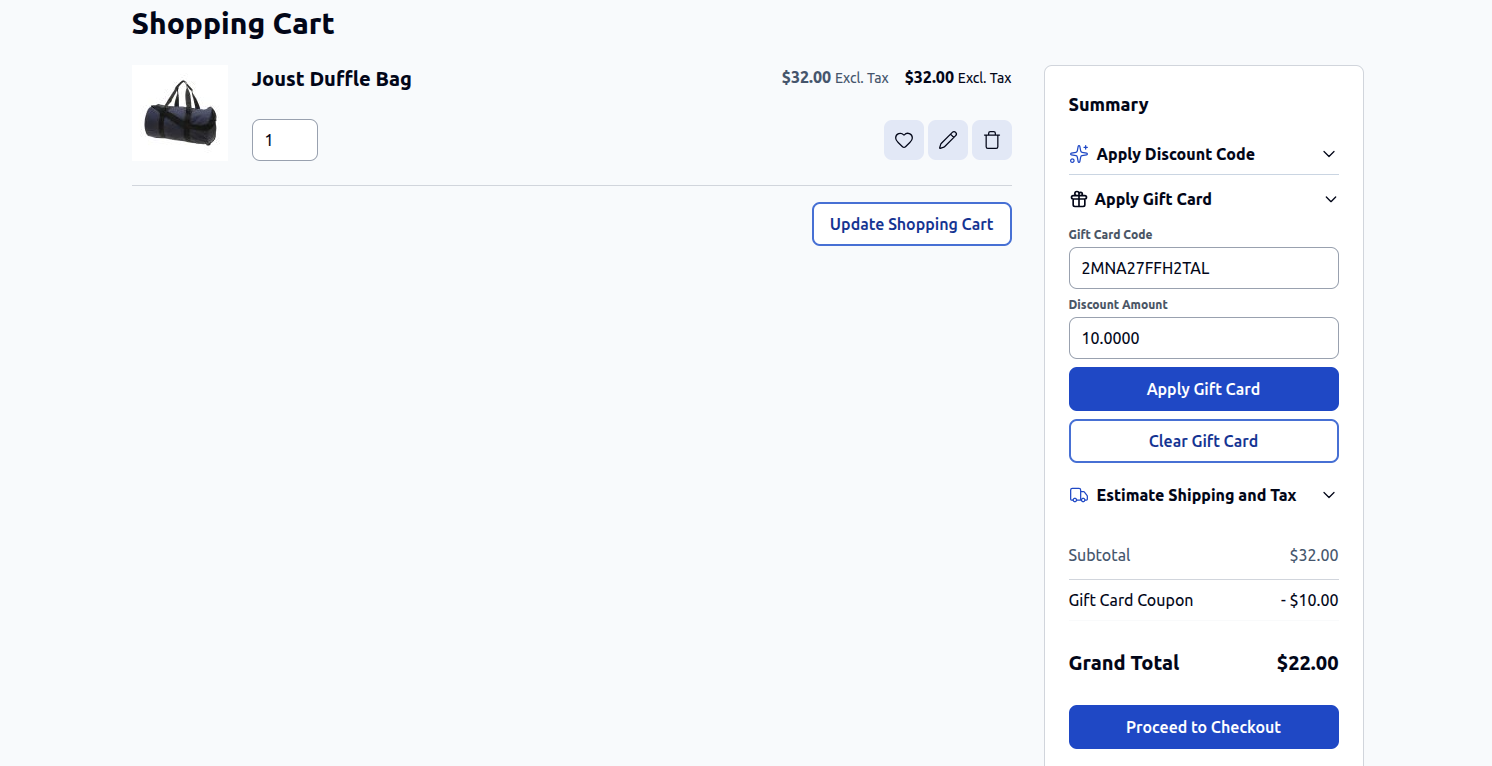
Seller Gift Card Order Management
Marketplace sellers have complete visibility and control over all gift card orders placed for their products directly from the Seller Dashboard. This empowers sellers to track purchase details, monitor balances, and govern code redemption.
Accessing Gift Card Purchase Details
To review and manage customer gift card orders:
- Log in to the storefront as an authorized Marketplace Seller.
- Navigate to the Seller Panel (or My Account navigation menu).
- Click on Gift Card > Seller Giftcard Purchase Details.
Gift Card Orders Overview & Grid Fields
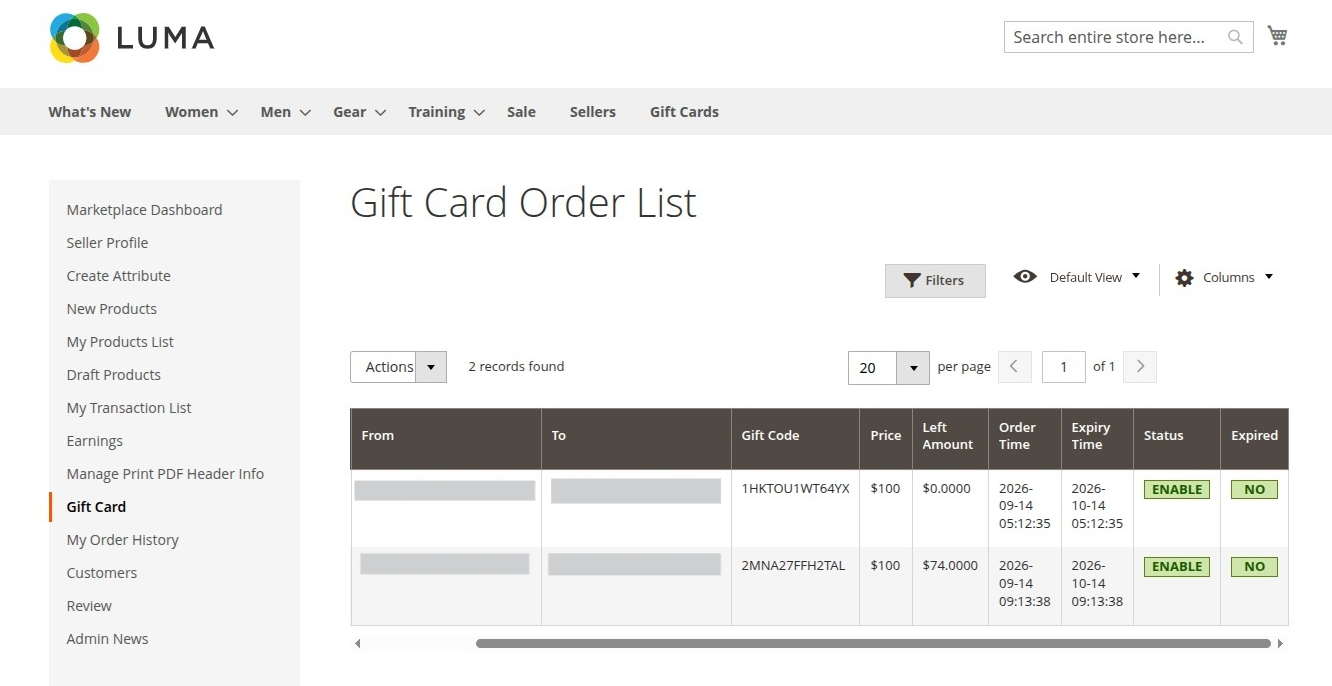
The Seller Giftcard Purchase Details grid displays comprehensive records of all gift cards purchased from the seller's catalog:
| Column / Field | Description |
|---|---|
| Order ID | The unique Magento order increment ID associated with the gift card purchase. |
| From | Contact details of the purchaser who bought the gift card. |
| To | The target email address to which the gift card code was delivered. |
| Gift Card Code | The unique, system-generated coupon code issued to the customer. |
| Price | The original face value of the purchased gift card product. |
| Left Amount | The current available balance remaining on the card for redemption. |
| Order Time | The date until which the gift card order placed. |
| Expiry Time | The date until which the gift card remains valid. |
| Status | Current operational status of the coupon code (Enable or Disable). |
| Expired | Yes if the code is expired, otherwise No |
Hyvä Compatible Image 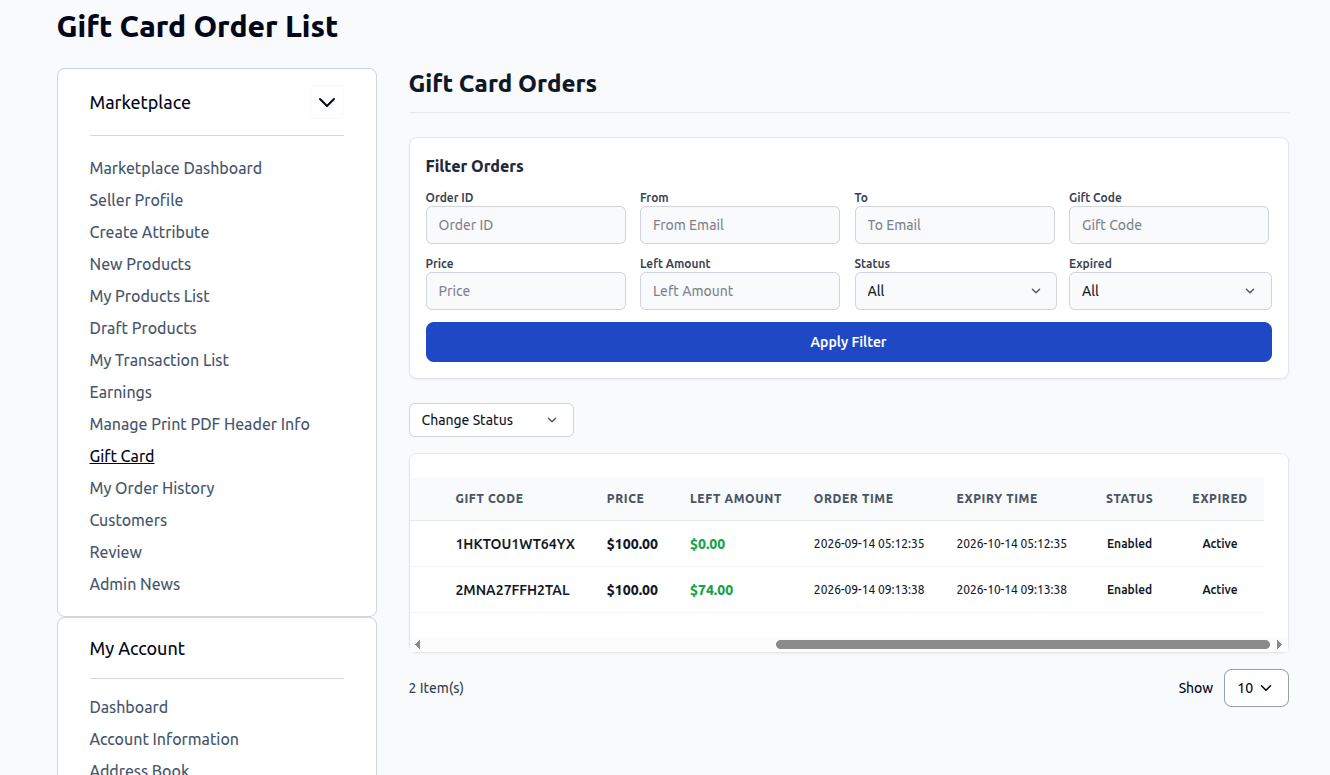
Controlling Gift Card Code Usage (Enable / Disable)
Sellers can dynamically control whether a generated gift card code can be redeemed during checkout:
- Disable Code: Instantly suspends the gift card code, preventing the recipient from applying it at checkout.
- Typical Use Cases: Order cancellations, refund requests, dispute handling, or suspected fraudulent activity.
- Enable Code: Reactivates the gift card code, allowing the recipient to apply it toward purchases until the balance is exhausted or the validity period expires.