
Product & Category Rules
The Make An Offer extension provides flexible catalog-level controls. Merchants can selectively activate bargaining on specific high-margin items or enable price negotiations across entire product categories simultaneously.
Enabling Offers on Individual Products
To enable bargaining on a specific catalog item:
- Log in to the Magento Admin Panel.
- Navigate to Catalog > Products.
- Select and edit the target product.
- Scroll to the Make An Offer attribute section.
- Set Allow Offer On Product to Yes.
- Click Save in the top-right corner.
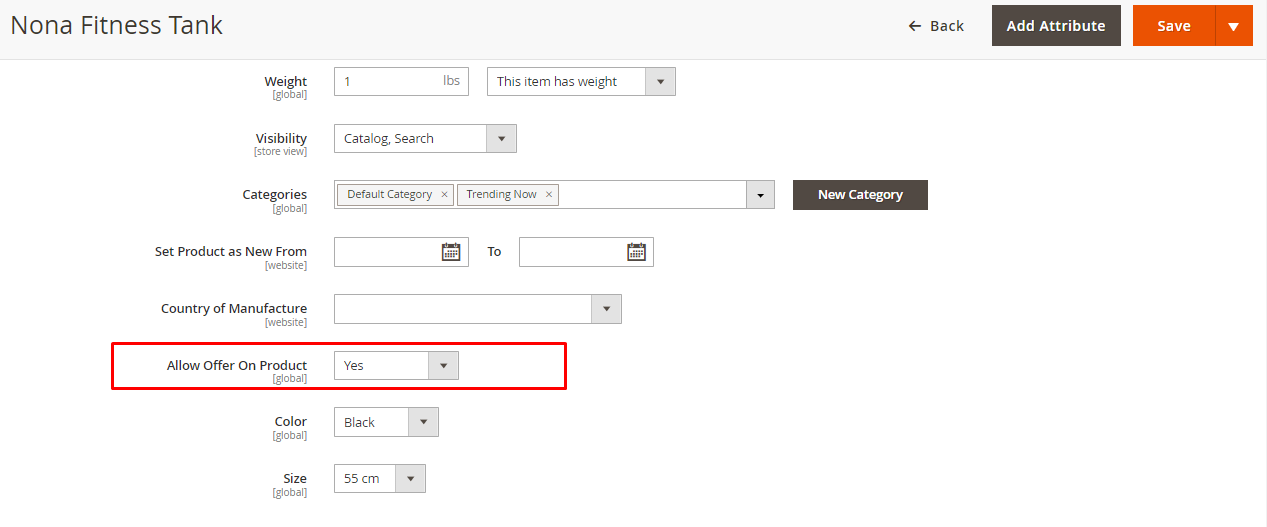
Enabling Offers at Category Level
To activate bargaining across all products assigned to a category:
- Navigate to Catalog > Categories.
- Select the desired category from the category tree.
- Locate the Allow Offer On Category setting.
- Toggle the option to Yes.
- Click Save Category.
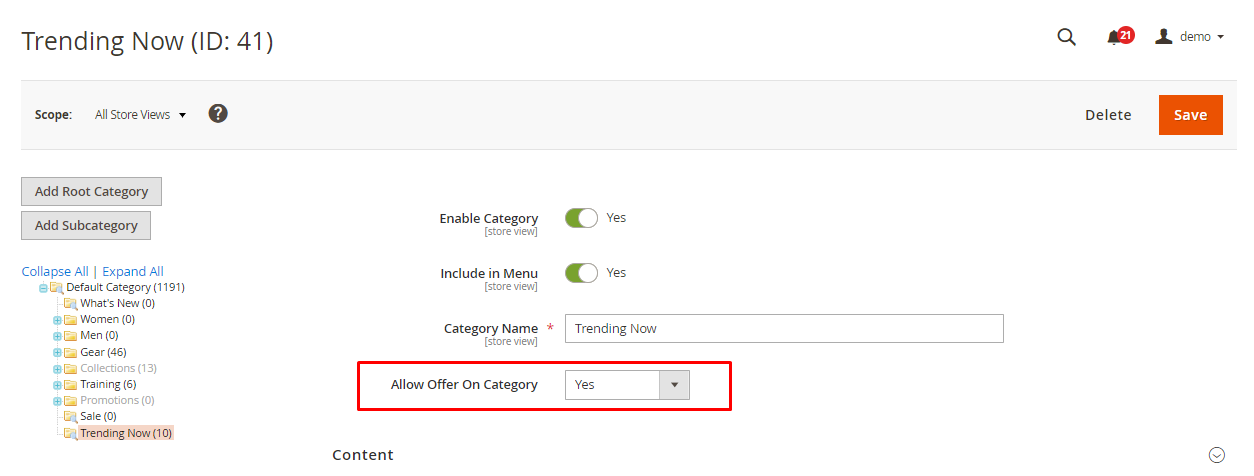
Precedence & Hierarchy Rules
When both product-level and category-level configurations exist, the module evaluates offer eligibility based on the following hierarchy:
Loading diagram...
- Product Setting Takes Priority: The Allow Offer On Product setting directly on the product edit screen overrides category-level inheritance.
- Multi-Category Inclusion: If a product belongs to multiple categories and at least one assigned category has Allow Offer On Category enabled, bargaining will automatically activate for that product (unless explicitly disabled on the product itself).
- Inheritance Efficiency: Store owners can enable offers on a broad category (e.g., Clearance) and selectively disable specific non-negotiable products by setting their product-level attribute to No.
Product Design Layout for Tab Display
When configuring Offer Display Type as Product tab (or Both) under global configuration, the product detail page must use a layout template that supports Magento's native product information tabs:
- In the product edit screen, expand the Design section.
- Under Layout Update, ensure the setting is configured to default or No layout updates so standard tabs render without obstruction.
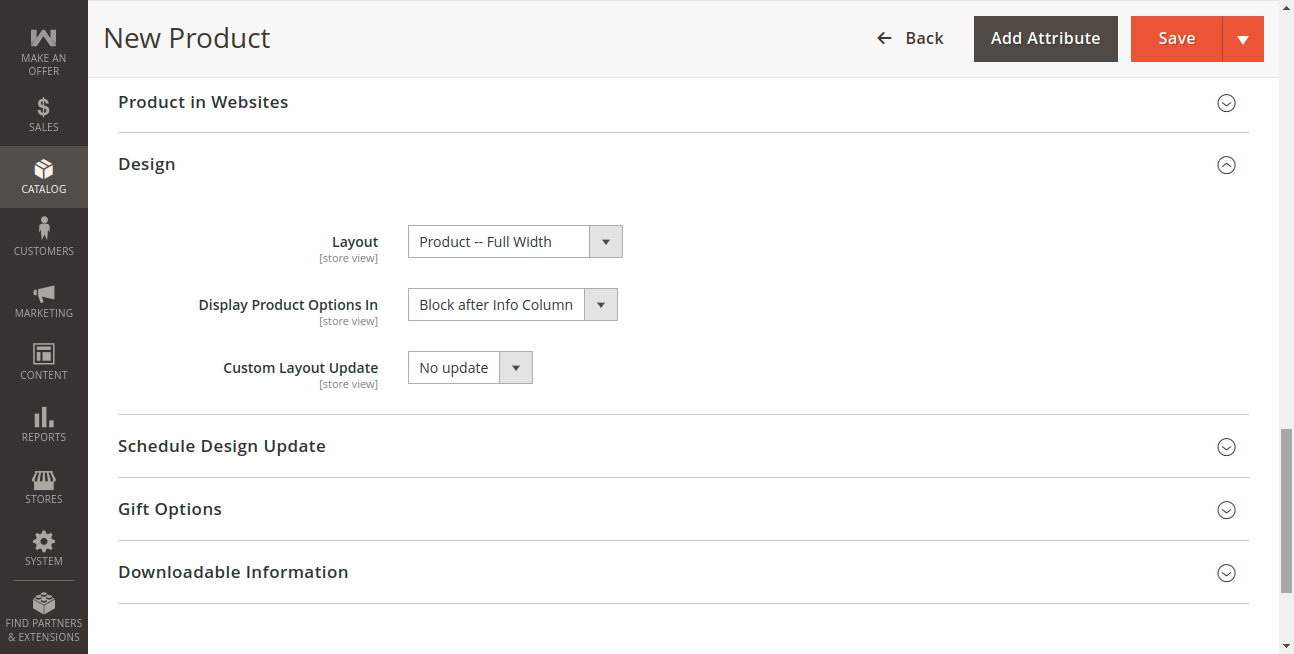
- Click Save and flush the layout cache:
php bin/magento cache:flush
Configurable & Child Products Support
When bargaining is enabled on a Configurable Product:
- Shoppers can select attribute options (such as Color and Size) directly within the Make An Offer form.
- The extension dynamically detects child product stock and original retail pricing via AJAX endpoints, ensuring negotiations correspond to the exact SKU and option combination chosen by the customer.