
Introduction
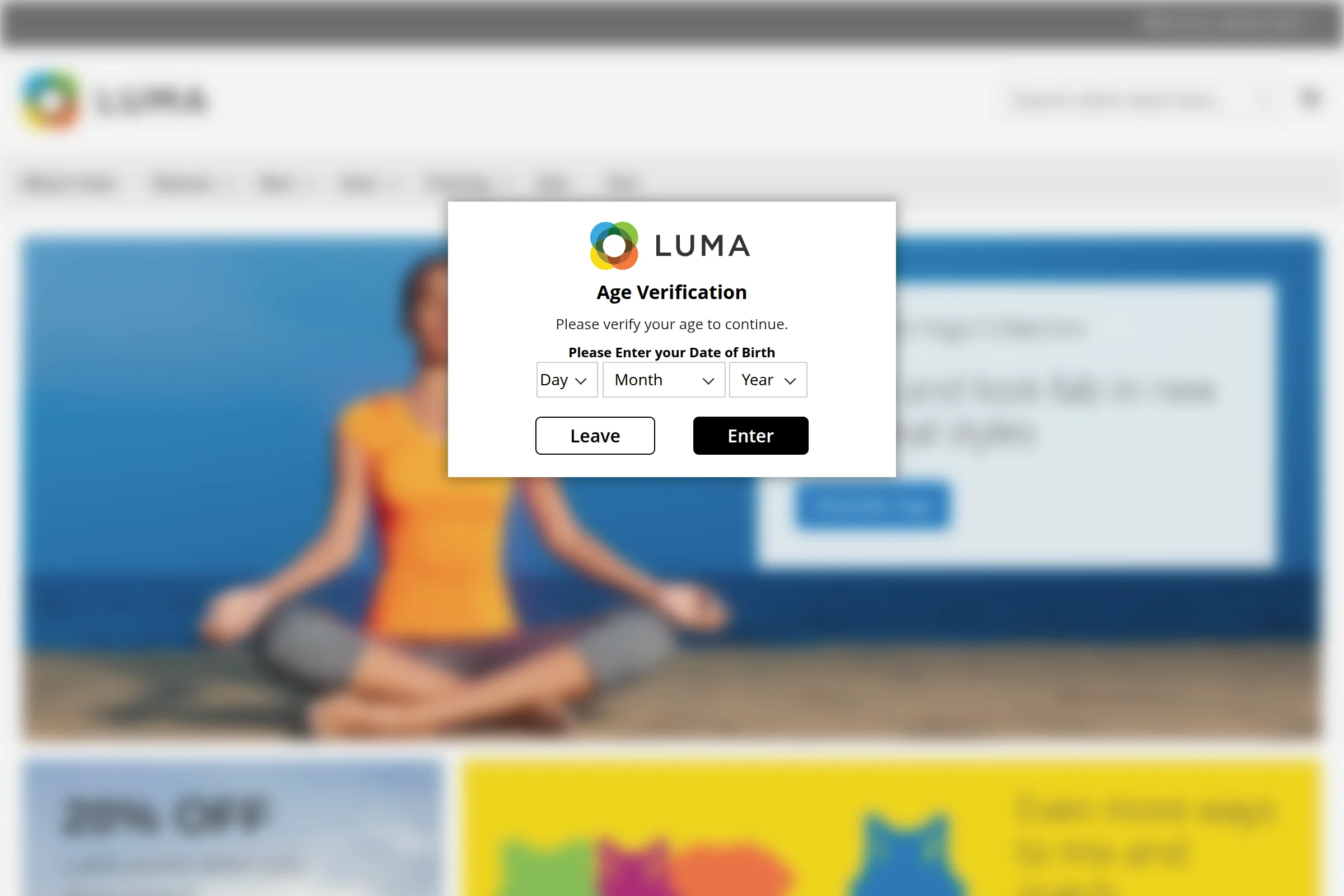
The Webkul Magento 2 Age Restriction (Verification) extension empowers store owners to enforce age verification compliance across their Magento 2 store. It displays an interactive age verification popup modal before visitors can view or purchase age-restricted catalog products, browse restricted categories, or access specific CMS pages.
This extension is built for merchants selling age-sensitive goods, such as tobacco, e-cigarettes, alcoholic beverages, adult products, gaming/lottery items, or any products subject to legal age limits.
Key Capabilities & Features
| Capability | Specification & Details |
|---|---|
| Module Name & Version | Webkul_AgeRestriction — Version 5.0.5 |
| Verification Methods | 1. Date of Birth (using_dob) with dropdown selectors2. Checkbox Option ( checkbox_option)3. Yes/No Action Buttons ( yesno_button) |
| Date Formats | Supports Day,Month,Year (dd-mm-yy), Month,Year,Day (mm-yy-dd), and Year,Day,Month (yy-dd-mm) |
| Minimum Age Validation | Configurable minimum age limit between 1 and 100 years |
| Targeted Restrictions | Granular restriction targeting on CMS Pages, Catalog Categories, and individual Products |
| Cart Protection | Intercepts cart additions via plugin (Webkul\AgeRestriction\Model\Plugin\Cart) to prevent adding age-restricted products without verification |
| Terms & Conditions | Built-in consent checkbox with customizable label text, hyperlinked URL, and mandatory acceptance validation |
| Cookie Lifetime | Configurable cookie duration in days to prevent repetitive verification popups on recurring visits |
| Full Page Cache Compatible | Uses Magento 2 CustomerData private content section (agerestrictedsection) and public cookie metadata |
| Modal Design & Styling | Customizable popup width (200px–1000px), background color, text color, and individual Enter/Leave button styles (color, text color, border color, border radius) |
| Custom Header Image | Upload a custom brand logo or warning badge directly from admin configuration |
| Redirect on Leave | Custom leave button URL redirect (e.g., Google or store policy page) when a user cancels or fails verification |
| GraphQL API | Headless support for querying configuration settings, validating age, and setting verification state |
Verification Workflow Architecture
Guide Structure
Explore the documentation sections to get started and configure the module:
- Requirements — System prerequisites and Magento / PHP compatibility.
- Installation — Step-by-step installation instructions via Composer or ZIP archive.
- Activate & Connect — Enabling the extension and performing initial setup.
- Configuration Overview — Deep dive into verification methods and caching mechanics.
- Admin Settings Reference — Complete field-by-field reference of all backend settings.
- Product & Category Setup — Applying restrictions to catalog items and CMS pages.
- GraphQL API — Headless and PWA integration guide.
- Troubleshooting — Solutions to common setup questions.
- FAQ — Frequently asked questions.